
Introduction
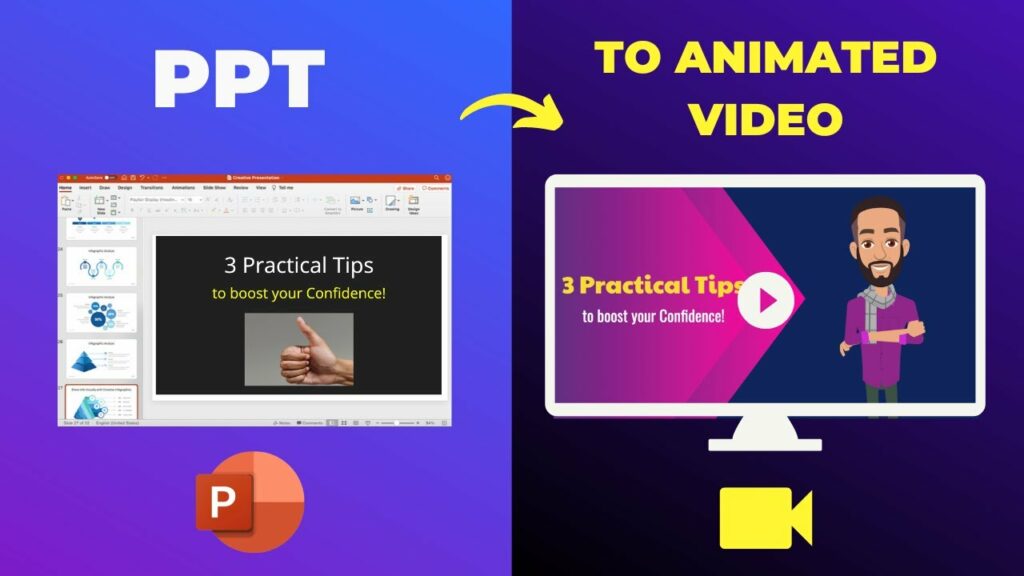
Let’s face it – clicking through slides can be sometimes boring. And as we all know, we live in an era where users have a very low attention span. So, if you’re looking to make your presentations more captivating, one of the best ways to do that is to convert it from PPT to video.
By converting your PPT file to video, you can make your presentation accessible across a wide range of platforms. But the question is; what is the best online tool to convert PPT to video? Well, in today’s post, we will share with you the top 10 best tools to convert PowerPoint to video. So, keep reading!
Part 1: Can You Turn A PowerPoint Into A Video?
The simple answer is: Yes!
Moreover, converting your PowerPoint presentation into a video will also allow you to preserve all your hard work, including animations, transitions, embedded videos, and even audio. You can also choose to add voice overs, background music, or interactive elements like quizzes at the time of converting the PPTs to videos.
While many tools can do the job, they vary greatly in features and capabilities. For context, a simple PPT to video converter might be enough for a quick slideshow-to-video transformation. However, if you’re looking for something more sophisticated, you’ll want to explore tools that offer advanced editing, interactive elements, or even AI-powered enhancements.
Part 2: Quick Comparison Of The Best Online Tools to Convert PPT to Video
| Tool Name | Key Features | Conversion Power | Output Quality | Ease of Use | Unique Strengths | Pricing | Free Trial |
| Virbo | AI avatars & voices, automatic video creation, 180+ templates, customizable, social media sharing | Quickly transforms PPTs into videos, leveraging AI for scene creation and transitions | Crisp visuals and clear audio | Intuitive interface, easy to navigate | Affordable, AI-powered creativity, perfect for beginners & marketers, extensive customization options | Starts at US$ 9.95/month | Yes |
| iSpring Suite | Interactive quizzes, screen & webcam recording, animations, SCORM compliant | Handles complex PPTs with animations and interactive elements | Maintains PPT quality, suitable for courses | Some features require learning | Best for interactive eLearning courses | Starts at US$ 770/year | Yes |
| Leawo PPT to Video Pro | Multiple formats, customizable parameters, batch conversion, watermark in free version | Converts PPTs to various formats efficiently | Faithful to original PPT, good for basic needs | Straightforward, few options for customization | Wide range of formats, fast conversion, budget-friendly | Starts at US$ 29.95 | Yes |
| Movavi PPT to Video Converter | Various formats, basic editing, voiceovers, watermark in free trial | Handles basic PPTs with ease | Suitable for most uses | Ideal for quick conversions | User-friendly, great for beginners | Starts at US$ 49.95 | Yes |
| Wondershare DemoCreator | Screen recording, webcam recording, editing tools, interactive elements, PPT import with animations | Imports PPTs with animations, allows screen recording overlay | Customizable quality, professional output | Wide range of features require some learning | Versatile all-in-one tool, great for tutorials and demos | Starts at US$ 6.56/month | Yes |
| Animaker | Animated characters, templates, music library, voiceovers, basic editing | Focuses on animation rather than raw conversion speed | Suitable for animations | Drag-and-drop interface | Emphasis on animation and visual storytelling | Free & Paid Plans | Yes |
| Veed.io | Screen & webcam recording, text & annotations, subtitles, cloud-based, collaborative editing, automatic transcription | Best suited for simple PPTs | Suitable for web and social media | Online tool, accessible to anyone | User-friendly online editor, ideal for quick social media videos, automatic transcription | Free & Paid Plans | Yes |
| Microsoft PowerPoint (Built-in) | Limited formats, basic transitions, voiceovers | Basic conversion capabilities only | Sufficient for internal use or quick sharing | Integrated into PowerPoint | Convenient for quick and simple conversions, free with Microsoft Office | Included with MS Office | N/A |
| RZ PowerPoint Converter | Multiple formats, batch conversion, video editing, customizable settings | Efficient for batch conversions | Preserves PPT quality | Steeper learning curve | Batch conversion powerhouse, advanced customization options | Starts at US$ 39.95 | No |
| Camtasia | Extensive editing suite, screen recording, animations, interactive quizzes, templates, direct sharing | Handles complex projects, not just PPT conversion | Customizable, high-quality | Requires some video editing knowledge | Most powerful, professional-grade output, best for complex video editing and interactive elements | US$ 299.99 (one-time) |
Part 3: Top 10 Online Tools to Convert PPT to Video Review
1. Wondershare Virbo

Image Name: online-tools-to-convert-ppt-to-video-virbo.jpg
First on our list, Virbo isn’t just another PowerPoint converter — it’s your personal AI-powered video production studio. While most converters only offer basic conversion capabilities, Virbo allows you to take your presentation to the next level with a range of advanced features — say AI avatars, professional and natural sounding voices, customizable templates, and automatic video generation. While it lacks the interactive features seen in tools like Camtasia and iSpring Suite, Virbo stands out for its AI-powered capabilities — and costs ten times less.
Key Features:
- 400+ customizable templates tailored for various content types, ensuring your PowerPoint transitions smoothly into a visually appealing video.
- 300+ AI avatars allow you to replace static slides with dynamic presenters
- AI script generator (powered by ChatGPT 4.0) will allow you to refine your ideas in the PPT slides
- 460+ realistic AI voices in 90+ languages to spread your message globally
- AI video translator lets you create multilingual versions of your converted videos
Pros:
- Virbo’s AI-powered engine produces stunning videos that look and sound professional
- Virbo automates much of the video creation process — even beginners can create impressive videos
Cons:
- Windows only
Pricing:
- Starts from US$19.9/month
Testimonial:
“I’ve been using Virbo for over a year in my role in creating engaging user content – it’s been a highly positive experience. Virbo’s library of premade assets, such as templates and music, helps to quickly enhance video projects without needing any editing skills. Additionally, the ability to convert PowerPoint into videos, easily integrating voiceovers and synchronize audio with video has been a significant time-saver in producing polished content.” – Maria K., Training Coordinator
2. iSpring Suite

A popular choice among educators and corporate trainers, iSpring Suite seamlessly integrates with PowerPoint and allows users of any skill level to turn presentations into interactive e-learning courses. While it boasts a range of features for creating interactive e-learning courses, iSpring Suite lacks the AI-powered features of Virbo or the advanced video editing capabilities of Camtasia or DemoCreator.
Key Features:
- Create interactive quizzes, drag-and-drop activities, and dialogues to test learners.
- Capture your screen or yourself on camera to create video tutorials.
- Add visual flair to your presentations with animations and transitions.
- Export your courses in SCORM format for easy integration with LMS.
Pros:
- High quality output with crisp visuals and clear audio.
- Ease to use for users familiar with PowerPoint.
Cons:
- Overkill if you only need basic video conversion
- Steep learning curve for exploiting advanced features.
Pricing:
- No Credit Card Free Trial.
- Starts at US$ 770/year for a single user license
Testimonial:
“This program is easy to use, and in my test it did an excellent job of converting a PowerPoint presentation of 73 slides to MP4.” — Mark, Corporate Trainer.
1. Leawo PowerPoint to Video Pro
Leawo PowerPoint to Video Pro is a straightforward tool designed to do one thing well: convert your PowerPoint presentations into video files. Offering various output video formats, like MP4, AVI, and WMV — Leawo does give you basic flexibility when it comes to controlling aspects like codec, bit rate, frame rate, and resolution. But then again, you will be only limited to simplicity, given Leawo PowerPoint to Video does not allow you to create interactive content as with iSpring or includes AI features like Virbo.
Key Features:
- Batch processing allows you to convert multiple PowerPoint files simultaneously.
- Convert your PowerPoint presentations into various video formats, including MP4, AVI, WMV, FLV, and MKV.
- Add a watermark or logo to protect your work
- Adjust parameters like codec, bit rate, frame rate, and resolution
Pros:
- Simple and user-friendly interface
- Faithfully reproduces even intricate PowerPoint animations in your video
Cons:
- Free version adds a watermark to your videos
- Lacks advanced features found in tools like Camtasia or Democreator
- You cannot add or edit audio tracks within the tool itself.
Pricing:
- Starts at US$ 29.95.
- Free trial with limited features (and watermark).
Testimonial:
“No extra bells and whistles, if you need a perfect converter for quick comparison, Leawo will prove useful.” — David, Student.
2. Movavi PPT to Video Converter
Movavi PPT to Video Converter is another excellent tool to convert your PowerPoint slides into videos. Unlike its video editing lineup, Movavi’s PPT to Video Converter does not boast extensive or advanced features, but it does strike a balance between functionality and ease of use — making it a great choice for beginners who need a smooth, straightforward conversion process.
Key Features:
- Add transitions, music, and voiceovers to enhance your videos
- Convert your presentations into popular video formats like MP4, AVI, WMV, and MOV
- Different video quality settings to balance file size and visual appeal
- Adjust the duration of each slide for optimal viewing pace
Pros:
- Produces videos with good visual and audio quality
- Add narration or commentary within the software.
Cons:
- Offers only rudimentary video editing tools
- Compared to Leawo, Movavi offers a smaller selection of output video formats
Pricing:
- One-time purchase starting at US$ 49.95
Testimonial:
“Unfortunately I lost a further PP to Video in PC-Crash. I´m very happy to get it again! Top-program” — Roland Schneider
3. Wondershare DemoCreator
Wondershare Democreator might be best known for its powerful screen recording and video editing capabilities, but it also packs a surprisingly robust PPT to video converter. So, if you are looking for a tool that can do it all (or at least, the most), Wondershare Democreator is definitely worth considering.
Key Features:
- Trim, split, crop, add annotations, and apply effects to your recordings.
- Create clickable buttons, hotspots, and other interactive elements to engage viewers.
- Save your converted PPT video in various formats (MP4, AVI, MOV, etc.) and resolutions.
- Add voice overs, music, and annotations directly to your converted video.
Pros:
- A multifunctional tool that goes beyond simple PPT to video conversion.
- Easily combine PPT with screen recordings to create tutorials or demonstrations.
Cons:
- Extensive features might be overwhelming for beginners.
- Requires a powerful computer for smooth performance.
Pricing:
- Starts at US$ 6.56/month.
Testimonial:
“I use DemoCreator to create engaging tutorials by combining PowerPoint slides with screen recordings. The interactive features are a real bonus. — Alex Daniel.
4. Animaker
Another versatile online video creation platform that goes beyond simple PPT to video conversion, Animaker is perfect for anyone primarily engaged in creating videos. Its PPT to Video conversion features is only a small feature among the range of tools; in fact, Animaker’s true strength lies in animation capabilities.
Key Features:
- Directly import your PowerPoint slides and transform them into animated videos.
- Drag-and-drop interface and vast library of animated characters, props, and backgrounds
- Choose from a variety of pre-designed templates to quickly create professional-looking videos
- Trim, crop, and adjust your videos with basic editing features
Pros:
- Turn static pages into captivating animated videos.
- Intuitive interface
Cons:
- Compared to tools like iSpring or Leawo, Animaker is limited to MP4 video format.
- Reported occasional lag and slow loading times.
Pricing:
- Starts at US$ 10/month
Testimonials:
“Liked Animaker in my first go, it seamlessly allowed me to add tons of animations into your PPTs.” — Jessica, Social Media Manager.
5. VEED.io
Veed.io, like Animaker, doesn’t focus solely on PowerPoint conversion, but its interface and diverse features will definitely make it a valuable tool for you to transform your presentations into engaging videos. Note that Veed.io has nothing fancy like the PowerPoint-specific features of iSpring Suite or the extensive editing tools of Camtasia, still, it will impress you on how it makes the process of converting PPTs to videos streamlined and accessible.
Key Features:
- Transcription features like Virbo to automatically generate subtitles.
- Trim, crop, resize, and add text overlays, filters, and music to your PPT videos.
- Work with team members and refine your converted videos in real time.
- Directly upload your PowerPoint Slides and convert them into a video format.
Pros:
- No software installation required
- Fast conversion speed for short presentations
Cons:
- File size constraints even with the paid plan
- Lacks the depth and versatility of robust tools like Virbo
Pricing:
- Starts at US$ 18/month.
Testimonials:
“The collaborative features allow my students to work on a project seamlessly.” — Ben, Teacher
6. Microsoft PowerPoint Online
While external tools mentioned in the list do offer an edge, Microsoft PowerPoint also directly allows you to convert your PPTs to videos easily. You cannot expect the advanced features and customizations options found in above tools like Virbo, iSpring, or Leawo — still, it is a convenient option for quick and simple conversions.
Key Features:
- Seamlessly convert your presentation to video format from within PowerPoint.
- Apply simple transitions between slides for a smoother viewing experience.
- Easily add your voiceover to guide viewers through the content.
- Choose from common video formats like MP4 and WMV.
Pros:
- No need to download or learn new software
- Included with your Microsoft Office suite
Cons:
- You won’t find AI avatars, interactive quizzes, or extensive video editing capabilities here
Pricing:
- Free if you have the Microsoft Suite subscription.
Testimonials:
“I had a last-minute request to turn my PowerPoint presentation into a video for a virtual meeting. PowerPoint’s built-in converter was a lifesaver! It wasn’t fancy, but it got the job done quickly and easily.” – Emily, Project Manager
7. RZ PowerPoint Converter
Known for its batch processing, RZ PowerPoint Converter is another reliable PPT to video converter that comes with a wider range of output formats than even Leawo PowerPoint to Video Pro. You can also fine-tune video and audio settings, like resolution, bitrate, frame rate, and codec — giving you granular control over the converted videos. Additionally, there are also basic video features for trimming and cropping your converted PPTs, so you can adjust the video within the converter itself.
Key Features:
- Add your own watermark with adjustable opacity, position, and size.
- Automatically add slide numbers to your video for easy reference.
- Predefined settings for various video formats and resolutions
- Convert specific slides or the entire presentation to video.
Pros:
- Efficiently convert multiple presentations in a single batch.
- Fast conversion process
- Add your own logo and branding to the converted videos
Cons:
- Interface can be a bit clunky
- Lacks advanced video editing and even basic AI features
Pricing:
- One-time purchase starts at US$ 29.95.
Testimonials:
“I had dozens of PowerPoint presentations to convert for our company’s website, and RZ PowerPoint Converter handled the batch conversion flawlessly. The customization options were a plus!” – Ben L., Event Coordinator
8. Camtasia
Camtasia may be last on our list, but it’s by no means the least. In fact, it’s the powerhouse of the bunch, offering the most comprehensive solution to transform your PowerPoint presentations into professional-quality videos.
Key Features:
- Seamlessly import your slides, maintaining animations and transitions.
- Take your videos beyond the basics with a full suite of editing tools, including precision trimming, cutting, splitting, and merging.
- Include clickable links, interactive elements, and quizzes in the converted videos.
- Professional templates, royalty-free music, and sound effects
Pros:
- Camtasia delivers the highest quality video output of any tool on this list
- Create engaging content with quizzes and interactive elements
Cons:
- Steeper learning curve
- Expensive plans
Pricing:
- Starts at US$ 179.88 per year, billed annually
Testimonials:
“Overall, it’s a great product. One has to take the time to learn some of the features, but it fulfills almost all professional and personal needs. It’s great for editing existing videos or creating new ones. The timeline, once you get used to it, is simple and powerful.” – Mark T., Video Producer
Conclusion
Choosing the perfect PowerPoint to video converter depends on your specific needs and budget. The idea of including all types of tools in this guide to cater to everyone’s needs. So, if you need a simple, no-frills converter, Movavi or Leawo might be your best bet. For a versatile all-in-one tool, consider Wondershare DemoCreator. Those seeking interactive features for eLearning should explore iSpring Suite and Camtasia.
However, if you’re looking for the latest trend in video creation, transforming your PPTs into killer videos with AI-powered avatars and voices, there’s only one tool for the job right now: Virbo.