Compliance and legal professionals frequently need to twitter archiver a Twitter account for official usage, much as with other social networking sites like Facebook and Instagram.
In the public sector, this often takes place to fulfil FOIA and Open Records recordkeeping responsibilities, but in the private sector, it typically takes place in advance of a regulatory audit or legal case.
In a recent instance, Tesla CEO Elon Musk’s Twitter account was at the centre of a legal dispute when one of his tweets caused a 13 percent decline in Tesla shares and prompted a group of shareholders to file a lawsuit against the business.
It is vital to gather a twitter account as prospective proof in situations like the one described above, but how should this be done? Simply taking screenshots is an easy fix.
Snapping Pictures of a Twitter Account
Simply collecting screenshots of pertinent tweets may seem like a simple fix at first, but doing it manually and using static pictures has certain problems.
- Because a screenshot cannot be used to verify its legitimacy, it does not comply with the Federal Rules of Evidence and is frequently insufficient to satisfy an auditor or a court. A sponsored witness will be necessary to demonstrate the validity of a screenshot when it is presented in court, and even then, it is possible that the opposing counsel would raise doubts about its veracity.
- Screenshotting a single tweet is quick and simple, but doing the same for a whole account may be tedious, unpleasant, and error-prone.
- After you’ve taken a screenshot of a tweet, you may still erase it. Even if you will have succeeded in capturing it, the absence of information might make it challenging to prove that your copy is the real deal. Even more so if the tweet in question has been removed, how can you demonstrate that the screenshot you took is an accurate picture of it?
Static pictures are not the best method for gathering and archiving tweets for the reasons mentioned above, at least not when it comes to a legal case or regulatory audit. Downloading the account’s archive straight from Twitter is a preferable substitute.
Obtaining Information from Twitter
Similar to Facebook and Instagram, Twitter enables users to download account information from the service, thereby creating a record of the data.
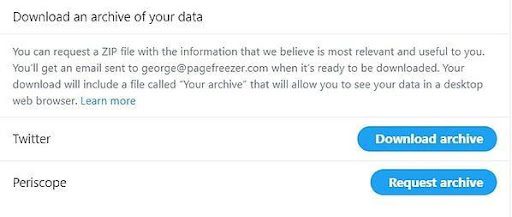
On the website’s menu icon, click “More,” then choose “Settings and privacy” to save your data to a pc. Then, under “Data and permissions,” you choose “Your Twitter data.”
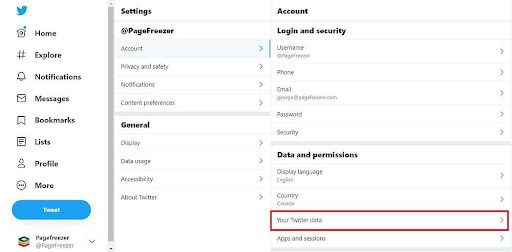
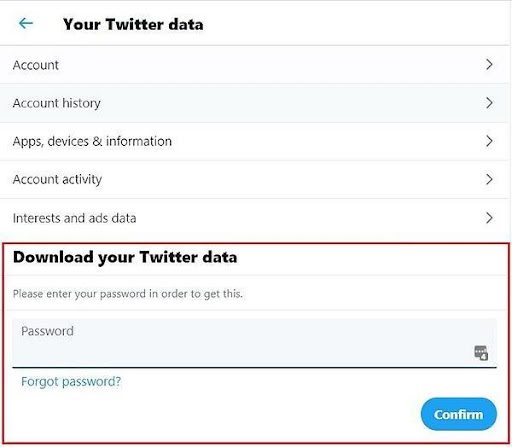
You will be sent to a page where you may download your Twitter data by clicking here. You must first enter your password as a security precaution, though.
Next, you can click a button to request your archive.
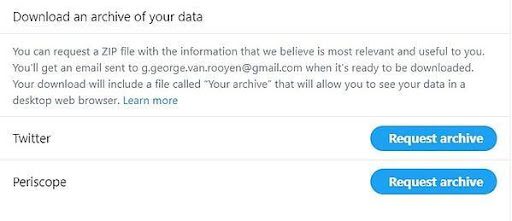
Twitter will notify you that your data is being retrieved once you’ve completed this. Your data will normally be ready in a few of hours, and you will be notified through email when it is time to download the data.

You may now download the data straight to your computer when you come back to the same page after receiving the email notification. Twitter will also let you know the date the data was created and the approximate size of the download, which comes as a ZIP file that has to be opened.
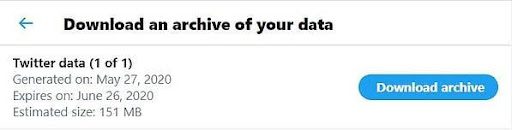
You’ll have the following items after extracting the ZIP file:

The first and most obvious file to pay attention to is “Your archive.html”. As the file extension suggests, it opens in your web browser.
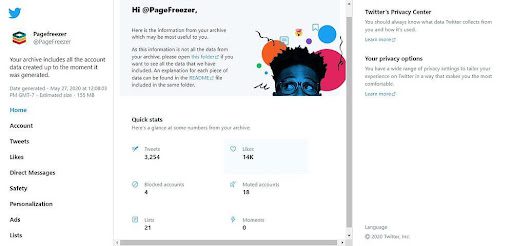
According to Twitter, the simplest way to traverse your archive is to double-click the “Your archive” file located in the main folder once the archive has been unzipped in order to launch the HTML renderer in a desktop web browser.
In essence, what you receive is a localised version of your online account. The user interface that appears when you click “Tweets” is remarkably similar to the standard Twitter user interface.
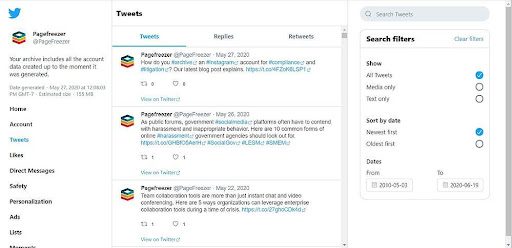
Even though this archive view is user-friendly, it has a number of serious drawbacks:
- It is missing some of your data. Twitter says the following: “Take note that just a portion of the data from the archive is included in the HTML renderer. Please browse the JSON files in the “data” folder to examine all the data that is included in the archive.
- Authenticity is not readily apparent. Because no hash value or metadata are displayed, it is unclear whether the information is real if you just consider what you can see in the browser view.
- Data cannot be exported. Practically speaking, the local version and the live internet version are very similar. For example, you cannot export what you see on screen as a PDF or another format that can be applied during a probe or trial So you’re back to capturing screenshots, at least for the archive’s browser version.
You need to go through the JSON files in the downloaded “data” folder to locate anything that could be useful for compliance and legal proceedings. Additionally, the material has been disassembled and decontextualized, as is so frequently the case with these types of archive downloads. An excerpt from that folder is shown below:
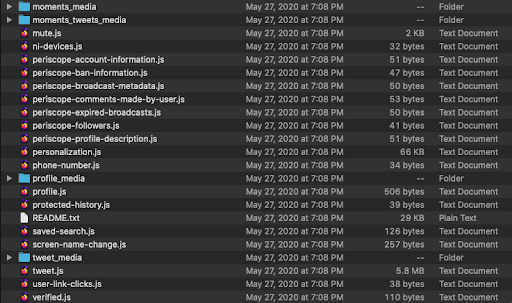
The “tweet media” folder contains all of the tweets’ pictures, whereas the “tweets.js” file contains the actual tweets. This is what you get when you use a JSON reader to inspect this.js file:
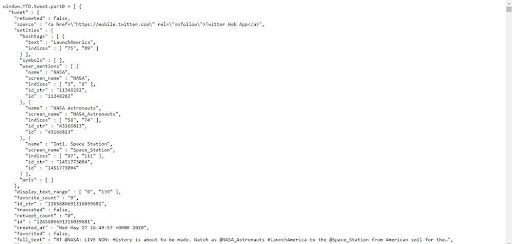
The context of every tweet from the account, along with any accompanying media, has been wiped away. Although “tweets.js” is at least one file that can be verified with a hash value, the content is difficult to grasp at a glance and is not something you would want to bring in court.
Similar to a screenshot, Twitter’s built-in archiving capability is not the best option because it does not give you the kind of verified copy of evidence that might be presented to a court or auditor.
Twitter archiving for legal and compliance purposes
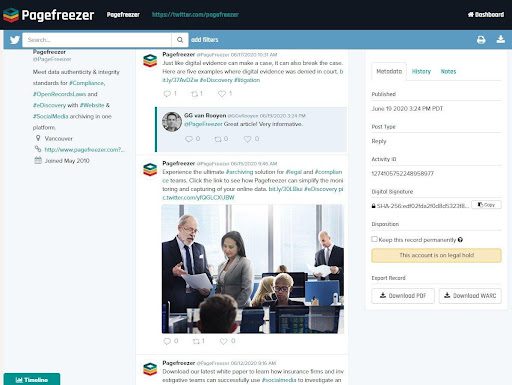
An automated archiving system that archives Twitter content in real-time is a far superior option when it comes to gathering and keeping data for legal and compliance requirements. Real-time social media capturing enables the following:
- Preserve context; material that has been archived maintains the same appearance and feel as that of the original platform.
- Record comments and display them alongside the original tweet.
- Keep track of direct messages
- View related metadata
- View deleted tweets that have been taken down from the internet
- Use a hash value to verify archived material (digital signature)
- Simple export of documents in defendable quality to PDF
- Put an account on hold legally to make sure that nothing important is removed from the archive