
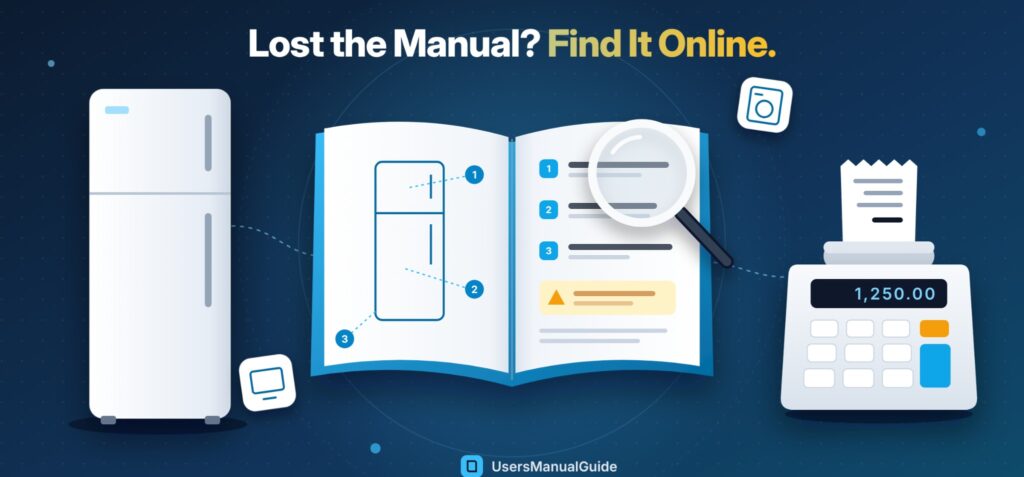
Nobody cares about the manual on day one. It starts to matter later, when the fridge begins making a noise it never made before. That’s when people dig through kitchen drawers, come up empty, and grab their phone.
For a product bought last year, the answer often comes fast. For a model that left the shelves ten or fifteen years ago, it can take a lot longer. That gap is what UsersManualGuide is trying to close. The site gathers user manuals for everything from kitchen gear to office electronics, including plenty of models nobody sells anymore, and puts them where anyone can look them up.
Where Old Instructions Disappear To
Brands rebuild their websites every few years. When that happens, the support section gets shuffled around, and the PDF for a model they stopped selling years ago doesn’t always make the move. You click an old link and end up on a “page not found” screen.
And the paper booklet? Gone. Plenty of us tossed it with the packaging the day the thing showed up. Or it got lost somewhere between two apartments. Bought the fridge used off a neighbor? Then you likely never had a booklet to begin with.
Here’s the annoying part. A lot of the time the machine is fine. Maybe the freezer just wants a defrost. Maybe the clock on the display started blinking after the power went out last night. Not hard to fix, if you knew how. Without the booklet, you’re poking at buttons.
Brand, Then Category, Then Model
On UsersManualGuide, you pick a brand first. Then you click into the right category, say refrigerators or printers, and scroll until your model shows up. Already have the model number? Type it into the search bar and skip the browsing.
Click a model and the manual is right there on the page. No login screen pops up, and there’s no PDF left sitting in your downloads folder. That’s handy if you’re on your phone, crouched next to the appliance, trying to work out which button to hold down. Some older manuals started life as blurry scans. For those, the site cleans the pages up so the words are actually legible, and tries to point you straight to the part you came for.
New models keep getting added. The people running it say they built it because they were sick of losing twenty minutes to dead links every time something needed a reset.
That Fridge in the Garage
Fridges are a good example. Plenty of them keep running for a decade or more, and by then the maker has usually dropped them from its website. The owner still has questions, though. Where’s the temperature dial? How do you defrost this thing? How much of a gap does it need at the back?
If you’re after a Sanyo refrigerator manual, chances are the model number is the only clue you’ve got. The Sanyo section on UsersManualGuide lists compact and counter-high units along with several laboratory and medical refrigeration models. A person looking for a Sanyo SR-3720M manual, for example, will find that counter-high refrigerator listed with both a user manual and assembly instructions. Browsing the full set of Sanyo refrigerator manuals also helps when the label has faded and you need to compare similar models to figure out which one is yours.
The Calculator on the Office Desk
Calculators seem easy until you need one of the odd keys. On an office printing calculator, setting the tax rate or loading a new paper roll works a little differently on almost every model, and the tiny symbols on the keys don’t explain much.
Sharp has made lots of these over the years, from Compet desktop machines to Elsi-Mate handheld units and EL-series printing calculators. The Sharp calculator manuals on UsersManualGuide are listed by model number. Flip your calculator over, check the sticker on the back, and look for that same number. People tend to look for a Sharp calculator manual after swapping a paper roll or an ink ribbon, or when a setting has been changed by accident. Someone typing in “Sharp EL-334E manual” is in the same boat. They know the model and just want the right instructions.
Who Runs It, and Who Doesn’t
One thing worth being clear about: UsersManualGuide is its own thing. Sanyo, Sharp and the other brands you’ll see listed there have nothing to do with running it. What it does is point people to documentation that already exists for products they own. For warranty work, recalls or a real repair job, the maker or one of its approved repair shops is still where you should go.
What’s Coming Next
Besides English, there are German, Spanish, Italian and French versions, each on its own domain. Next on the list is a smarter search box. Instead of a model number, you’d describe the problem in everyday words, something like “my dryer keeps beeping,” and land on the page that deals with it. It isn’t live yet, but it’s planned.
About UsersManualGuide
UsersManualGuide is a free place to read online user manuals. You’ll find TVs and washing machines on it, but also printers, calculators and power tools. It’s set up by brand first, then the type of product, then the model. You won’t be asked to make an account, either.