
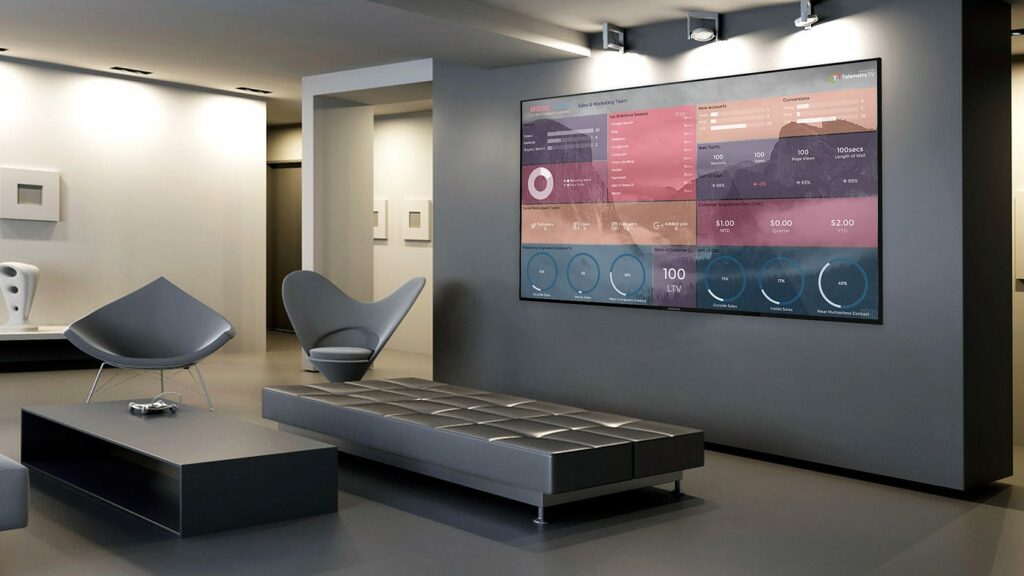
In an era where technology seamlessly integrates into our daily lives, the flexibility of digital tools offers endless possibilities. One such possibility is transforming an ordinary television into a digital signage TV, an upgrade that can enhance the way you communicate visually at your place of business or even at home. Whether you’re looking to display menus, share information with customers, or just want to make a more dynamic home entertainment system, digital signage offers a versatile solution.
Understanding the Basics of Digital Signage
Digital signage uses technologies like LCD, LED, and projection to display content such as videos, images, and information. Traditionally seen in public spaces, like malls or hospitals, digital signage is now becoming a staple in smaller businesses and residential settings thanks to its decreasing cost and increasing accessibility.
What Makes a TV Suitable for Digital Signage?
Not every TV is ready to be used as digital signage right out of the box. To get started, your TV should have:
- High Definition: Clear, crisp display quality is necessary to ensure that your content looks professional and is easy to read.
- Connectivity: HDMI ports are crucial as they are the most common way to connect media players that run digital signage software.
- Remote Control Capability: Being able to adjust settings or change content remotely can greatly enhance the flexibility of your digital signage.
Choosing the Right Digital Signage Software for TV
The heart of transforming your TV into effective digital signage lies in the software. Digital signage software for TV manages what displays on your screen, when it displays, and how it displays. When selecting software, consider the following:
- User-Friendliness: The software should be easy to navigate, making it straightforward to update and manage content without needing technical expertise.
- Content Management: It should allow for easy content scheduling and updating. This feature is especially important for environments where information changes regularly, such as menus or timetables.
Step-by-Step Guide to Setting Up Your TV Digital Signage
Hardware Installation
- Choose the Right Location: Where you place your TV can impact visibility and engagement. High-traffic areas are usually ideal.
- Secure the TV: Ensure the TV is securely mounted to the wall or placed on a stand. This not only improves viewing angles but also prevents potential damage.
Software Setup
- Install the Software: Depending on your choice of digital signage software for TV, this might involve downloading it directly to a smart TV or using a media player connected via HDMI.
- Customize Your Display: Tailor your settings according to what you want to display. This could involve arranging layouts, scheduling content, and fine-tuning how your messages appear.
Tips for Effective Content Creation
- Keep It Simple: When crafting content for your digital signage, clarity is key. Use bold, clear fonts and concise language to convey your message. Complex designs or too much text can overwhelm your viewers, making it hard for them to absorb the information quickly. Ideally, someone should understand the message in seconds just by glancing at the screen.
- Use High-Quality Images and Videos: The visual quality of your content can greatly impact viewer engagement. High-resolution images and videos ensure that your displays look professional and are pleasing to the eye, making them more effective at grabbing and retaining viewer attention. Additionally, quality visuals are less likely to appear pixelated on large screens, thereby enhancing the overall aesthetic appeal of your digital signage.
- Update Regularly: Dynamic content is vital for keeping your digital signage relevant, particularly in environments where viewers frequently encounter your displays, such as in retail locations or office buildings. Regular updates to your content can reflect current trends, promotions, and information, keeping your audience informed and engaged. This could mean scheduling daily updates or changing content based on time of day or viewer demographics.
Troubleshooting Common Issues
Even with the best setup, issues can arise. Here are some quick fixes:
- Screen Not Displaying Content: Sometimes, despite everything seeming set up correctly, your screen may not display content. First, ensure all physical connections are secure—check HDMI cables and power connections. Verify that your media player is powered on. If these steps don’t resolve the issue, a simple reboot of your digital signage player or TV might help.
- Blurry Images or Videos: If your digital signage display suffers from blurry images or videos, it could be a resolution mismatch. Ensure that the digital signage content is designed at, or above, the native resolution of your screen. If the content is of high quality and still appears blurry, check the resolution settings in your digital signage software to ensure they match your display’s capabilities.
- Software Crashes: To prevent software crashes, it’s crucial to keep your digital signage software updated. Regular updates often include performance enhancements and bug fixes that can prevent crashes. Additionally, ensuring that your software is compatible with your TV’s operating system is crucial; an incompatibility here can lead to frequent software issues. Regular maintenance checks can help catch and resolve these issues before they impact your display.
Conclusion
Turning your TV into a TV digital signage system, enhanced by TV digital signage software, can transform how you share information and engage audiences. By adhering to these setup steps, you create a versatile communication tool that modernizes your space. Whether it’s for business outreach or personal entertainment, digital signage optimizes your TV’s functionality, making it a central piece for displaying dynamic content effectively and attractively. This approach not only meets diverse communication needs but also maximizes the potential of a standard television setup.