
Introduction
Your iPhone is more than just a phone—it’s your connection to work, family, and daily life. When it breaks, whether it’s a cracked screen, a dead battery, or water damage, you want it fixed quickly and professionally. In this guide, we’ll explore everything you need to know about iPhone screen repair and general iPhone repair services, from common issues to choosing the right repair shop.
Why iPhone Screen Repair Is So Important
- Preserves usability: A cracked screen can make your iPhone difficult to use.
- Protects internal components: Leaving a broken screen unrepaired can expose the phone to dust, water, and further damage.
- Maintains resale value: A properly repaired iPhone holds much more value if you plan to sell or trade it in.
Common Types of iPhone Screen Damage
- Minor scratches – cosmetic but can worsen over time.
- Cracked glass – usually from drops or pressure.
- Shattered screen – severe damage needing urgent replacement.
- Touch sensitivity issues – caused by internal screen damage.
iPhone Repair Beyond the Screen
While screen repair is the most common, iPhone repair covers many other problems:
- Battery replacement for devices that drain too quickly.
- Charging port repairs for phones that won’t charge.
- Camera repairs to fix blurry photos or malfunctioning lenses.
- Water damage repair after accidental spills or submersion.
- Software troubleshooting when updates or apps cause glitches.
DIY vs Professional iPhone Screen Repair
- DIY Kits: Affordable, but risky. Requires technical skill and may void warranties.
- Professional Repairs: Offer expertise, warranties, and high-quality replacement parts.
How to Choose the Right iPhone Repair Service
- Check reviews and reputation.
- Look for certified technicians.
- Ask about warranty on parts and labor.
- Compare repair timeframes.
- Ensure they use genuine or high-quality parts.
Typical Costs of iPhone Screen Repair
- Prices vary by model and location.
- Newer models like iPhone 14 or 15 cost more than older iPhone 8 or X.
- Third-party repair shops may offer more affordable options compared to Apple’s official service.
The Repair Process Step by Step
- Diagnosis – technician checks the extent of the damage.
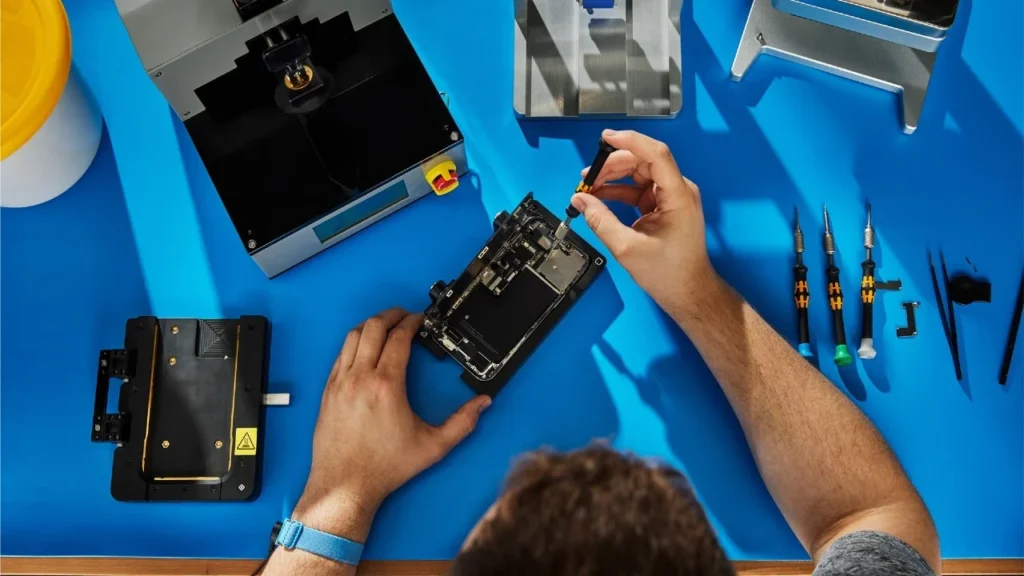
- Disassembly – carefully removing the broken screen.
- Replacement – installing a new screen or part.
- Testing – ensuring touch, display, and sensors work properly.
- Final check – handing the phone back good as new.
How Long Does iPhone Repair Take?
- Screen replacement: 30 minutes to 2 hours.
- Battery replacement: less than 1 hour.
- Complex repairs (water or motherboard issues): may take several days.
Tips to Avoid Future iPhone Repairs
- Use a tempered glass screen protector.
- Always keep your iPhone in a protective case.
- Avoid extreme heat, cold, or water exposure.
- Keep your software updated to prevent glitches.
Apple vs Third-Party iPhone Repair Services
- Apple Authorized Service Providers: Offer genuine parts but are often more expensive.
- Independent Repair Shops: More affordable, faster service, and flexible repair options.
Signs It’s Time for Professional iPhone Repair
- Your screen is cracked or unresponsive.
- The phone doesn’t hold a charge.
- Camera or microphone stops working.
- Overheating or random shutdowns occur.
- Water damage symptoms appear.
Conclusion
Whether you need iPhone screen repair after a sudden drop or broader iPhone repair services for battery, camera, or software issues, taking action quickly is the smartest move. Choosing a reliable technician ensures your iPhone gets back to peak performance—helping you stay connected without interruptions.