
A founder sends a proposal on Monday. By Thursday, the prospect had gone quiet. The follow-up note sits in a personal notebook, the last call was never logged, and the email thread lives in someone else’s inbox. Nobody is sure who should reach out next. This is a normal week for many small sales teams, and it costs real deals.
The usual cause is scattered tools, not a lack of effort. A well-chosen sales CRM gathers conversations, tasks and deals in one place so the team can see what is happening and what to do next. This article explains how that works and where one popular platform fits in.
What Is a Sales CRM, and Why Does It Matter?
A sales CRM (customer relationship management system) is software that stores every lead, contact, conversation and deal in a shared record. It reminds the team about follow-ups and shows how each opportunity is moving.
A basic spreadsheet can hold names and phone numbers. A CRM adds the missing layer: history, ownership and next steps. It answers three questions every sales manager asks daily:
- Who are we talking to?
- What has already been said?
- What should happen next?
When these answers live in different apps, details get lost. When they live in one record, the team can act faster and with more confidence.
What Is Close?
Close is a sales-focused CRM built for founders, startups, small businesses, agencies and growing sales teams. It was founded in 2013 by Steli Efti, Anthony Nemitz and Thomas Steinacher, who had run an outsourced sales operation and built the tool because existing software made salespeople spend too much time on data entry. The company is self-funded, works fully remotely, and says more than 11,500 businesses use its platform.
The platform’s main idea is simple: calls, emails and text messages should happen inside the CRM instead of in separate apps. Every activity is then saved automatically on the lead’s record.
Key Features That Support Daily Sales Work
Here is how the main tools work together.
- Lead and contact management: Teams can capture leads through forms, sort them by status, and filter them by source, location or activity.
- Lead profiles and timelines: Each profile stores calls, emails, texts, meetings and notes in time order, so anyone on the team can review the full story.
- Smart Views: These are saved, dynamic filters. They can surface stalled deals, leads with no recent contact, or open tasks.
- Centralised inbox: Emails, missed calls, texts and tasks appear together, which helps representatives decide what to handle first.
- Tasks and reminders: Follow-ups can be assigned, dated and prioritised so they do not depend on memory.
- Reporting: Activity reports and dashboards track calls, emails, deals and conversion, and can be filtered by user, date range, status or source.
Sales Pipeline Management: Seeing Every Deal at a Glance
Strong sales pipeline management means knowing the stage, value and next action for every opportunity. In this CRM, teams create stages that match their real process, such as New, Qualified, Proposal, Negotiation, Won and Lost. They move each opportunity along as the conversation develops.
Managers can then review open deals by stage, value and expected date. The Opportunity Funnel report shows conversion rates between stages, which helps reveal where prospects drop out. Activity reports show what representatives have actually done. Used together, they let a manager compare effort with deal movement, without assuming that more activity always means more revenue.
Calling, Email and Text in One Place
For teams that sell through conversation, switching between apps wastes time. The platform includes:
- Built-in calling: Users can place and receive calls, record them, use local presence numbers, forward calls and use voicemail drops. Calls are logged automatically.
- Power Dialer: It works through a list of leads one after another, which suits outbound prospecting. Dialers are available from the Growth plan.
- Predictive Dialer: It can dial several numbers at once for larger campaigns on eligible plans.
- Email: Two-way sync, templates, bulk sending, scheduled messages and open tracking keep email linked to the lead record.
- SMS: Two-way texting is supported in a limited set of countries, and messages generally cannot cross borders except between the United States, Canada and Puerto Rico.
Teams outside these regions should check country support before planning around text messaging.
Sales Automation: Fewer Missed Follow-Ups
Workflows handle repetitive outreach. A workflow starts with a trigger, then adds emails, texts, call tasks and timed delays. Here are two examples:
- Small sales team: When a new lead arrives, send an introductory email, create a call task after two days, and send a text if there is no reply.
- Marketing agency: After a website enquiry, send a qualification email, assign the lead to an owner, and move unresponsive leads into longer-term follow-up.
Workflows are available on the Growth and Scale plans, so smaller plans may not include them. Teams should also test timing, recipients and stop conditions before switching anything on, because a badly built sequence can annoy prospects.
How AI Fits In: Chloe and AI Agents
AI is now a large part of the product, and it comes in a few forms.
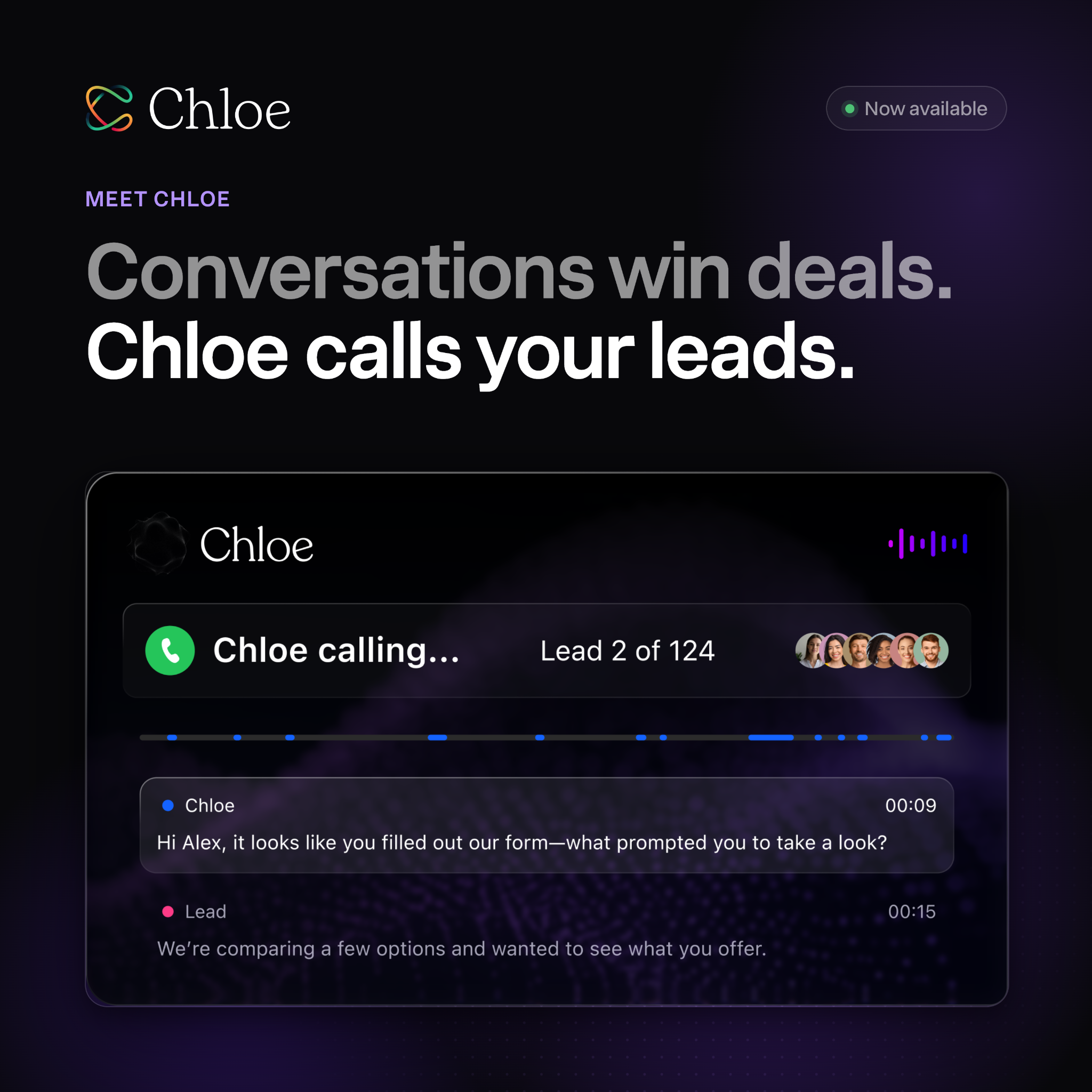
Chloe Chat works as an AI sales assistant inside the CRM. A user can ask in plain language which deals have gone quiet, request a summary of recent calls, or build a simple report. Chloe asks for approval before changing CRM data and drafts emails without sending them automatically.
AI Agents carry out defined tasks with more independence:
- Voice Agents make outbound calls through workflows, batch calling or call tasks. They can follow qualification questions, book meetings and log the outcome, including a summary, recording and transcript, on the lead record.
- General Agents (Beta) complete tasks on a schedule or after a CRM event, such as updating records.
A typical use is reaching out to old or inactive leads, asking a few set questions, and creating a task for a human representative if the person shows interest.
Benefits and Limits
AI can reduce note-taking, lead research and routine follow-up. It can also make a small team feel larger by covering repetitive calls.
Still, there are limits worth stating plainly:
- Voice Agents currently support English only.
- AI calls and other AI features use credits and may carry usage charges, so teams should review the details before relying on them.
- Official material describes what the tools do, not that they convert better than human outreach or email sequences.
- Customer stories are individual experiences, not guaranteed results.
AI works best as support for skilled people, not as a replacement for every sales representative. Conversations that need judgment, empathy or complex negotiation still benefit from a person.
Connecting the Wider Toolset
The platform connects with common business tools, including Gmail, Google Calendar, Zoom, Slack, Calendly and Zapier. It also offers an API and supports the Model Context Protocol (MCP), which lets compatible outside AI tools work with CRM data. For teams moving from another system, a lead importer handles CSV or Excel files and CRM imports. Not every historical activity or custom field transfers automatically, so migration should be planned.
Which Businesses Benefit Most?
This type of CRM suits organisations that win customers through repeated conversations:
- SaaS companies: follow up on trials, book demos and track renewals.
- Agencies: manage enquiries, discovery calls and proposals.
- Recruiters: track employer leads, vacancy discussions and follow-ups.
- Insurance and financial services: manage needs discussions, quotes and reviews.
- Coaching and consulting firms: keep discovery calls and proposals tied to one record.
- Home services: respond fast to enquiries and schedule estimates.
It may be a weaker fit for businesses that need heavy marketing automation, customer-service tools or complex enterprise customisation. Comparing options against actual needs matters more than choosing the biggest platform.
How to Get Started Without Making a Mess
A CRM only helps when the data inside it is trustworthy. A sensible rollout looks like this:
- Map the sales process first, from lead capture to Won or Lost.
- Clean duplicate records and standardise fields before importing.
- Build a simple pipeline with only the stages the team really uses.
- Assign clear owners and limit admin access.
- Connect email and calendars so meetings and messages land on the right record.
- Launch one or two simple workflows and test them.
- Review overdue tasks and inactive deals weekly, then trim unused fields after a few weeks.
Common mistakes include too many custom fields, unclear ownership, untested automation, and tracking activity without checking whether deals actually move forward.
Frequently Asked Questions
Is this CRM good for small businesses? Yes. It is designed mainly for founders, startups and small or growing sales teams that rely on calls, email and text. Very large organisations with complex customisation needs may find other platforms more suitable.
Does it include AI? Yes. It offers Chloe Chat for questions and analysis, and AI Agents for tasks such as outbound calling and CRM updates. Features and limits vary, so the latest plan details should be checked.
Can it replace separate calling and email tools? For many sales teams, yes. Calling, email and SMS run inside the CRM, and activity is logged automatically, though availability of some features depends on the plan and country.
Key Takeaways
- Close CRM keeps leads, contacts, conversations and follow-up tasks organised in one place.
- Sales pipeline management helps teams track deal stages, monitor progress and identify inactive opportunities.
- Built-in calling, email and SMS keep customer communication connected to lead records.
- Sales automation reduces repetitive work through scheduled emails, reminders and follow-up workflows.
- Chloe Chat and AI Agents assist with reporting, call summaries, lead qualification and routine sales activities.
- Startups, agencies and small businesses can use the platform to manage leads and organise their sales processes.
- Businesses should check subscription plans, AI usage costs, feature availability and SMS restrictions before choosing Close CRM.

- STACK20 = 20% Discount
See more: https://refer.close.com/fezmclssdcxm