
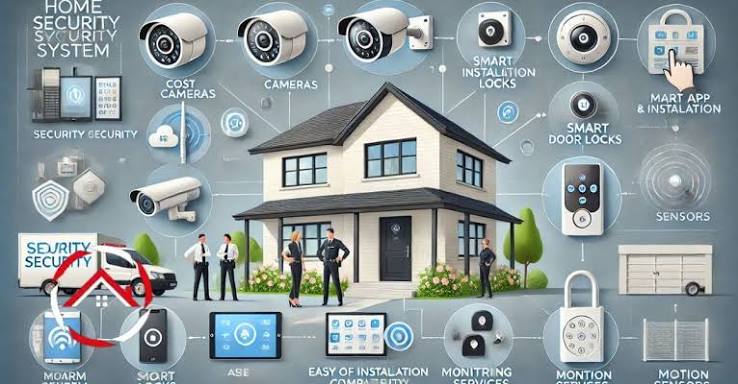
Security is an important concern for homeowners, business owners, and property managers. Whether protecting a family home, a retail store, an office, or a warehouse, having a reliable security plan can help reduce risks and provide greater peace of mind. One of the most useful components of modern property protection is a security camera system, which allows people to monitor activities, review recorded footage, and identify potential security concerns.
With advances in video technology, security cameras are now available in a wide range of configurations. Understanding how these systems work, which features matter most, and how to install them effectively can help property owners make informed decisions.
What Is a Security Camera System?
A security camera system is a collection of cameras and related equipment designed to monitor and record activity in selected areas. Depending on the configuration, it may include indoor cameras, outdoor cameras, a digital video recorder (DVR), a network video recorder (NVR), storage devices, and software for viewing footage.
Some systems operate through a wired connection, while others use Wi-Fi or other wireless technologies. Many modern options also support remote access, allowing authorised users to view live footage through a smartphone, tablet, or computer.
These systems can be used in residential properties, commercial buildings, parking areas, warehouses, schools, and other locations where monitoring is important.
Why Are Security Cameras Important?
Security cameras can support several aspects of property protection. Their usefulness depends on camera placement, image quality, recording settings, and how the system is monitored.
Deterring Unwanted Activity
Visible cameras may discourage trespassing, theft, vandalism, and other unwanted behaviour. When people know that an area is being monitored, they may be less likely to engage in activities that could be recorded.
However, cameras are only one part of an effective security strategy. Appropriate lighting, secure locks, alarms, and access controls can provide additional protection.
Monitoring Property Remotely
Remote viewing is a valuable feature for people who travel frequently or manage properties from different locations. With a compatible system and a secure internet connection, users can check entrances, outdoor spaces, storage areas, or other important locations without being physically present.
Some systems also send notifications when motion is detected, helping users respond more quickly to unexpected activity.
Reviewing Recorded Footage
Recorded video can help property owners understand what happened during an incident. Footage may assist with internal investigations, insurance claims, or providing relevant information to law enforcement when appropriate.
Clear recordings are especially useful when cameras capture sufficient detail, maintain accurate timestamps, and cover the relevant areas without major obstructions.
Different Types of Security Cameras
Choosing the right equipment depends on the property’s layout, lighting conditions, budget, and monitoring requirements.
Indoor cameras: These cameras are suitable for living rooms, offices, reception areas, and other indoor spaces. Compact designs can provide useful coverage without taking up much room.
Outdoor cameras: Built for exterior environments, outdoor models typically feature weather-resistant housings. They can monitor driveways, entrances, gardens, loading areas, and parking spaces.
Wired cameras: Wired systems can provide stable connections and are often suitable for permanent installations. They may require professional installation, particularly in buildings where cables must pass through walls or ceilings.
Wireless cameras: Wireless models can be easier to install in locations where running cables is difficult. However, Wi-Fi performance, battery life, and network reliability should be considered before choosing this option.
Smart cameras: Smart models may offer motion detection, person detection, night vision, two-way audio, and mobile alerts. The availability of these features varies by manufacturer and model.
Essential Features to Consider
Not every property needs the same camera configuration. Comparing key features can help buyers select equipment that meets their actual security needs.
Video Resolution and Image Quality
Higher-resolution cameras can capture more detail, which may be helpful when identifying objects or reviewing activity. However, image quality also depends on the camera’s lens, lighting, field of view, and recording settings.
Night Vision
Security incidents can occur after dark, making low-light performance important. Infrared night vision can capture footage in darkness, while some cameras use additional lighting to produce colour images at night.
Motion Detection and Alerts
Motion detection can reduce the time spent reviewing recordings. More advanced systems may distinguish between people, vehicles, and general movement, although accuracy depends on the technology and surrounding conditions.
Storage and Recording Options
Video can be stored locally on a memory card, DVR, NVR, or other storage device. Cloud storage is another option, sometimes requiring a recurring subscription. Buyers should compare retention periods, storage capacity, recording quality, and ongoing costs.
Remote Access and Cybersecurity
Remote monitoring should be protected with strong, unique passwords and multi-factor authentication when available. Users should also install firmware updates, secure their home or business network, and restrict access to trusted individuals.
Should You Choose a Monitored Security System?
A camera system can provide useful visual information, but recording activity does not automatically mean someone will respond to an incident. This distinction is important when comparing self-monitored cameras with professionally monitored security solutions.
With self-monitoring, the property owner typically receives alerts and decides what action to take. A professionally monitored service may involve a monitoring centre that receives signals from compatible security equipment and follows an established response procedure.
Before choosing a service, review what the monitoring plan includes, whether cameras and alarms are compatible, how notifications are handled, and whether monthly fees or contractual commitments apply.
Property owners exploring the difference between monitoring options can learn more through this guide to a security camera system. Understanding the relationship between video surveillance and professional monitoring can help determine whether basic recording is sufficient or whether a broader security solution is more appropriate.
Tips for Effective Camera Placement
Even a high-quality camera may provide limited value if it is installed in the wrong location. A practical installation plan should prioritise important access points and areas where incidents are more likely to occur.
Start by identifying entrances, exits, driveways, garages, reception desks, and other vulnerable locations. Position cameras at angles that capture useful details while minimising blind spots. Avoid pointing cameras directly toward bright lights or reflective surfaces that may affect image quality.
Outdoor cameras should be mounted securely and positioned within their intended operating conditions. Test each camera during both daytime and nighttime to confirm that the image is clear.
Privacy also matters. Avoid recording areas where people reasonably expect privacy, such as bathrooms or changing rooms. For workplaces and shared properties, review applicable privacy laws and inform people about surveillance when required.
Maintaining Your Security Camera System
Regular maintenance helps keep a surveillance setup dependable. Clean camera lenses carefully, inspect cables and mounting hardware, verify that recordings are being saved, and test motion alerts periodically.
Check available storage space and confirm that footage is retained for the intended period. Review user permissions to ensure that former employees or other unauthorised individuals no longer have access.
Software and firmware updates are equally important because they can address security vulnerabilities and improve reliability. If the system depends on internet access, periodically check network performance and consider backup power for critical equipment.
Conclusion
A well-planned security camera system can help protect residential and commercial properties by supporting deterrence, remote observation, and the review of recorded incidents. The best solution depends on the property’s size, the areas requiring coverage, available connectivity, storage preferences, and the level of monitoring needed.
By comparing camera types, prioritising essential features, securing remote access, and maintaining equipment regularly, property owners can build a more effective surveillance setup. For those who need more than recorded footage, combining cameras with suitable alarms or professional monitoring may provide a more comprehensive approach to security.