
Key Components to Check:
- Power Supply (PSU)
- Graphics Card (GPU)
- Motherboard
- CPU
- RAM
- Hard Drive
Steps to Diagnose a Dead PC:
- Check the Power Supply (PSU)
- Common Culprit: Most dead PCs are due to a faulty power supply.
- Solution: Swap out the PSU with a known good one. Plug in the 24-pin motherboard connector, CPU power connector, and GPU power connector. If the PC powers on, the PSU was the issue.
- Inspect the Motherboard
- Indicators: Look for any LED lights or numeric displays on the motherboard.
- Check Power Switch:
- Verify that the power switch cables are correctly connected.
- Use the reset switch as a temporary power switch to see if the power switch is faulty.
- Examine Extension Cables
- Faulty Cables: Extension sleeves for the PSU can sometimes be the problem.
- Solution: Remove the extension cables and connect the PSU directly to the components to test.
- Test the RAM
- Quick Test: Replace the current RAM sticks with a known good stick.
- Reseat the RAM: Ensure the RAM is properly seated and locked in place.
- Check the CPU and Motherboard
- CPU Failure: Rare but possible. Try using a compatible CPU to test.
- Motherboard: More likely to fail than the CPU. Check for any grounding issues or physical damage.
- Test the Graphics Card
- Onboard GPU: If using an Intel CPU with integrated graphics, remove the graphics card and use the onboard GPU to test.
- Cheap Test GPU: Use an inexpensive GPU for testing if you don’t have high-end spares.
Additional Tips:
- Beep Codes: Use a motherboard speaker to listen for beep codes that can indicate specific issues.
- CMOS Battery: In older systems, a dead CMOS battery can cause issues.
- Break Fix Method: This industry method involves swapping out suspected faulty parts with known good ones to quickly identify the problem.
Summary:
- Power Supply: Most common issue, easily tested by swapping.
- Motherboard and Power Switch: Check for power indications and ensure the power switch is functioning.
- RAM: Quick swap and reseat to test.
- CPU and Motherboard: Rarely the CPU, more likely the motherboard.
- Graphics Card: Use onboard graphics or a cheap test GPU.
Need Professional Help?
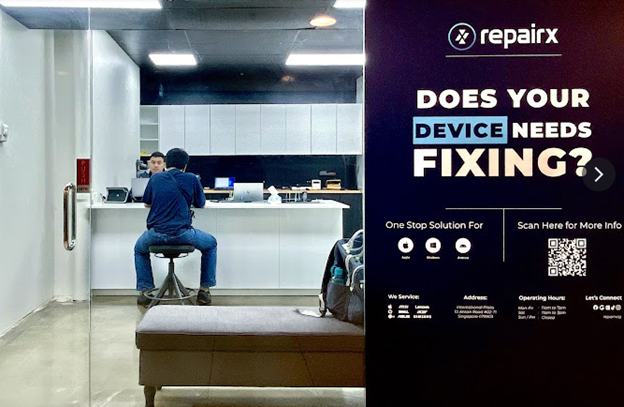
If you’re having trouble diagnosing or repairing your PC, RepairX Pte Ltd is here to help. We specialize in computer repair and more. Contact us at repairx.sg for more information and to schedule a repair.
We specialize in a wide range of repair services, including:
- Laptop Repair
- MacBook Repair
- iMac Repair
- iPad Repair
- Tablet Repair
- Desktop Repair
- Screen Replacement
- Battery Replacement
- Keyboard Replacement
- Data Recovery
- Virus and Malware Removal
- Software Installation and Troubleshooting
- Hardware Upgrades
- Network and Connectivity Issues
Visit our website at repairx.sg for more information and to schedule a repair.
By following these steps, you can quickly identify and resolve the most common causes of a dead PC. Remember to keep it simple and methodical, avoiding the tendency to overcomplicate the diagnosis process.
By following these steps, you can quickly identify and resolve the most common causes of a dead PC. Remember to keep it simple and methodical, avoiding the tendency to overcomplicate the diagnosis process.
Read More From Techbullion And Businesnewswire.com