
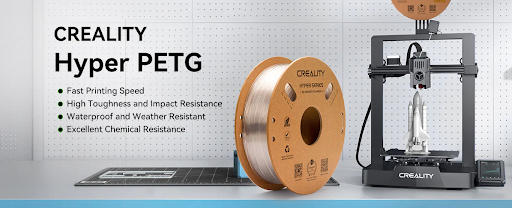
Polyethylene Terephthalate Glycol (PETG) is a popular 3D printing filament known for its strength, flexibility, and ease of use. To harness its full potential, fine-tuning your printer settings is essential. This guide provides comprehensive insights into optimizing PETG print settings for perfect results.
Understanding PETG
PETG offers a balance between the user-friendliness of PLA and the strength of ABS. Compared to PLA, PETG is more durable and less brittle, making it better suited for functional parts. While ABS is known for its toughness, it requires higher printing temperatures and emits fumes during printing, necessitating proper ventilation. PETG, on the other hand, prints at moderate temperatures and produces minimal odor, making it more accessible for desktop 3D printing.
To explore PETG print settings in more detail, you can refer to this comprehensive guide on Creality Cloud, which offers detailed explanations on temperature, speed, retraction, and more.
Optimal Print Settings
1. Nozzle Temperature:
Set between 230°C and 250°C. Printing at higher temperatures ensures better layer adhesion but may increase stringing.
2. Bed Temperature:
Maintain between 65°C and 90°C to prevent warping and ensure proper adhesion.
3. Print Speed:
A speed of 40–60 mm/s balances quality and efficiency. Slower speeds can enhance print quality.
4. Retraction Settings:
For Bowden extruders, a retraction distance of 4–6 mm at 25–45 mm/s is recommended. Direct drive systems may require 1–2 mm.
5. Cooling:
Use minimal cooling for better layer adhesion. However, for bridges and overhangs, increase fan speed to 50–100%.
Bed Adhesion Tips
- Surface Preparation: Use a clean glass bed or apply a glue stick to enhance adhesion.
- First Layer Settings: Increase the first layer height and width to improve bed adhesion.
Common Issues and Solutions
1. Stringing: (Unwanted Filament Hairs)
Symptoms: Thin, hair-like strands of filament between parts of the print.
Causes: Excessive nozzle temperature, improper retraction settings, or high humidity in the filament.
Solutions:
- Adjust Retraction Settings:
- Bowden Extruders: Retraction distance of 6–6.5 mm at speeds up to 40 mm/s.
- Direct Drive Extruders: Retraction distance of 1.5–2 mm at speeds around 35 mm/s.
- Lower Nozzle Temperature: Reduce to the lower end of the recommended range (220°C–230°C) to decrease filament oozing.
- Enable Coasting and Wiping: These slicer settings can help prevent excess filament from oozing during non-print moves.
- Dry the Filament: Ensure the filament is dry, as moisture can exacerbate stringing issues.
2. Warping (Corners Lifting from the Bed)
Symptoms: Edges or corners of the print lifting, leading to deformation.
Causes: Inadequate bed adhesion, rapid cooling, or uneven ambient temperatures.
Solutions:
- Optimize Bed Temperature: Set the heated bed between 70°C and 90°C to promote adhesion.
- Use an Enclosure: Maintain a consistent ambient temperature to prevent drafts and rapid cooling.
- Apply Adhesives: Use a glue stick or PEI sheet on the build surface to enhance first-layer adhesion.
- Adjust Cooling Fans: Reduce or disable cooling for the initial layers to prevent premature solidification.
3. Poor Layer Adhesion (Weak Interlayer Bonding)
Symptoms: Layers separating or delamination during or after printing.
Causes: Low nozzle temperature, excessive cooling, or high print speeds.
Solutions:
- Increase Nozzle Temperature: Raise the temperature to 240°C–260°C to ensure proper melting and bonding.
- Reduce Cooling Fan Speed: Limit fan speed to 30%–50% to maintain adequate heat for layer bonding.
- Decrease Print Speed: Slower speeds allow better heat retention and bonding between layers.
- Lower Layer Height: Smaller layer heights can improve adhesion by increasing contact between layers.
Leveraging Creality Cloud
For a detailed guide on PETG print settings, refer to Creality Cloud’s comprehensive tutorial: PETG Print Settings: Temperature, Speed, and Retraction. The Creality Cloud app also supports in-app slicing, allowing you to convert STL files to G-code seamlessly.
FAQs
Q1: What is the ideal nozzle temperature for PETG?
A1: Typically between 230°C and 250°C, but it may vary based on the filament brand.
Q2: How can I prevent stringing when printing with PETG?
A2: Optimize retraction settings and reduce the nozzle temperature slightly.
Q3: Is a heated bed necessary for PETG?
A3: Yes, maintaining a bed temperature between 65°C and 90°C helps in preventing warping.
Q4: Can I use cooling fans with PETG?
A4: Minimal cooling is recommended. However, for specific features like overhangs, increased cooling may be beneficial.
Q5: How does PETG compare to PLA and ABS?
A5: PETG offers a balance between PLA’s ease of printing and ABS’s strength, making it a versatile choice for various applications.
By understanding and adjusting these settings, you can achieve high-quality prints with PETG filament. Remember, slight tweaks can make significant differences in print quality.