
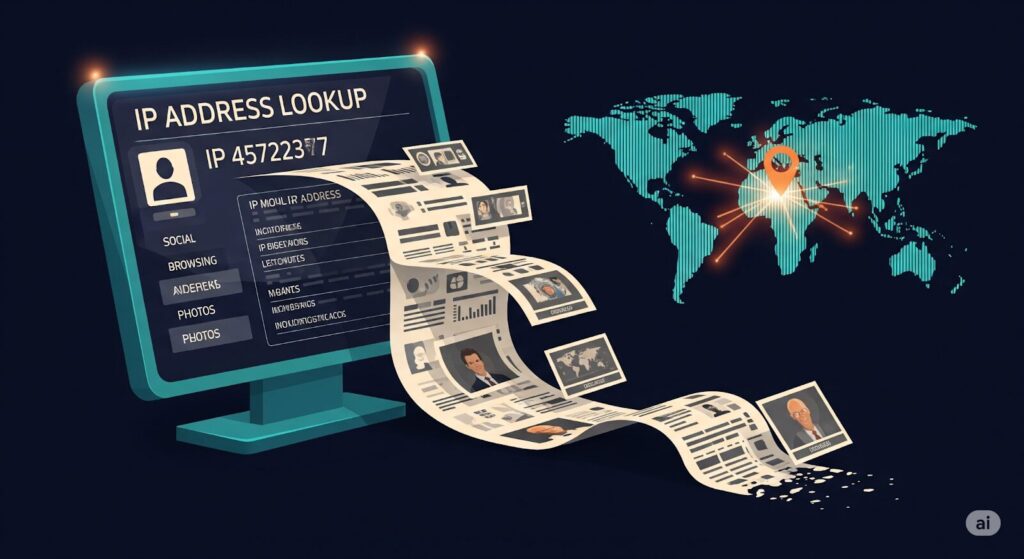
You think you’re anonymous online. You’re wrong.
Every time you visit a website, send an email, or stream a video, you leave digital fingerprints. Your IP address acts like a return address on mail. It tells websites exactly where you’re connecting from.
What Your IP Address Reveals About You
Your IP address isn’t just a random number. It’s a treasure map for anyone who knows how to read it.
Here’s what people can discover about you:
Your Location
- City and state where you live
- Your internet service provider
- Sometimes your exact neighborhood
- Time zone you’re in
Your Internet Habits
- When you’re online most often
- What devices you use
- Your connection speed
- Whether you’re on mobile or desktop
Your Digital Footprint
- Websites you visit regularly
- Online services you use
- Social media accounts linked to your IP
- Email providers you connect through
How IP Lookup Tools Work
Anyone can use a Free address ip lookup tool to find information about your connection. These tools are legal and easy to use.
The process is simple:
- Someone gets your IP address
- They enter it into a lookup tool
- The tool shows your location and ISP details
- They now know where you’re browsing from
Website owners see your IP address automatically. Forum moderators can track troublemakers. Even strangers can find your general location if they have your IP.
Common Ways Your IP Gets Exposed
You reveal your IP address more often than you think:
Email Headers Every email you send includes your IP address in the message headers. Tech-savvy people can extract this information easily.
Website Comments When you comment on blogs or forums, the site records your IP. Some sites even display partial IP addresses publicly.
File Sharing Torrenting and peer-to-peer networks broadcast your IP to other users. This makes you visible to everyone in the network.
Online Gaming Multiplayer games often expose IP addresses to other players. Voice chat services can reveal this information too.
Click Tracking Marketing companies use invisible pixels in emails and websites. These track your IP and build profiles about your browsing habits.
The Illusion of Private Browsing
Incognito mode doesn’t hide your IP address. It only stops your browser from saving history locally.
Private browsing still reveals:
- Your real IP address
- Your location
- Your device information
- Your browsing patterns to websites
The “private” label misleads many users. Your internet provider and websites still see everything you do.
VPNs: Not Perfect Protection
Virtual Private Networks (VPNs) can hide your real IP address. But they’re not foolproof.
VPN Limitations:
- Some services keep logs of your activity
- DNS leaks can expose your real location
- WebRTC can reveal your actual IP
- Browser fingerprinting works around VPNs
Free VPNs Are Risky Free VPN services often:
- Sell your data to advertisers
- Keep detailed logs of your browsing
- Use weak encryption
- Inject ads into web pages you visit
Choose paid VPN services with strong privacy policies. Read the fine print before trusting any service with your data.
Browser Fingerprinting: Beyond IP Addresses
Your IP address is just one piece of the puzzle. Websites use browser fingerprinting to track you even when your IP changes.
What Browser Fingerprinting Collects:
- Screen resolution and color depth
- Installed fonts and plugins
- Browser version and settings
- System language and time zone
- Hardware specifications
This creates a unique “fingerprint” that follows you across websites. Even with different IP addresses, sites can recognize your device.
Corporate and Government Tracking
Big tech companies build detailed profiles using your IP address and other data points.
Google’s Data Collection Google tracks your IP across all its services:
- Search history
- YouTube viewing habits
- Gmail activity
- Android device usage
- Location history from Maps
Government Surveillance Law enforcement agencies can request IP logs from internet providers. The Electronic Frontier Foundation documents how governments use this data for surveillance.
Your internet provider keeps records of:
- Every website you visit
- When you’re online
- What services you use
- Your browsing patterns over time
Social Media Tracking
Social platforms use your IP address to enhance their tracking capabilities.
Facebook’s Tracking Network Facebook tracks users across millions of websites through:
- Like buttons on external sites
- Facebook login integrations
- Pixel tracking codes
- WhatsApp and Instagram connections
Twitter’s Data Collection Twitter logs IP addresses for:
- Account security
- Ad targeting
- Content personalization
- Trend analysis by location
Even if you don’t have accounts on these platforms, they still collect data about your IP address through partner websites.
Shopping and Financial Tracking
Online retailers use IP addresses for more than just shipping.
E-commerce Tracking:
- Price discrimination based on location
- Fraud detection systems
- Inventory management
- Marketing campaign effectiveness
Banking Security Financial institutions monitor IP addresses to:
- Detect unusual login patterns
- Prevent fraud
- Comply with regulations
- Track suspicious activity
This monitoring helps security but also creates detailed records of your financial behavior.
The Dark Side of IP Tracking
Criminals and malicious actors also use IP lookup tools.
Cyberstalking Stalkers can use IP addresses to:
- Find your general location
- Track your online activity
- Identify your internet provider
- Build profiles of your habits
Targeted Attacks Hackers use IP information for:
- Phishing campaigns tailored to your location
- Social engineering attacks
- Identifying vulnerable systems
- Planning physical crimes
Identity Theft IP addresses help thieves:
- Confirm your location for account takeovers
- Make fraudulent activities seem legitimate
- Access location-based security questions
- Build complete identity profiles
Protecting Your Privacy Online
Complete anonymity is nearly impossible, but you can reduce your digital footprint.
Use a Reputable VPN Choose VPN services that:
- Don’t keep activity logs
- Use strong encryption
- Offer kill switches
- Accept anonymous payments
Enable DNS Protection Change your DNS settings to privacy-focused providers:
- Cloudflare’s 1.1.1.1
- Quad9’s 9.9.9.9
- OpenDNS alternatives
Browser Security Settings Adjust your browser for better privacy:
- Disable location services
- Block third-party cookies
- Turn off WebRTC
- Use privacy-focused extensions
Regular Security Checks Monitor your digital footprint:
- Check what information is publicly visible
- Review privacy settings on all accounts
- Use different email addresses for different purposes
- Enable two-factor authentication everywhere
The Business of Your Data
Your IP address has monetary value. Companies pay billions for location and browsing data.
Data Broker Industry Companies collect and sell your information:
- Location history based on IP addresses
- Shopping habits and preferences
- Social connections and relationships
- Financial status and creditworthiness
Advertising Revenue Your IP address helps advertisers:
- Target ads based on location
- Measure campaign effectiveness
- Build customer profiles
- Set dynamic pricing
Insurance and Credit Some companies use IP data for:
- Risk assessment
- Premium calculations
- Credit decisions
- Background checks
Legal Aspects of IP Tracking
Laws around IP address privacy vary by country and are constantly changing.
United States
- No federal law protects IP address privacy
- Internet providers can sell browsing data
- Law enforcement can request IP logs without warrants in some cases
- State laws provide limited additional protection
European Union
- GDPR treats IP addresses as personal data
- Requires consent for tracking in many cases
- Gives users rights to access and delete data
- Imposes heavy fines for violations
Other Countries Privacy laws differ significantly worldwide. Some countries have strong protections while others allow unrestricted surveillance.
The Future of Online Privacy
Technology continues to erode privacy while new tools emerge to protect it.
Emerging Threats:
- Internet of Things devices tracking everything
- 5G networks enabling more precise location tracking
- Artificial intelligence analyzing behavior patterns
- Biometric tracking becoming standard
Privacy Technologies:
- Tor browser for anonymous browsing
- Decentralized networks reducing central control
- Zero-knowledge protocols protecting user data
- Blockchain-based identity systems
The balance between convenience and privacy will define the future of the internet.
What This Means for You
Your online activity creates a detailed map of your life. Every click, search, and connection adds to this picture.
Companies, governments, and criminals can all access pieces of this information. Your IP address serves as the starting point for much deeper tracking.
The myth of online anonymity persists because people don’t understand how much information they reveal. Knowledge is your first line of defense.
You can’t achieve perfect privacy online, but you can make tracking much harder. The choice is yours.
Taking Action Today
Start protecting your privacy now:
- Check your current IP exposure – Use lookup tools to see what others can learn about you
- Research VPN options – Find a service that fits your needs and budget
- Review your browser settings – Disable unnecessary tracking features
- Audit your online accounts – Remove personal information where possible
- Educate your family – Help others understand these privacy risks
Online anonymity might be a myth, but privacy doesn’t have to be.
Frequently Asked Questions
Q: Can websites see my exact home address from my IP? A: No, IP addresses typically show your city and ISP, not your street address. However, with additional data, more precise location tracking is possible.
Q: Does using incognito mode hide my IP address? A: No, incognito mode only prevents your browser from saving history locally. Websites still see your real IP address and can track your activity.
Q: Are free VPNs safe to use? A: Most free VPNs are risky. They often sell user data, keep activity logs, and use weak security. Paid services with strong privacy policies are safer choices.
Q: Can I be tracked even with a VPN? A: Yes, through browser fingerprinting, DNS leaks, and other tracking methods. VPNs help but don’t guarantee complete anonymity.
Q: Is it legal to look up someone’s IP address? A: Looking up IP information is generally legal since it uses publicly available data. However, using this information for harassment or illegal activities is not legal.
Q: How long do internet providers keep IP logs? A: This varies by provider and country. Some keep logs for months, others for years. Check your provider’s privacy policy for specific details.
Q: Can IP tracking affect my online shopping prices? A: Yes, some retailers use location data for dynamic pricing, showing different prices based on your perceived income level or local market conditions.
Q: What’s the difference between static and dynamic IP addresses for privacy? A: Dynamic IPs change periodically, making long-term tracking slightly harder. Static IPs remain the same, creating more consistent tracking profiles.
Q: Can schools or employers track my personal browsing through IP addresses? A: If you’re using their network, yes. They can monitor all traffic and associate it with your device or login credentials.
Q: How can I check if my VPN is actually protecting my IP? A: Use IP leak test websites to verify your VPN is working properly and not revealing your real IP address through DNS or WebRTC leaks.
Previously in Technology: Ways to Contact: How Can I Talk to Someone at Norton – A Full Comprehensive guide