
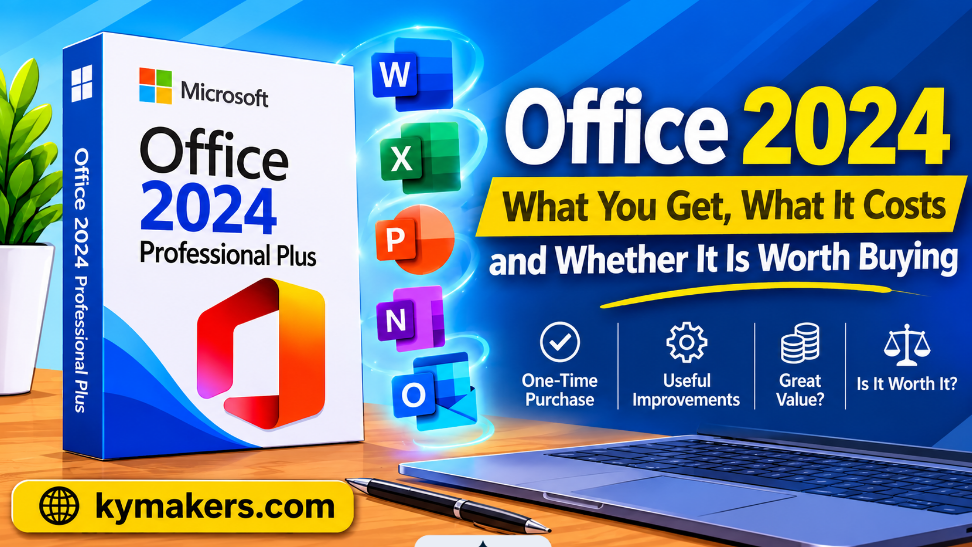
Following Microsoft’s push to encourage users to switch to subscription models, it may have been surprising to see that Office 2024 was released as a boxed product. It was released for volume users in September 2024, and for consumers on the 1st of October 2024. This is currently the one-off licence option for Word, Excel, PowerPoint and others. However, it will remain this way until Microsoft chooses to release an updated product.
What is Included?
Office 2024 contains a ‘snapshot’ of features. Based upon the features found within Microsoft 365 subscriptions, some features were chosen to be frozen. Once installed on a device and licensed, it can be used indefinitely.
However, there are two things to consider. Firstly, no updates will be provided. Only security and stability updates will be made, meaning that the features contained within Office 2024 will remain the same as on day one of installation, even after 5 years. Secondly, there is no upgrading pricing. If a new version is released, to upgrade you must purchase it entirely.
For many users, these points are a positive. If you’ve learned to use Excel in a certain way, and want to keep the layout of buttons the same, then having a ‘snapshotted’ product is ideal. Office 2024 is intended for users (or businesses) wanting to utilise powerful desktop applications, without paying monthly/annual fees.
Changes Within Applications
Although there are no major changes to the way you use Office, there are several useful additions:
Excel
There are 14 new functions in Excel. These have been taken from Microsoft 365, including split text functions (TEXTBEFORE, TEXTAFTER and TEXTSPLIT), and combine range functions (VSTACK and HSTACK). If you’ve previously had to nest LEFT, MID and FIND functions to extract a surname from a full name, it is very convenient to be able to do this using just one function.
Charts can now be made referencing dynamic arrays, meaning that if your formula returns 12 rows of data in one month, and 15 in the next, the chart will update accordingly. Images can now be inserted into cells by referencing URLs. If multiple workbooks are open, calculations have been made faster, and more reliably – important if you have multiple interlinked spreadsheets.
PowerPoint
Several features have been added to make presenting via recording or remotely easier. Cameo lets you add a live webcam feed to your slides, allowing your face to be included in the slide. Recording Studio allows you to record narration, handwriting and video, and export as a video. Closed captions can also be added to videos and audio within.
Word and Outlook
In Word 2024, if the application is closed unexpectedly, any open documents will be reopened. In both Word and PowerPoint, comments can be liked – a small but useful addition.
In Outlook 2024, searching within your mailbox, calendar and contacts has been improved. You can also create shorter appointments, so if you have consecutive appointments, you can add a short buffer period in between.
Changes Across Applications
All applications have a new visual style, matching Windows 11. Word, Excel and PowerPoint support ODF (Open Document Format) 1.4, meaning that it is beneficial to share files with people using Libre Office or other suites. In OneNote, drawing tools have been improved. Access has a connector to allow data transfer into Microsoft Dataverse.
Different Versions
There are multiple different versions of Office 2024, with the difference in included applications and permitted use:
| Version | Applications | Intended Use | Price (Microsoft) |
| Office Home 2024 | Word, Excel, PowerPoint, OneNote | Single user (home) | $149.99 |
| Office Home & Business 2024 | Home applications + Outlook | Single user (business) | $249.99 |
| Office LTSC Standard 2024 | Word, Excel, PowerPoint, Outlook, OneNote | Business (volume licence) | Depends on agreement |
| Office LTSC Professional Plus 2024 | Standard applications + Access | Business (volume licence) | Depends on agreement |
Both Home versions are available in retail stores. The LTSC versions are the business versions. However, the Office 2024 Professional Plus version is the highest version, as it is the only one to include Access. If you need a database application on your desktop, or simply want a licence containing all applications, then the Professional Plus version is suitable. This version can be purchased from independent licence retailers (such as KYMakers) at a considerably cheaper price than Microsoft’s listed prices. Be sure to compare refund policies, support and quantity in stock.
Note: All versions referred to as ‘ms office 2024’, ‘Microsoft Office 2024’ and ‘Office 2024 for PC’ are part of the same family. There is no version referred to as ‘Windows Office 2024’.
Requirements
Depending on the version, Office 2024 can be run on Windows 10 and/or 11, and recent versions of macOS (for Home versions). It is best to aim for Windows 11, as Windows 10 is no longer supported after the 14 th October 2025. The commercial LTSC version is documented as being compatible with Windows 11, and long-term servicing versions of Windows.
In terms of hardware requirements, Office 2024 does not put much strain on devices. If your device has 4GB of RAM or more, we recommend installing the 64-bit version. If a device can run Windows 11, it can run Office 2024 comfortably. An internet connection is required to download, install and activate Office 2024. From here, the applications can be used offline.
Professional Plus and Access cannot be run on Mac. If you are a Mac user, you can only use the Home versions, or the Mac version of the standard package.
Missing Features
As with any product, it is important to know what isn’t included.
- No updates. As mentioned, this version of Office will remain static. Any new functions added to Excel next year will be exclusive to Microsoft 365.
- No Copilot. AI features are exclusive to Microsoft 365.
- No cloud storage. As part of a subscription, you get OneDrive storage. The one-off package does not include this, however you can still save to free/paid OneDrive accounts.
- No Publisher. Publisher was discontinued in October 2026, and so is not included in 2024.
- No Teams. Teams is an additional download.
- Fixed support. Office 2024 is supported for 5 years. LTSC versions are documented as being supported until the 9 th October 2029.
These missing features are not defects, but simply a cost of purchasing a one-off version.
Should I Purchase Office 2024?
It depends on what you are replacing.
If you are on an older version such as 2016/2019, then it is a great idea. These versions reach the end of security support in October 2025, so it’s past time to upgrade. You’ll make several improvements in one go, including dynamic arrays and XLOOKUP in Excel.
If you are currently on Office 2021, it may be an acceptable upgrade. Office 2021 reaches the end of support in October 2026. Although there aren’t huge improvements, it is a good idea to have supported software within your business.
However, if you frequently collaborate in real time, require the latest features immediately, or use Office across multiple devices (Phone/Tablet/Laptop) with synchronised files, then a subscription might be more appropriate.
Simple Test: In the last 5 days, write down 5 things you’ve done in Office. If you could perform all 5 tasks on a device with no account logged in, then the one-off version is suitable for you.
Common Questions
When was Office 2024 released?
Office LTSC 2024 was available to business users in September 2024. The versions available to consumers (Home and Home & Business) were released on the 1 st October 2024.
Can I use Office 2024 on Windows 10?
Whilst Office 2024 is documented as being compatible with Windows 10, it no longer regularly receive security updates. We recommend using it on Windows 11, especially in Professional Plus.
Can I move Office 2024 to a new device?
It depends on what version you have. With consumer versions bought in retail stores, you can generally transfer to a new device that you own. With volume licences, or single device licences, they will be locked to that device. Be sure to check the licence details.
Do I need a Microsoft account?
With the consumer Home versions, you will need a Microsoft account to redeem and manage the application. With volumes (Such as Professional Plus), you can enter a product key to activate it. No sign in is required to use the applications.
Can I open old files?
Yes! All versions from 2007 onwards use .docx, .xlsx and .pptx files. However, if a workbook uses the new dynamic array functions, and is opened in Office 2019 or lower, error messages will be given in that cell.
Conclusion
Office 2024 provides a one-off purchase option for Word, Excel and PowerPoint. It includes useful improvements in Excel, better recording capabilities in PowerPoint, and recovery during sessions in Word. However, it is completely static. If you’re using the Home version for a family machine, or the Home & Business version if you require Outlook for work, we recommend the version. If you want all applications in one package (Including Access), we recommend the Professional Plus version. If you’re still using a version of Office that Microsoft has stopped providing patches for, upgrading to Office 2024 is easy to justify. However, if you’re already subscribed to Microsoft 365 and making good use of it, there is little reason to switch.