
Introduction
Custom T-shirt printing has surged in popularity, providing a creative outlet for hobbyists and a lucrative opportunity for small businesses. With a heat press machine, you can produce professional-quality designs from the comfort of your home. This guide is tailored for beginners, offering a comprehensive step-by-step approach to mastering T-shirt printing using a heat press machine. Whether you’re looking to create personalized gifts or start your own T-shirt line, this guide will set you on the path to success.
Understanding Heat Press Machines
A heat press machine is the cornerstone of T-shirt printing, offering a reliable way to transfer designs onto fabric. However, the type of heat press you choose can significantly impact your printing experience.
Types of Heat Press Machines:
- Clamshell: The most common type, where the top plate opens like a clamshell. It’s space-efficient and perfect for beginners but may limit visibility and positioning.
- Swing-Away: The upper platen swings away from the lower platen, allowing for more precise positioning and reducing the risk of accidental burns. This type is ideal for more intricate designs.
- Draw Press: Similar to a drawer, the lower platen pulls out, making it easier to place garments. It offers convenience and accuracy, particularly for larger projects.
Choosing the Right Machine: When selecting a heat press, consider your primary use. For instance, if you’re focusing on small to medium-sized designs, a mini heat press or small heat press might suffice. However, if you plan to print on a variety of items or need precise alignment, a swing-away press might be more suitable. Additionally, think about your workspace; some machines are more compact and portable than others, which is an important consideration if you have limited space.
Key Features to Look For:
- Digital Temperature and Time Control: Ensures accuracy, crucial for consistent results.
- Adjustable Pressure Settings: Different fabrics and designs require different pressure levels.
- Interchangeable Platens: Some machines offer interchangeable platens of various sizes, useful for printing on different garment types like sleeves or pockets.
Preparing for Printing
Preparation is key to achieving a successful print. Before you even turn on your heat press, ensure that you have all the necessary materials and that they are compatible with your machine.
Selecting T-Shirt Material: The fabric you choose plays a significant role in the final appearance of your design. Cotton is the most popular choice due to its high ink absorbency, resulting in vibrant prints. Polyester, while more challenging to print on due to its synthetic nature, works exceptionally well with sublimation printing, which can produce vivid, durable designs. Blended fabrics offer a balance, providing comfort and versatility in printing.
Design Selection: Your design should be high-resolution (at least 300 dpi) to ensure crisp, clear lines when transferred. Simple designs with bold, contrasting colors are ideal for beginners, as they are easier to align and press. If you’re creating your design, software like Adobe Illustrator or Canva can be useful. Keep in mind that intricate designs may require more precise pressure and temperature settings.
Step-by-Step Printing Process
With everything prepared, it’s time to start printing. This section walks you through each stage of the process, ensuring you achieve the best possible results.
Setting Up the Heat Press:
- Temperature: Adjust the temperature based on the transfer paper’s instructions. For most transfer papers, the ideal temperature ranges from 350°F to 375°F. Sublimation printing might require higher temperatures, typically around 400°F.
- Pressure: Adjust the pressure setting according to your fabric and design complexity. Medium-high pressure is often recommended for standard cotton T-shirts, but lighter pressure may be necessary for delicate fabrics.
- Timer: Set the timer based on the transfer paper’s guidelines, usually between 10-15 seconds. Be precise, as over-pressing can cause the design to fade, while under-pressing can lead to poor adhesion.
Positioning the Design:
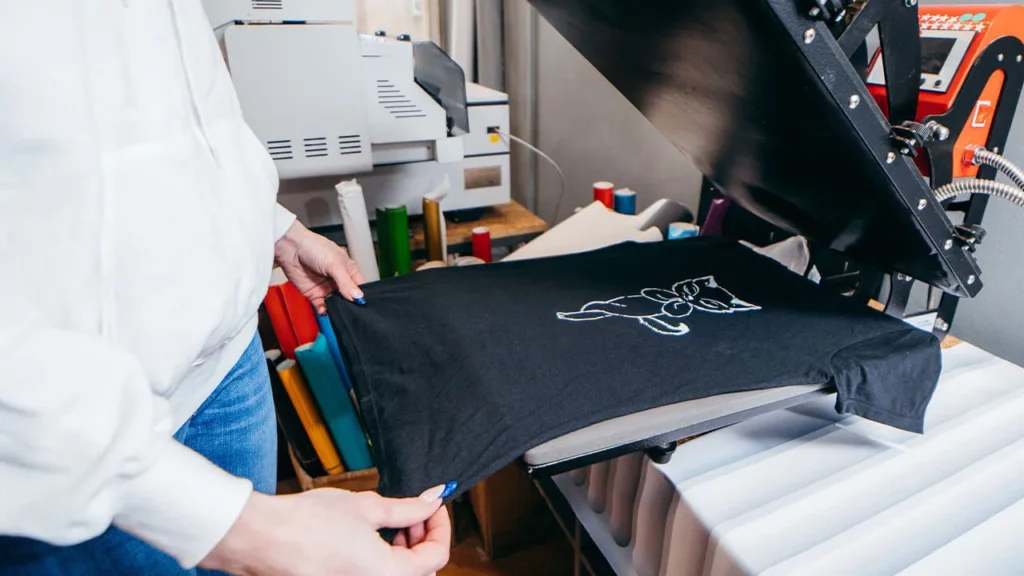
- Lay the T-shirt flat on the heat press, ensuring there are no wrinkles.
- Position the transfer paper design-side down on the T-shirt, making sure it’s centered and straight. Using a ruler or tape measure can help achieve precise placement, especially if you’re printing multiple items.
- Secure the design with heat-resistant tape if necessary, particularly if you’re using a swing-away press or pressing a large design.
Pressing the Design:
- Close the heat press carefully to avoid shifting the design.
- Apply pressure and wait for the timer to finish. Some heat presses have an automatic release feature, while others require manual opening.
- Open the press smoothly and lift the upper platen.
Removing the Transfer Paper:
- Peel Warm: For most inkjet transfer papers, peel the paper off while it’s still warm for the best results.
- Peel Cold: Some papers and sublimation prints require you to wait until the paper is cool before peeling. Follow the instructions carefully to avoid damaging the design.
Post-Printing Care
Proper care after printing ensures that your design remains vibrant and lasts longer. Immediately after pressing, allow the T-shirt to cool completely before handling it.
Inspecting the Finished Product: Check the edges of your design to ensure it has adhered properly. If any areas appear to be lifting, you can repress them for a few seconds with a protective Teflon sheet.
Washing and Care Tips:
- Wash the T-shirt inside out to protect the design from friction and abrasion.
- Use cold water and a gentle cycle to prevent the design from fading.
- Avoid using bleach or harsh detergents, as they can break down the ink or transfer material.
- Hang dry the T-shirt, or use a low heat setting in the dryer to prevent the design from cracking or peeling.
Conclusion
Mastering T-shirt printing with a heat press machine is both a rewarding and creative endeavor. As with any skill, practice makes perfect. Start with simple designs to build your confidence and gradually take on more complex projects. The satisfaction of seeing your custom designs come to life on fabric is worth the effort. So, grab your heat press, choose your favorite design, and start printing!
Read More From Techbullion And Businesnewswire.com