
Data recovery becomes expensive when the problem goes beyond accidentally deleting a file. A damaged partition, an unexpectedly formatted disk, or a storage device that Windows can no longer read may require more than a basic undelete utility. At the same time, paying for an advanced recovery application doesn’t automatically guarantee better results.
For most users, the real question is whether a piece of software offers enough recovery capability to justify its price. Can it examine damaged file systems? Does it provide useful information before a purchase? And can it handle different storage formats without requiring multiple specialized programs?
That’s the focus of this Magic Data Recovery review. Rather than concentrating on its beginner-friendly interface, we’ll examine the software’s underlying recovery capabilities, supported file systems, licensing options, and overall value.
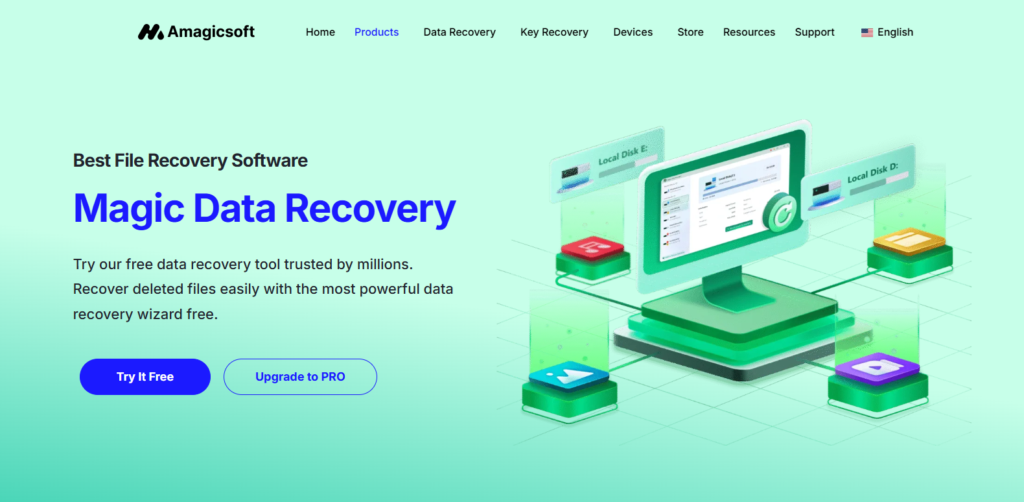
Developed by Amagicsoft, Magic Data Recovery is a Windows recovery application designed for deleted files, formatted volumes, lost partitions, and other situations involving inaccessible data. Its feature set goes beyond the basic Recycle Bin recovery offered by many simple utilities, although it still has important limitations.
What Makes a Data Recovery Tool Worth Paying For?
Not all data loss is equally difficult to deal with. A recently deleted document on a healthy hard drive is very different from a partition that has lost essential file system information. Basic undelete tools may work well in the first situation but struggle with the second.
This distinction matters when evaluating commercial recovery software. A paid license is easier to justify when the application supports recovery methods that are useful across several types of logical data loss, rather than simply offering a more attractive interface.
Magic Data Recovery combines several relevant capabilities. It can search available file system information, perform deeper scans, identify files through recognizable signatures, and handle multiple file systems. The software also provides previews and filtering options for evaluating recovery results.
These features aren’t exclusive to Magic Data Recovery, but having them available in one application is convenient. Someone working with a mixture of Windows partitions, external storage devices, and removable media may have fewer reasons to switch between different utilities.
The real value, however, depends on how well those capabilities match the specific recovery job. A deep scan isn’t necessarily needed for every deleted file, and recognizing a file signature doesn’t guarantee that the complete file can be reconstructed.
Looking Beyond Basic Deletion Recovery
One of the more significant aspects of Magic Data Recovery is its ability to search for files using different kinds of information.
When a file is deleted, the operating system may remove its directory reference without immediately erasing the underlying content. Depending on the file system and subsequent disk activity, metadata describing the file may remain available. Recovery tools can sometimes use that information to reconstruct filenames, folder locations, and references to the original data.
Problems become more complicated after formatting or file system corruption. Important metadata may be missing or damaged, leaving the software with less information about where files were stored.
This is where deeper scanning and file signature recognition become relevant.
File System Information vs. File Signatures
Magic Data Recovery uses file system information and recognizable file signatures to locate recoverable data. These approaches serve different purposes.
When metadata remains intact, recovery software may be able to identify files along with useful information such as filenames and directory relationships. If that metadata is no longer available, signature-based scanning can search for recognizable patterns associated with specific file formats.
For example, JPEG images, ZIP archives, and PDF documents have recognizable structures that may help recovery software identify their contents. A file signature can provide a starting point even when the original directory entry has disappeared.
However, signature-based recovery has limitations. It may not preserve original filenames or folder structures, and reconstructing fragmented files can be difficult without reliable metadata describing how their data blocks were allocated.
That distinction is particularly important when dealing with videos, databases, or large archives. Finding the beginning of a file is not always enough to rebuild the complete file correctly.
Magic Data Recovery’s support for these different scanning approaches makes it more versatile than a utility restricted to ordinary file deletion. Still, its actual effectiveness in difficult cases should be judged by the recovered files, not simply by how many entries appear in the scan results.
Lost Partitions and RAW Drives: Where Advanced Scanning Matters
A missing partition is one of those problems that can look much worse than it actually is. A drive may appear as unallocated space in Disk Management, or a previously accessible volume may suddenly be labeled RAW. Windows might even suggest formatting it.
These symptoms do not, by themselves, prove that every file has been erased. Partition information or file system structures may be damaged while the underlying file content remains present.
Magic Data Recovery includes support for searching lost partitions and scanning accessible storage devices affected by logical file system problems. Its user guide describes a Lost Partition section that appears when the software detects previously deleted or missing partitions.
This is useful because recovering files from a damaged volume is not always the same as restoring a normal folder of deleted documents. A missing partition may require the software to search beyond the location information currently available to Windows.
Consider a secondary hard drive whose partition table was accidentally modified during disk management. If the original file system and data areas haven’t been overwritten, it may still be possible to locate recoverable files by scanning the disk.
In this type of situation, restoring files to another healthy drive is generally a safer first objective than immediately attempting to repair the partition table.
There is also an important boundary between logical damage and physical failure. Software may help when file system structures are corrupted, but it cannot repair defective read/write heads, failed controller electronics, or other serious hardware problems. If the drive shows signs of physical failure, repeated scanning may introduce additional risk.
How Useful Are the Preview and Filtering Features?
Scanning is only the first stage of recovery. Once the software has identified possible files, users still need to decide which results are useful.
Magic Data Recovery provides file previews and several ways to narrow down scan results. According to its user guide, users can search by filename or extension, filter by file type, size range, and modification date, and sort results by properties such as name or size.
These may sound like ordinary convenience features, but they can have real value in a larger recovery job.
Imagine scanning a 2TB external hard drive that previously contained work documents, photos, old software installers, backups, and archived projects. Recovering every detected file would be inefficient, particularly if the destination disk has limited capacity.
Filtering makes it possible to concentrate on files that matter. An IT technician looking for a missing database archive may not need to examine thousands of image files, while a photographer can prioritize RAW images and video recordings.
Previewing supported files adds another layer of verification. If an image displays correctly or a document’s contents are visible, users gain more information about its condition before attempting recovery.
It’s still not definitive proof that every part of a file is intact. A damaged video may have a recognizable thumbnail but fail during playback, and a partially corrupted archive may retain its filename while losing essential internal data.
For that reason, previews should be treated as an assessment tool rather than a recovery guarantee. Their main advantage is helping users make better decisions before committing time and storage space to a large recovery operation.
Magic Data Recovery Pricing: Does the License Offer Good Value?
The pricing model is an important part of this Magic Data Recovery review because data recovery isn’t something most people purchase on a regular schedule.
Some users need software for a single incident. Others want a recovery tool available whenever a storage device develops problems. Those two groups have different reasons to pay.
At the time of writing, Amagicsoft lists the following plans:
| License | Listed Price (USD) | Recovery Allowance | License Coverage |
| Free | $0 | Up to 500MB | Trial use |
| PRO – 1 Year | $49.95 | Unlimited | 1 computer |
| PRO – Perpetual | $69.95 | Unlimited | 1 computer, lifetime upgrades |
| Technician – 1 Year | $299.95 | Unlimited | Up to 299 PCs |
| Technician – Perpetual | $399.95 | Unlimited | Up to 299 PCs, lifetime upgrades |
Prices are based on the advertised plans and may change. Buyers should confirm current pricing and license terms before purchasing.
For an individual user, the difference between the annual and perpetual PRO licenses is relatively small: $20 at the listed prices.
Someone who only needs to recover files once might reasonably choose the one-year option, assuming the free allowance isn’t sufficient. On the other hand, the perpetual license becomes more appealing for people who want to retain access to the software over a longer period without purchasing another time-limited license.
The Technician plans introduce a different calculation. They’re intended for situations involving many computers rather than one personal workstation. A small IT service provider or support team may find multi-PC licensing relevant, although the appropriate choice depends on the license terms and how frequently the software will actually be used.
The important point is that price alone doesn’t determine value. A $49.95 license isn’t inexpensive if it fails to retrieve the file you need. Conversely, that same amount may be reasonable when the program can recover valuable project data from an inaccessible disk.
Why the 500MB Free Allowance Matters
Magic Data Recovery offers up to 500MB of free recovery, and its website states that the trial provides access to advanced functions including deep scanning and filtering.
This is important because it allows users to investigate their recovery situation before purchasing a license.
For smaller files, such as documents, spreadsheets, or selected images, the allowance may cover the entire job. For larger data sets, users can examine the scan results and attempt a limited recovery before deciding whether the software is worth paying for.
The trial doesn’t remove every uncertainty. A successful recovery of one small file doesn’t prove that a large video collection or database will be fully recoverable. Still, it provides more useful information than making a purchase based entirely on a product description.
That ability to assess the available results before spending money is one of the strongest arguments for the software’s overall cost-effectiveness.
Is It Better Value Than Free Recovery Utilities?
There are free data recovery tools available, and some provide capable scanning functions without charging for a license. For technically experienced users, they may be entirely sufficient.
The trade-off is often in the workflow. Some free utilities involve command-line operations, manual configuration, or recovery results that require additional sorting and verification. That’s manageable for someone familiar with storage structures, but it can become time-consuming when dealing with an unfamiliar file system or a large number of recovered files.
Commercial software such as Magic Data Recovery can justify its cost by bringing scanning, filtering, previewing, and selective recovery into one supported application.
This doesn’t mean paid software automatically has a higher recovery success rate than a free alternative. The underlying condition of the data remains the deciding factor, and different tools may perform better or worse in particular scenarios.
For someone who already has experience with specialized recovery utilities, paying for another program may not be necessary. But a user who values a more integrated workflow, broad file system support, and conventional technical support may find the license worthwhile.
The same reasoning applies to professional recovery services, although the comparison needs to be made carefully. Software can be an economical option for logical data loss on healthy, accessible storage. It is not a substitute for a recovery laboratory when a drive has mechanical or electronic damage.
Pros and Cons: Technical Capability vs. Practical Cost
With the technical features and licensing options considered together, Magic Data Recovery has a reasonably clear set of strengths and weaknesses.
| Pros | Cons |
| Combines file system analysis with file signature-based scanning | No guarantee that fragmented or heavily damaged files can be reconstructed |
| Supports NTFS, FAT, exFAT, ReFS, and EXT2/3 | Runs on Windows rather than natively on macOS or Linux |
| Can scan accessible RAW volumes and search for lost partitions | Cannot repair physically damaged storage devices |
| File previews and filtering help assess recovery results | Preview availability and accuracy depend on file condition |
| Up to 500MB of free recovery with advanced scanning features available | Free recovery limit is restrictive for large media files |
| Perpetual and multi-PC licensing options | Single-computer PRO licensing may not suit users managing several machines |
The overall feature set is reasonably comprehensive for a general-purpose Windows recovery application. Its strongest points are the combination of several scanning approaches, support for less common file systems, and the opportunity to examine recovery results before purchasing.
However, these capabilities shouldn’t be mistaken for specialized forensic analysis or professional hardware recovery. Users dealing with severe corruption, complex RAID configurations, or failing drives may need more specialized tools and procedures.
When the Software Is Worth Buying—and When It Isn’t
The cost-effectiveness of recovery software depends heavily on the situation.
For a few deleted office documents, the free version may be enough. There’s little reason to purchase a full license if the files are found and can be recovered within the 500MB allowance.
A formatted external hard drive is different. If the scan identifies a large collection of important files and previews indicate that the data is usable, purchasing a PRO license may be a reasonable next step. The same applies to a RAW partition that remains accessible for software scanning.
Users who regularly work with multiple storage devices may benefit from the perpetual license. Having recovery software available over time can be more convenient than purchasing a new time-limited license whenever another problem occurs.
For IT support teams, the Technician licensing options deserve consideration. Multi-PC coverage may offer better value than buying separate single-computer licenses, particularly when recovery work forms a recurring part of the business.
There are also situations where spending money on software is unlikely to help. If deleted SSD blocks have already been cleared through TRIM, or a drive has suffered serious mechanical damage, buying a license won’t reverse those conditions.
The best approach is to evaluate the state of the storage device first, use the free scanning and recovery options where appropriate, and purchase a license only when the results justify it.
Final Verdict
Magic Data Recovery occupies an interesting position between basic undelete utilities and more specialized recovery solutions. It offers several capabilities that matter in challenging logical data loss situations, including deeper scanning, file signature recognition, support for multiple file systems, and tools for examining results before recovery.
Its licensing is also relatively approachable. The free 500MB allowance gives users an opportunity to investigate a problem, while the paid plans offer unlimited recovery and different licensing terms depending on how the software will be used.
Of course, the application has boundaries. It won’t reconstruct overwritten data, reverse completed SSD TRIM operations, or repair serious physical damage. Complex cases involving fragmented files or extensive metadata loss may also produce incomplete recovery results.
The conclusion of this Magic Data Recovery review is that the software’s value comes from combining useful technical recovery capabilities with a licensing model that accommodates both occasional and recurring use.
For Windows users dealing with deleted files, formatted storage, lost partitions, or logically damaged volumes, it offers a potentially cost-effective alternative to moving directly toward more expensive recovery options—provided the underlying storage remains healthy enough for software-based recovery.