

The Infinix Note 30 5G is a budget-friendly smartphone that offers a lot of features for the price. It has a large 6.78-inch display, a powerful MediaTek Dimensity 6080 processor, and a versatile triple-lens rear camera system. The phone also has a long-lasting 5000mAh battery and supports 5G connectivity.
While the Infinix Note 30 5G is a great phone, it’s always helpful to learn some tips and tricks to get the most out of it. In this blog post, we will share some of our favorite tips and tricks for the Infinix Note 30 5G.
Why Users Should Learn About Tips and Tricks for the Infinix Note 30 5G
There are a few reasons why users should learn about tips and tricks for the Infinix Note 30 5G:
- To improve the overall performance of the phone.
- To extend the battery life of the phone.
- To take better photos and videos with the phone’s camera.
- To customize the phone to their liking.
- To learn about hidden features and functionality.
In this blog post, we will cover a variety of tips and tricks for the Infinix Note 30 5G, including:
- Camera tips and tricks
- Performance tips and tricks
- Battery life tips and tricks
- Customization tips and tricks
- Other tips and tricks
We hope that this blog post will help you learn how to get the most out of your Infinix Note 30 5G.
Tips and Tricks for Infinix Note 30 5G
Camera
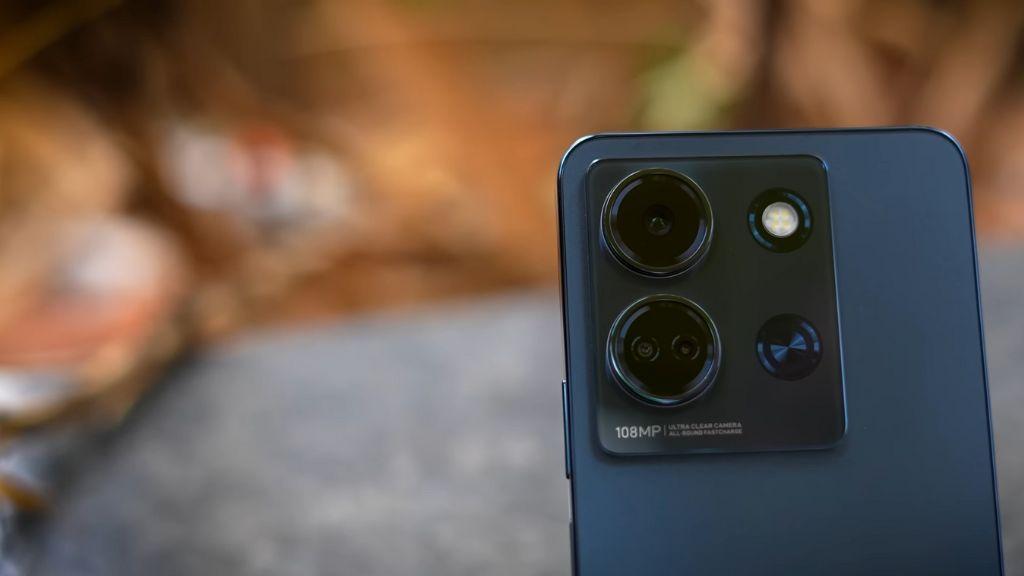
- Use the AI Scene Detection feature: The Infinix Note 30 5G has an AI Scene Detection feature that can automatically identify the scene you are photographing and adjust the camera settings accordingly. This can help you take better photos in a variety of situations. To enable AI Scene Detection, open the camera app and tap the AI icon in the top right corner.
- Use the manual mode: The Infinix Note 30 5G also has a manual mode that allows you to take full control of the camera settings. This is ideal for experienced photographers who want to take more creative photos. To access manual mode, open the camera app and swipe left or right until you reach the manual mode option.
- Use the Super Night mode: The Super Night mode on the Infinix Note 30 5G can help you take brighter and clearer photos in low-light conditions. To enable Super Night mode, open the camera app and tap the Night mode icon in the top right corner.
Performance

- Use the Game Boost feature: The Game Boost feature on the Infinix Note 30 5G can help you improve the performance of your games. To enable Game Boost, open the Game Mode app and tap the Game Boost button.
- Close unused apps: When you are not using an app, it is best to close it to free up RAM and improve performance. To close an app, double-tap the recent apps button and swipe up on the app you want to close.
- Restart your phone regularly: Restarting your phone can help to clear the cache and improve performance. To restart your phone, press and hold the power button until the power menu appears. Then, tap Restart.
Battery Life
- Enable battery saving mode: Battery saving mode can help you extend the battery life of your Infinix Note 30 5G. To enable battery saving mode, open the Settings app and tap Battery. Then, tap Battery saver and toggle on the switch.
- Reduce screen brightness: The screen is one of the biggest battery drains on a smartphone. To reduce screen brightness, open the Settings app and tap Display. Then, drag the brightness slider to reduce the screen brightness.
- Turn off unnecessary features: When you are not using features such as Bluetooth, Wi-Fi, or location services, it is best to turn them off to save battery life. To turn off these features, open the Settings app and tap the feature you want to turn off. Then, toggle off the switch.
Customization
- Change the theme: The Infinix Note 30 5G has a variety of themes that you can choose from. To change the theme, open the Settings app and tap Theme. Then, select the theme you want to use and tap Apply.
- Change the wallpaper: You can also change the wallpaper on your Infinix Note 30 5G. To do this, open the Settings app and tap Wallpaper. Then, select the wallpaper you want to use and tap Set wallpaper.
- Create custom shortcuts: You can create custom shortcuts to your favorite apps and actions on your Infinix Note 30 5G. To do this, open the Settings app and tap Gestures. Then, tap Create shortcut and select the app or action you want to create a shortcut for.
Other Tips and Tricks
- Use the fingerprint sensor to unlock your phone: The Infinix Note 30 5G has a fingerprint sensor that you can use to unlock your phone quickly and securely. To set up the fingerprint sensor, open the Settings app and tap Security. Then, tap Fingerprint unlock and follow the instructions on the screen.
- Use face unlock to unlock your phone: You can also use face unlock to unlock your Infinix Note 30 5G. To set up face unlock, open the Settings app and tap Security. Then, tap Face unlock and follow the instructions on the screen.
- Use NFC to make contactless payments: The Infinix Note 30 5G supports NFC, which allows you to make contactless payments with your phone. To set up NFC payments, open the Settings app and tap NFC. Then, toggle on the switch and follow the instructions on the screen.
These are just a few of the many tips and tricks for the Infinix Note 30 5G. With a little exploration, you can discover even more ways to get the most out of your phone.
How to Troubleshoot common Infinix Note 30 5G problems

Here are some tips for troubleshooting common Infinix Note 30 5G problems:
- Phone not turning on? Try charging it for at least 30 minutes, then force restart by pressing and holding the power button for 10-20 seconds.
- Phone freezing or crashing? Close all unused apps and restart your phone. If the problem persists, try resetting your phone to factory settings.
- Phone not connecting to Wi-Fi or mobile data? Make sure Wi-Fi and mobile data are turned on. If you’re having trouble connecting to Wi-Fi, try restarting your router. If you’re having trouble connecting to mobile data, try restarting your phone and check with your carrier to make sure your account is active.
- Phone not charging properly? Make sure you’re using the original charger and cable. Try cleaning the charging port on your phone and the charging cable. If your phone is still not charging properly, try charging it in a different location.
- Phone overheating? Try closing all unused apps and reducing screen brightness. Avoid using your phone while it is charging. If your phone is still overheating, try restarting it.
If you are experiencing a problem that is not covered in this list, you can try searching for a solution online or contacting Infinix customer support. You can also check the DeviceTechy for a comprehensive list of Infinix Note 30 5G troubleshooting tips and solutions.
Additional Tips and Tricks
Here are some additional tips and tricks for the Infinix Note 30 5G:
Use the Magic Button for gaming: The Infinix Note 30 5G has a dedicated Magic Button that can be used to enhance your gaming experience. You can customize the Magic Button to perform different actions, such as opening the game launcher, recording your gameplay, or taking screenshots. To customize the Magic Button, open the Game Mode app and tap the Magic Button settings icon.
Use the Ultra Touch Mode for better touch sensitivity: The Ultra Touch Mode increases the touch sensitivity of the Infinix Note 30 5G’s display, making it more responsive to your inputs. This is ideal for gaming or using other apps that require precise touch control. To enable Ultra Touch Mode, open the Settings app and tap Display. Then, tap Ultra Touch Mode and toggle on the switch.
Use the Bypass Charging feature to charge your phone faster: The Bypass Charging feature allows the Infinix Note 30 5G to bypass the battery and charge directly to the motherboard. This can significantly reduce the charging time of your phone. To enable Bypass Charging, open the Settings app and tap Battery. Then, tap Bypass Charging and toggle on the switch.
Use the Freezer feature to save battery life: The Freezer feature puts unused apps into a deep sleep state, preventing them from running in the background and draining your battery. To enable the Freezer feature, open the Settings app and tap Battery. Then, tap Freezer and tap the apps you want to freeze.
Use the Private Space feature to keep your personal data safe: The Private Space feature creates a secure space on your Infinix Note 30 5G where you can store your personal photos, videos, and documents. Only you can access the Private Space using a password or fingerprint sensor. To enable the Private Space feature, open the Settings app and tap Privacy. Then, tap Private Space and follow the instructions on the screen.
Conclusion
The Infinix Note 30 5G is a great phone with a lot to offer. By following the tips and tricks in this blog post, you can improve the performance of your phone, extend the battery life, take better photos and videos, and customize the phone to your liking.
Here is a summary of the key tips and tricks:
- Camera: Use the AI Scene Detection feature, manual mode, and Super Night mode to take better photos and videos.
- Performance: Use the Game Boost feature, close unused apps, and restart your phone regularly.
- Battery Life: Enable battery saving mode, reduce screen brightness, and turn off unnecessary features.
- Customization: Change the theme, wallpaper, and create custom shortcuts.
- Other Tips and Tricks: Use the fingerprint sensor and face unlock to unlock your phone, and use NFC to make contactless payments.
We hope this blog post has been helpful. If you have any other questions about the Infinix Note 30 5G, please feel free to leave a comment below.