
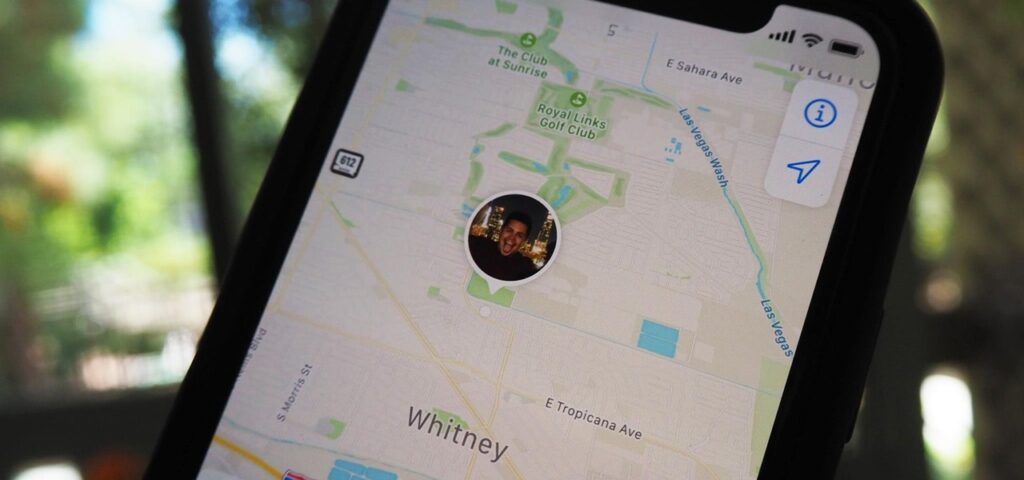
iMessage offers a feature that blends communication with real-time location sharing, elevating how we interact and look out for each other.
Whether you’re planning a meet-up, ensuring a family member’s safety, or just wanting to know if your friend has arrived home safely, learning how to see someone’s location on iMessage is effortless. You can also use Phonsee feature.
Understanding Location Sharing on iMessage
Location sharing on iMessage stands out for its simplicity and effectiveness. It allows users to share their real-time whereabouts directly through the app.
This functionality transforms ordinary messaging into a more dynamic and informative interaction, enabling friends and family to stay connected in a whole new way.
The convenience factor is undeniable. With just a few taps, you can tell someone exactly where you are without switching apps or disrupting your communication flow.
This seamless integration with iOS means that location sharing works harmoniously with other features, like Siri suggestions, Apple Maps, and more, enriching your device’s ecosystem.
Moreover, the benefits of using iMessage for this purpose are significant. It maintains your privacy, allowing you to control who sees your location and for how long.
The intuitive design ensures that even the least tech-savvy users can share and view locations effortlessly, promoting security and connectedness in various scenarios.
Steps to View Someone’s Location on iMessage
Learning how to look at someone’s location on iMessage is straightforward and enhances connectivity and peace of mind.
Whether you’re checking if a friend has arrived safely or you’re keeping tabs on your family’s whereabouts, iMessage simplifies this process.
Follow these step-by-step instructions to start viewing locations seamlessly:
- Open the Messages App: Launch the Messages app on your iOS device. This is your gateway to all iMessage conversations.
- Select the Conversation: Scroll through your message threads and tap on the conversation with the person whose location you want to see. This person must have previously agreed to share their location with you.
- Access the Information Screen: Within the conversation, tap on the contact’s name or the “info” icon at the top of the screen. This action will open a detailed view of your interaction with the contact, including the location-sharing options.
- View the Shared Location: If the person has shared their location with you, you’ll see their current location displayed on a map. Sometimes, you may see options like “Share My Location” or “Send My Current Location,” which the contact can use to share their real-time whereabouts with you.
Best Practices for Location Tracking on iMessage
Knowing how to check someone’s location on iMessage is powerful, especially for ensuring the safety of loved ones.
Incorporating Tracking Software
Integrating specialized tracking software like Detectico, mSpy, or Eyezy can provide a more comprehensive monitoring solution.
These tools are particularly useful for monitoring kids or elderly family members. They offer advanced features like geofencing, location history, and alert systems for added peace of mind.
- Detectico: Specializes in providing real-time updates and detailed location histories, ensuring you’re always informed of your loved ones’ whereabouts.
- mSpy: Offers robust monitoring solutions, including location tracking, geofencing, and the ability to view location history, making it easier to ensure the safety of your family.
- Eyezy: Focuses on user-friendly monitoring, providing precise location tracking and customizable alerts for specific location changes.
Setting Up Notifications for Updates
Enable notifications to receive real-time updates on location changes.
This can be crucial for immediate awareness if a family member enters or leaves a designated area, especially in emergencies.
When you learn how to view someone’s location on iMessage, you also need to know how to configure your tracking app to send you notifications at specific intervals or when significant location changes occur, keeping you informed without constant manual checking.
Managing Shared Locations
Review and manage regularly who you share your location with. It’s important to ensure that only trusted individuals have access to your real-time whereabouts.
Periodically check the location-sharing settings in your tracking software and iMessage to ensure they align with your current preferences and privacy needs.
Adjusting Location-Sharing Settings
Tailor your location-sharing settings to balance sharing essential information and maintaining privacy.
Adjust how long your location is shared and who can see it based on your comfort level and the specific requirements of your situation.
Decide whether to share your location for a limited time or indefinitely, depending on the situation. Ensure you’re comfortable with the duration and visibility of your location data.
Concerns and Dangers
While learning how to see someone’s location on iPhone messages is incredibly useful, it’s not without its concerns.
The accuracy of the location data, potential battery drain, and privacy implications are essential to consider.
It is crucial to use these features responsibly, as well as to ensure you’re comfortable with the information being shared and aware of who can access your location.
Implementing strong security practices and understanding the app’s privacy settings can mitigate these risks and create a secure environment for everyone involved.
Conclusion
Seeing someone’s location on iMessage simplifies staying connected and offers reassurance when your loved ones are out and about.
Whether coordinating meet-ups or ensuring family safety, the ease of iMessage’s location sharing is a game-changer.
Remember to use this feature responsibly, respect privacy, and maintain open communication with those you share your location with.