
Introduction:
What happens when your old photo gets bad, and you can’t make out the picture? Old pictures are a moment captured for memory’s sake and losing it would mean losing moments you won’t want to forget. But what if I told you can quickly process old photo restoration? The essence of memories lies within these photographs, but the visible wear and tear can obscure their beauty. The new Wondershare Repairit with AI features has emerged as a savior, offering a seamless solution to remove scratches and imperfections from these aged pictures. It can breathe new life into these images, rescuing them from the ravages of time.
What is Wondershare Repairit?
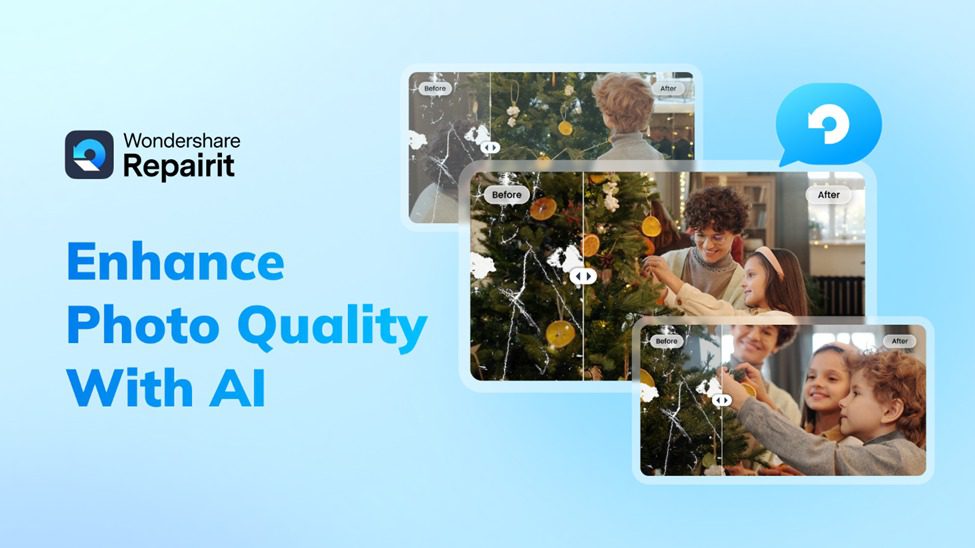
Wondershare Repairit is an AI-powered tool designed to revive and restore these faded relics, bringing them back to life with clarity and natural vintage colors. This AI old photo restoration tool uses AI, enabling users to witness the transformation of moments frozen in time. With Repairit, the journey back to the past, i.e., restoring old photos online, becomes a vivid and breathtaking experience, ensuring that these memories remain intact for generations.
Features:
- AI-Powered Upscaling: It helps improve visual clarity and ensure intricate detail restoration using cutting-edge AI upscaling techniques. Your old, damaged photos will transform into high-resolution, crisp images.
- AI Auto-Repair: Effortlessly repair scratches, spots, tears, and imperfections for a smoother, more refined restoration process.
- Face Enhancement: Using advanced AI algorithms to refine facial features, ensuring natural and enhanced portraits. The tool reveals the genuine essence and detail of faces captured in old photographs.
- Safe & Secure: Rest assured that your images are handled with utmost security and privacy. Wondershare Repairit guarantees a safe restoration process, maintaining the confidentiality of your precious memories.
How To Restore Old Photos for Free
Now that you know the best tool to restore old photos online, let us also look at the steps to help you with the process. With Wondershare Repairit, you can follow only three steps to get the best results for free without downloading software.
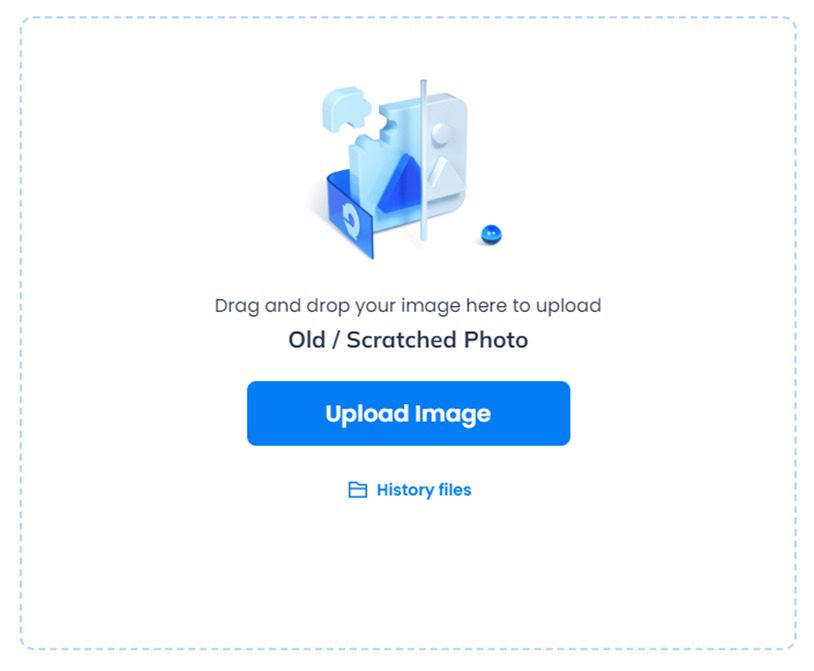
Step 1: Upload Your Old Photos
First of all, use Repairit’s free online tool by clicking on “Upload Image.” Pick the old photo you want to restore from your devices and upload it.
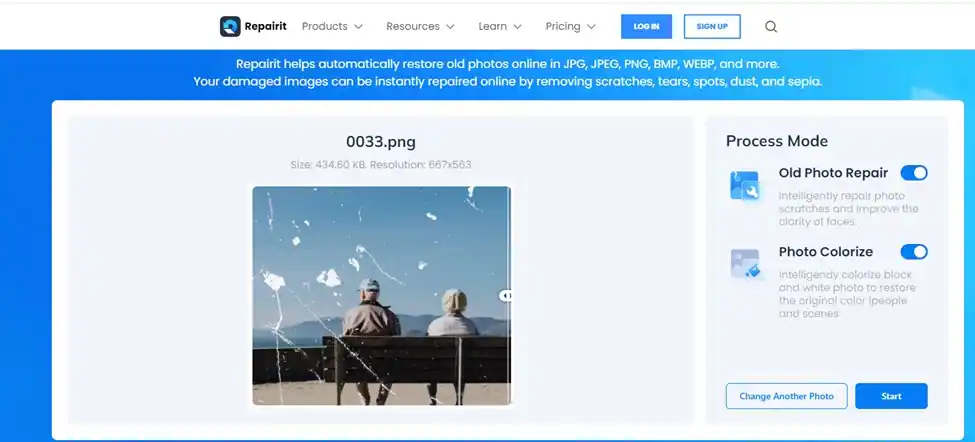
Step 2: Initiate AI Photo Restoration:
Wondershare Repairit’s AI enhancement works magic by eliminating scratches, tears, and imperfections from your old photos. It also revives faded colors and automatically enhances details when you click “Start.”
Step 3: Preview and Save Your Restored Photo
Once the restoration is complete, you can choose to preview the restored photo. If it looks good, simply click “Download” to save it in high-quality JPG or PNG format. If not, you can redo the process and experiment to get the perfect old photo restoration.
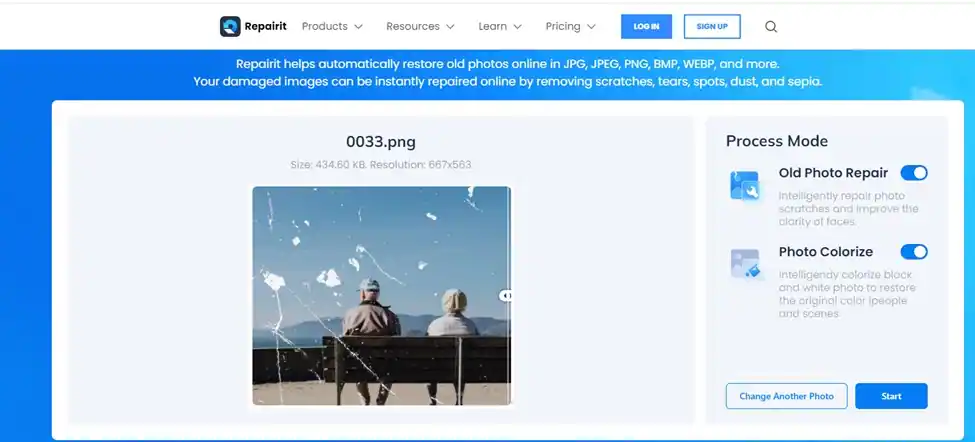
That’s all there is to it!! You successfully preserved your old photos and refreshed them. Also, if your old photos are severely damaged, you can download Wondershare Repairit for your desktop and to amazed to unlock more premium features.
A Few Essential Tips for Preserving Photos
You wouldn’t want your old photos to go bad, would you? So, here, we will give you seven tips on preserving your photos for a long time.
- Regular Organization: Organize your photos by sorting them into folders or albums based on events, dates, or themes. This makes it easier to find specific pictures when you need them.
- Backup on Multiple Platforms: Create backups of your photos, storing them on cloud-based services and external hard drives. This redundancy ensures your photos are safe even if one storage method fails.
- Repairing Corrupted Photos: If your photos become corrupted or damaged, tools like Wondershare Repairit can help salvage them. This AI old photo restoration tool specializes in photo restoration, even when images are technically flawed or corrupted.
- Avoid Direct Sunlight: Protect physical photos from direct sunlight or intense artificial light to prevent fading and discoloration.
- Use Archival-Quality Materials: When printing or framing, opt for archival-quality paper, ink, and framing materials. These materials are designed to resist degradation over time.
- Handle with Clean Hands: Handle physical photos with clean, dry hands to avoid oils or dirt transfer, which could damage the images.
Conclusion:
Thus, we can all use the new, upgraded online tool Wondershare Repairit, the go-to tool for those seeking to breathe life back into cherished memories captured in old photos. With its powerful AI old photo restoration features, the tool quickly removes imperfections, enhances facial details, and ensures the utmost security for your precious images. Preserving these moments for generations becomes effortless, offering a timeless bridge between the past and the present. So, now, you can restore old photos online with Repairit and resurrect moments that you deserve to remember forever.