
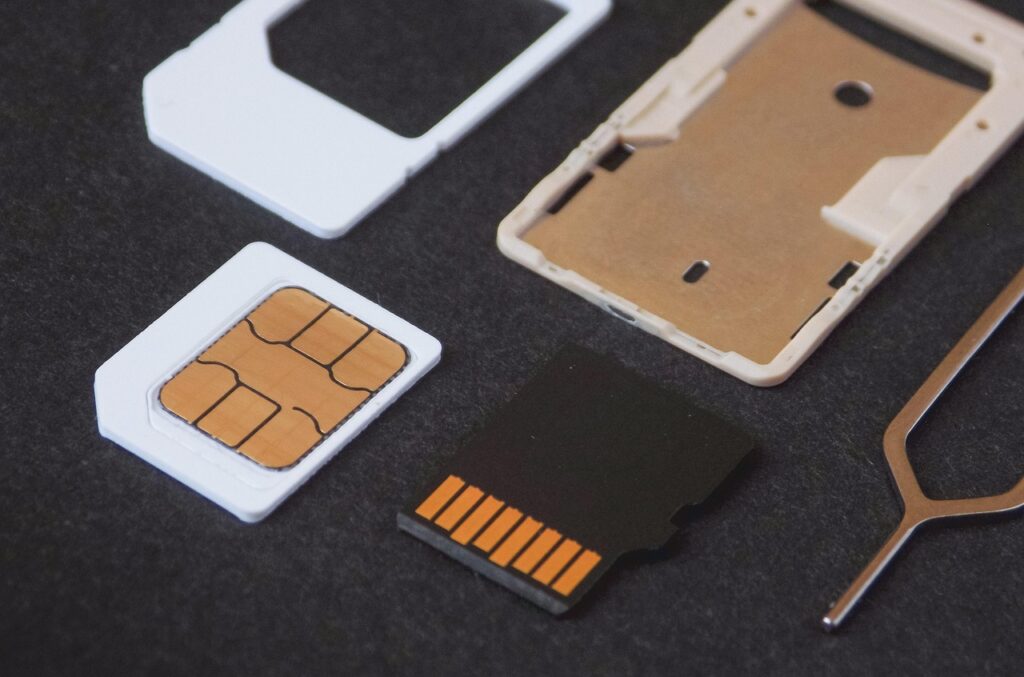
Imagine losing access to your mobile number just because you forgot one simple step: registering your SIM. In 2026, Globe users in the Philippines are required to register their SIM cards to keep using their services. This process ensures your number is secure, your identity is verified, and your mobile connection stays active. The best part is that registration only takes a few minutes to complete online or in store.
Why You Must Register Your Globe SIM
Registering your Globe SIM is not just a requirement but a way to ensure your number is protected from scams and misuse. It verifies your identity, giving you control over your mobile connection and peace of mind while using your phone.
Through Globe SIM Registration, your personal data is securely linked to your mobile number, preventing fraudulent activities like SIM swapping or identity theft. It also allows authorities to track illegal activities involving unregistered numbers, keeping everyone safer.
Failing to register your SIM could lead to service interruption or permanent deactivation of your number. To avoid losing access to calls, texts, and mobile data, make sure you complete your registration before the deadline.
What You’ll Need Before Registering Your Globe SIM?
Before you start the registration process, make sure you have the following ready:
- Active Globe SIM card inserted in your phone
- Stable internet connection (Wi-Fi or mobile data)
- Valid government-issued ID (e.g., Passport, Driver’s License, National ID, etc.)
- Clear photo or scanned copy of your ID
- Personal details such as full name, birthday, address, and nationality
- Working camera or phone for a quick selfie verification
Methods to Register Your Globe SIM
There are three convenient ways to register your Globe SIM in 2026. You can do it online through the official Globe portal, via the GlobeOne mobile app, or in person at an authorized Globe store or retailer. Each method is simple, secure, and takes just a few minutes.
Online via the Globe portal
Follow these quick steps to register your Globe SIM online:
- Visit the official Globe SIM registration website at new.globe.com.ph/simreg.
- Enter your mobile number and wait for the OTP sent via SMS.
- Input the OTP to verify your number.
- Fill in your personal information such as name, birth date, and address.
- Upload a clear photo of your valid ID and take a selfie for verification.
- Review all details, submit, and save your reference number for confirmation.
Via the GlobeOne app
Here’s how you can complete your Globe SIM registration using the GlobeOne app:
- Download or open the GlobeOne app from the App Store or Google Play.
- Log in using your Globe number and tap the “Register Your SIM” option.
- Enter your mobile number and verify it using the OTP sent to you.
- Provide your personal information and upload your ID along with a selfie.
- Confirm your details, agree to the terms, and submit your registration.
- Save the confirmation message and reference number once registration is successful.
In-person at a Globe store or authorized retailer
If you prefer to register your Globe SIM offline, follow these steps at a Globe store or retailer:
- Visit the nearest Globe store or authorized retailer in your area.
- Bring your Globe SIM card and a valid government-issued ID.
- Ask for assistance with SIM registration and fill out the form provided.
- The Globe representative will verify your ID and complete the process for you.
- Wait for the confirmation message or SMS containing your reference number.
How to Check Your Registration Status
Once you’ve completed your Globe SIM Registration, it’s important to confirm if your SIM is officially registered. You can easily check your registration status through a few quick methods — via SMS or dialing codes, through the GlobeOne app, or by visiting the online portal. Each option gives you a fast way to verify your SIM’s active registration status.
Via SMS or dialing codes
Follow these simple steps to check your registration status through your phone:
- Open your phone’s dialer and type *143#.
- Select the “My Account” option and navigate to “SIM Registration Status.”
- Wait for a message confirming whether your SIM is registered or still pending.
- You can also receive a text confirmation directly after following the prompts.
Via the GlobeOne app or portal
If you prefer checking online, here’s how to do it through the app or website:
- Open the GlobeOne app and log in using your registered Globe number.
- Go to the “SIM Registration” section found in the account menu.
- Check your registration status displayed on the screen.
- Alternatively, visit new.globe.com.ph/simreg and enter your number to verify your SIM.
What if you don’t see confirmation
If you don’t receive confirmation or see your registration status right away, try the following steps:
- Double-check your mobile number and make sure you entered it correctly.
- Wait a few minutes, as system updates can sometimes cause delays.
- Reopen the app or browser and try checking again.
- If the issue continues, contact Globe customer service or visit a Globe store for assistance.
How to Update or Change Your SIM Registration Details
Updating your SIM registration details is important if your personal information has changed since you first registered. This could include a new address, updated ID, or a name change after marriage. Keeping your information current ensures that your SIM remains compliant and linked accurately to your identity.
To update your details, you can simply revisit the Globe SIM registration portal or open the GlobeOne app. There, you’ll find an option to modify your existing registration details. Enter your number, verify using an OTP, and update the specific fields that need changes, such as your address or ID number.
If you’re unable to update online, you can always visit the nearest Globe store for help. Bring your updated valid ID and explain that you need to update your SIM registration details, including Globe or TM SIM Registration if applicable. The Globe representative will assist you in completing the process and confirm your updated registration afterward.
Troubleshooting Common Issues
While registering your Globe SIM is usually quick and easy, you might encounter a few hiccups along the way. Common issues include not receiving your OTP, problems uploading your ID, or your SIM being deactivated due to late registration. Here’s how to fix these issues and complete your registration smoothly.
Didn’t get OTP or failed verification
- Ensure your SIM is inserted correctly and has a stable signal.
- Double-check that you entered the correct mobile number before requesting the OTP.
- Wait a few minutes before requesting a new OTP, as network delays can occur.
- Try restarting your phone and reattempting the verification process.
- If the problem persists, contact Globe’s customer support hotline for assistance.
Website/app errors or upload problems
- Refresh the page or restart the GlobeOne app and try again.
- Clear your browser’s cache or use a different browser (Chrome, Safari, or Firefox).
- Compress or resize your ID photo if it exceeds the upload size limit (usually 2MB).
- Use a stable Wi-Fi connection to avoid upload interruptions.
- If technical errors continue, try registering during off-peak hours.
What to do if your SIM was deactivated
- Visit the nearest Globe store or authorized retailer immediately.
- Bring a valid government-issued ID and explain that your SIM was deactivated.
- Request for SIM reactivation or replacement and re-register it under your name.
- Keep your reference number and confirmation message for future reference.
- Avoid future deactivation by completing registration and updates promptly.
Tips & Best Practices for Smooth Registration
To make sure your Globe SIM Registration goes as smoothly as possible, keep these helpful tips in mind:
- Use a strong and stable internet connection during registration.
- Double-check your personal details before submitting.
- Take clear, well-lit photos of your ID and selfie for faster verification.
- Save or screenshot your confirmation message and reference number.
- Register early to avoid system congestion and potential delays.
Final Thoughts
Completing your Globe SIM Registration is a simple yet essential step to secure your mobile identity and maintain uninterrupted service. By registering your SIM, you’re protecting yourself from potential scams and ensuring full access to Globe’s network features. Whether you choose to register online, through the GlobeOne app, or in person, the process only takes a few minutes. Take action today and keep your number active, safe, and ready for all your communication needs.