
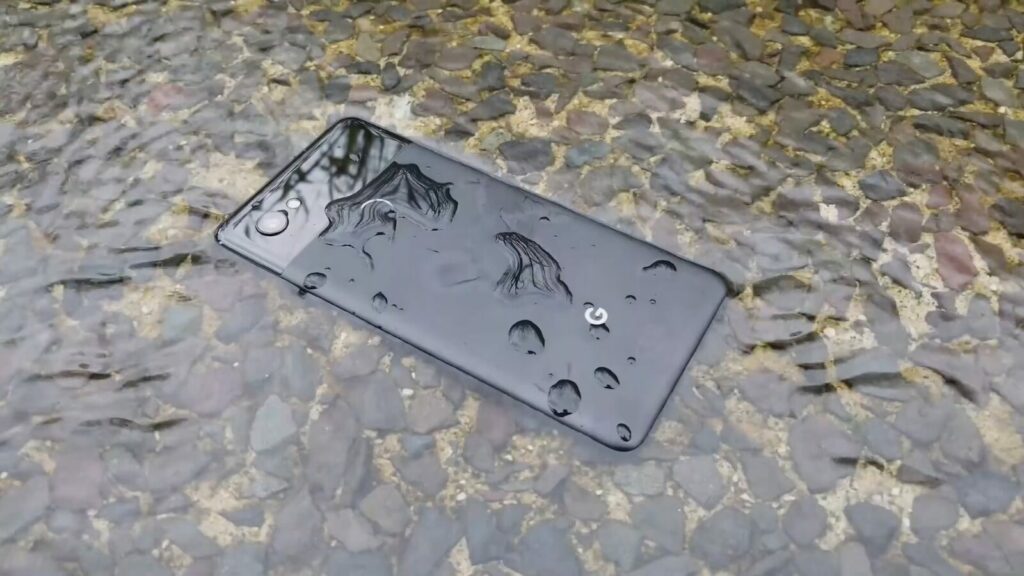
It’s never a good thing to get water inside your smartphone. While most modern phones are highly water-resistant, it doesn’t mean you’re completely protected from moisture-related issues. But don’t worry – we’re here to guide you on how to remove water from your phone.
How Water Damages Your Phone.
Water entering your phone can have a significant impact on the device in multiple ways. It can cause important parts like memory storage and other functions to stop working properly when exposed to the internal workings of the phone.
The damage your phone may have suffered can be even more severe depending on the type of water it was exposed to.
Even fresh water, which is less harmful, can still lead to issues.The highly complex interior of a smartphone consists of small components like integrated circuits, capacitors, and resistors make up the highly complex interior of a smartphone. These are all present on a printed
What to Do If You Drop Your Phone in Water.
Here are the steps to follow to get water out of your phone.
- Get it out of your phone in liquid as soon as possible. The more time it remains there, the more liquid will be able to enter different inlets.
- Turn off your phone immediately and do not turn it back on until it’s completely dry.
- Take out the protector case.
- If possible, take out the battery, SIM card, and microSD card by opening the back of the phone.
- Dry your phone with a cloth or paper towel. Avoid rubbing the phone as it could result in liquid entering its most sensitive parts.
- Do not attempt to dry your phone with external heat source. Store it in a cool, dry place.
How to Get Water Out of Your Phone
There are several ways to get water out of your phone. The steps are as follow

The Rice Method
Desiccants are commonly used by experts to dry your phone, but rice is not always the best solution to remove water from it. Avoid placing your phone in rice, as it won’t assist in drying out your phone, the ports of your phone can become obstructed by rice, David Lynch, who is the content lead at Payette Forward, a cellphone-education company that has a YouTube channel with more than a million subscribers, provides an explanation. It’s better to let your phone air-dry than put it in rice.

Use Silica Gel
Another option is silica gel. To absorb moisture from phones, Silica gel beads are a great option. Many products come packaged with white packs labeled ‘Do not eat’, which contain Silica gel beads. You have the option to either save these packs from the packages you’ve received or purchase them from online stores like Amazon.
If you’ve got your silica, what should you do after dropping your phone in the water?
- When your phone comes into contact with water, take it out and turn it off.
- Use a lint-free towel to dry the outside of your phone.
- Put your phone in a big container.
- Add your silica gel beads to the container and secure it.
- Let your phone dry for 72 hours.
- Take your phone out of the container and try to turn it back on.


Play low-frequency sounds
Playing low-frequency sounds to push water out of the speakers is the subsequent step once all visible water is gone.
The first thing you need to do is turn on your phone and raise the volume to the highest setting. Place your phone on a flat surface or slightly elevated with the speaker facing down to allow gravity to assist.
Navigating to fixmyspeaker is the initial step to play a low-frequency sound. There is a phone speaker cleaner sound. When you’re ready, press the button in the middle and it will produce a sound that moves water out of the speaker.
Once the water stops ejecting from our speakers, you can turn off the sound by pressing the button. Repeat the play to remove as much water as possible, but keep the sound to a minimum of 30 to 60 seconds.

Professional Drying Services (H3)
If you have tried all other methods and your device is too wet for self-treatment, think about looking into professional device drying services at repair shops or kiosks near you. To quickly dry devices, professionals combine desiccants, vacuums, and heat.
What Apple and Samsung recommend (H2)
If you drop your phone in water, the two biggest phone manufacturers have some suggestions.
A warning will appear on your phone’s charging port if it becomes wet. If you get this alert, Apple suggests doing the following:
- Dry your phone with a soft, lint-free cloth after pulling it out of the water and turning it off.
- To remove excess water, gently tap your phone with the charging port facing down.
- Wait for at least 5 hours by placing your phone in a dry area with good circulation. A fan can be used to help with the process by pointing it at your phone’s charging port.
After 5 hours, give it another shot at turning your phone on. If you’re still encountering problems, you can either try the other methods mentioned in this article or go to an Apple store for additional help.
The instructions for Samsung are similar:
- Dry off your phone with a dry towel or clean cloth after removing it from the water and turning it off.
- Make sure your phone is in a well-ventilated or shaded area with a fan to circulate fresh air. Despite this, Samsung does not specify a specific length of time to wait.
Samsung advises that despite following these steps, there may still be water inside your phone, so it’s necessary to take it to a Samsung Electronics Service Center.
What About Non-Fresh Water? (H2)
Your phone’s damage can be even more severe if it has been exposed to the wrong type of water. Phone parts can suffer damage from the chlorine in pool water, while the salt in seawater can quickly cause serious corrosion. The primary microphone, earpiece, or external speaker may be blocked by salt when salt water dries.
How can you tell if your phone has water damage?
You can say that your phone has water damage when you face these problems
- Unusual photos and videos. Water entering the camera lens can only be confirmed by this sign.
- Phone calls and music have a sound that is muffled or distorted. There may be no audio at all!
- Connecting wired headphones results in static.
- Moisture droplets are present underneath the screen. The water here indicates that the phone was in contact with water for a prolonged period, allowing liquid to enter through every possible opening. Observe dried water markings that indicate that water has evaporated.
- Unable to charge.
- Internal parts have rust
- The ports may experience corrosion or discoloration. If you have them, make sure to check the headphone jack, memory card slot, charging port, and any other openings on your device.
- Warping occurs around the edges or buttons of the phone.
- Dark display.
- Complete shutdown and termination of all functionality.
How to Get Water Out of Your Phone Speaker?
Here are some tips to get water out from your phone speaker easily.
- First, clean the speaker of your mobile from the top with a dry cloth.
- Then, use a low-power vacuum to suck water and moisture from inside the phone speaker.
Make sure the speaker is facing down when you use the vacuum.
How do you remove water from a charging port?
You can remove water from charging port by following our these steps
- Dry out the charging port by gently shaking the device to get rid of any water, and then put it into a dry, well-ventilated area.
- Alternatively, a small fan can be used to blow air (but not too hot) into the port.
- To avoid damaging the unit, refrain from using a hair dryer or exposing it to direct sunlight.
- It’s important to allow the unit to dry for at least 24 to 48 hours before charging it again. The complete evaporation of internal humidity may require some time.
FAQ (H2)
Does rice fix water-damaged phones?
Asurion Experts suggest that soaking your device that is exposed to water in rice could potentially absorb some moisture. Additionally, it could result in other problems for your phone, such as causing dust and dry starch—a rice byproduct—to enter your phone’s cracks and crevices. It is possible for rice to get stuck in your phone’s charging or headphone jack, making it hard to remove when it swells up in liquid.
Can you blow-dry a water-damaged phone?
It is not recommended to blow dry your phone when it’s wet. Eliminating some of the surface moisture is a possibility, but the moisture inside your device will not be removed, and the heat could cause irreparable damage to your phone’s internal components.
How long does it take for your phone speaker to dry out?
The phone speaker will dry out within 24 to 48 hours if you put it in a bag with silica gel packets. Humidity levels can impact the drying time, so it may take more than a week if left to air dry without silica gel.