
In today’s fast-paced world, time and security are two things most people can’t afford to waste. Whether you’re a small business owner, digital nomad, or someone undergoing a background check, there are times when you need to get a mailbox and use a fingerprinting service—and preferably, do it all without stress.
While both services may seem unrelated, they often go hand-in-hand in administrative processes such as employment verification, license applications, visa processing, and personal security management. The good news? With a little planning and the right provider, handling both tasks can be quick, simple, and even convenient.
Here’s your complete guide to efficiently getting a private mailbox and completing fingerprinting services—without the usual headaches.
Why You Might Need a Mailbox and Fingerprinting Service
Before diving into the “how,” let’s clarify the “why.” These two services are frequently needed in tandem for personal and professional purposes.
Fingerprinting Service
Fingerprinting is required for:
- Background checks (employment, volunteer work, adoption, etc.)
- Professional licensing (healthcare, finance, education, law enforcement)
- Immigration or visa applications
- Firearm permits and security clearance
- FBI or state record requests
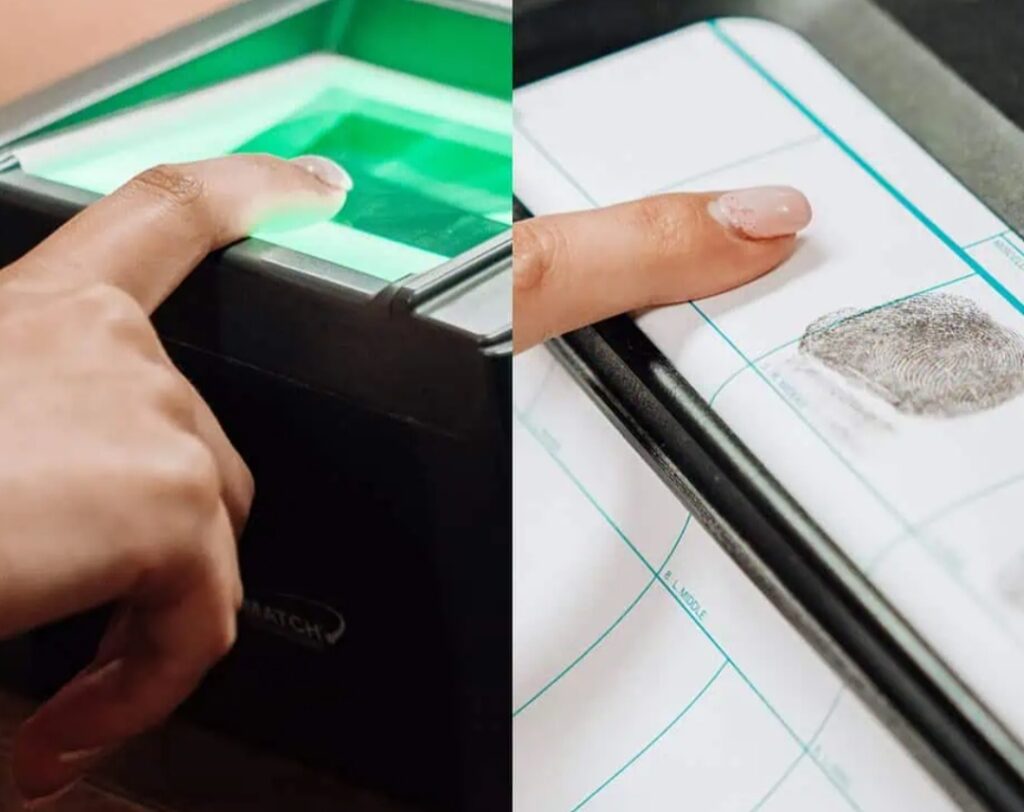
Today, many of these processes require digital or ink fingerprinting as part of an official identity verification step.
Get a Mailbox
A private mailbox offers more than just a place to receive mail:
- Stable mailing address for people who move often or travel frequently
- Business credibility for entrepreneurs and freelancers
- Privacy and security—your home address stays confidential
- Package receiving services (especially important if you’re not home during the day)
When you’re filling out forms for a background check or professional application, you’ll likely need a stable mailing address—which makes having a mailbox a practical necessity.
Step-by-Step: How to Get a Mailbox Easily
Let’s begin with the mailbox, since it’s often the easier of the two.
Step 1: Choose Your Mailbox Type
There are two main types of mailboxes you can choose from:
- Physical Mailboxes (e.g., at UPS Store, PostalAnnex, or private centers)
- Virtual Mailboxes (digitized mail viewing with optional forwarding services)
If you need to receive physical documents (like fingerprinting results or legal paperwork), a physical mailbox is often best. Virtual options work well for frequent travelers.
Step 2: Select a Location
Pick a provider that’s close to home or work—or, if you’re combining services, one that also offers fingerprinting on-site (more on that soon). Look for:
- Secure facilities
- Good business hours
- Customer service reputation
- Package receiving capabilities
Step 3: Bring ID and Fill Out USPS Form 1583
To get a mailbox, you’ll need to fill out USPS Form 1583. You’ll also need two forms of identification (one must include a photo, like a driver’s license or passport).
Step 4: Start Receiving Mail
Once your mailbox is set up, you’ll be assigned a private mailbox number. You can start using it immediately as your mailing address—great for business use, applications, or receiving time-sensitive mail like fingerprinting results.
How to Use a Fingerprinting Service Without the Hassle
Getting your fingerprints taken might sound complicated, but it doesn’t have to be. Many locations now offer fast, professional fingerprinting services with little to no wait time.
Step 1: Determine the Type of Fingerprinting You Need
There are several formats:
- Ink fingerprinting (traditional paper fingerprint cards, often used by law enforcement and international applications)
- Live Scan fingerprinting (digital fingerprinting, commonly used for background checks and licensing in the U.S.)
- Mobile fingerprinting (a technician comes to your location—ideal for businesses or groups)
Always confirm which format your agency or employer requires.
Step 2: Find a Trusted Provider
To save time and reduce hassle, look for providers that offer:
- Walk-in availability or appointments
- On-site notary and ID services
- Integration with government and background check agencies
- Friendly, experienced technicians
Pro tip: Many locations that offer mailbox rentals also provide fingerprinting service on-site. This is a major time-saver and helps ensure everything—from identity verification to paperwork—can be handled in one visit.
Step 3: Bring Required Documents
Most fingerprinting services will ask you to bring:
- A valid government-issued photo ID
- Any specific fingerprinting forms (from your employer, state agency, or licensing board)
- Payment (some accept insurance reimbursements for required services)
Step 4: Get Fingerprinted
Depending on the method, your fingerprints will be taken either digitally or via ink. The process usually takes about 10–20 minutes. Afterward, your fingerprints will either be sent directly to the requesting agency or handed to you in a sealed envelope.
Pro Tips to Save Time and Avoid Mistakes
- Bundle Services When Possible
Some business centers offer both services in one location. Bundling a fingerprinting service with a mailbox rental can save you from multiple appointments and trips. - Make an Appointment Ahead of Time
While walk-ins are welcome at many locations, calling ahead ensures a faster process—especially if fingerprinting requires specialized staff. - Double-Check Forms and Requirements
Nothing is worse than getting fingerprinted only to realize you brought the wrong form or ID. Always review requirements provided by your requesting agency in advance. - Use a Virtual Mailbox if You’re Traveling
If you’re applying for a remote job or license but won’t be at a fixed address for a while, a virtual mailbox gives you remote access to scanned copies of your mail and packages. - Keep Copies for Your Records
Whether it’s a USPS form, fingerprint card, or ID, always keep digital or physical copies of what you submit—just in case follow-up is needed.
Who Benefits the Most from Combining These Services?
- Freelancers and remote workers who travel frequently or need a business address
- Job applicants and professionals going through background checks or licensing
- Students or expats needing official services while away from home
- Small businesses that want an office-like address without a lease
- Security professionals applying for permits or clearances
By combining the process to get a mailbox and a fingerprinting service, you’re not just saving time—you’re increasing efficiency, privacy, and peace of mind.
Final Thoughts
Getting a mailbox and using a fingerprinting service doesn’t have to be a hassle. In fact, with the right provider and a little preparation, you can take care of both in less than an hour. Whether you need official identification processing or just want a reliable mailing address, combining these essential services streamlines your personal or professional needs.
So the next time you need to get a mailbox or schedule a fingerprinting service, consider doing both in one visit. It’s smart, secure, and a whole lot simpler than you might think.