

Introduction
Ever stumbled upon a video on Threads and wished you could save it for later? Well, you’re not alone. Many Threads users find themselves in the same predicament. But don’t worry, we’ve got you covered. In this guide, we’ll show you two simple ways to download Threads videos online.
What is Threads?
Threads is a new platform by Meta, designed to help users share their moments more privately with their close friends. It’s an innovative way to keep your circle tight and your memories tighter. But what if you want to keep those memories even after they disappear from the app? That’s where downloading comes in.
Method 1: Using Online Video Downloaders
There are numerous online video downloaders available that can help you download Threads videos. Two of the most popular ones are ThreadsMate and ThreadsDownloader.App.
ThreadsMate
ThreadsMate is a free online Threads Downloader tool that allows you to download Threads videos in a few easy steps. Here’s how to use it:
- Find the Threads Video URL: Open the Threads app or website in your browser and locate the video you want to save for offline use. Tap on the Share button below the video and select ‘Copy Link.’
- Use ThreadsMate: Visit the ThreadsMate.com Threads Video Downloader. Paste the Link into the provided input field that prompts “Paste URL from Threads.”
- Download the Video: Click the Download button on the right to download the video. Select your preferred video quality and download.
ThreadsMate is user-friendly, continuously updated for the best experience, and supports all browsers and personal devices such as phones, computers, and tablets.
ThreadsDownloader.App
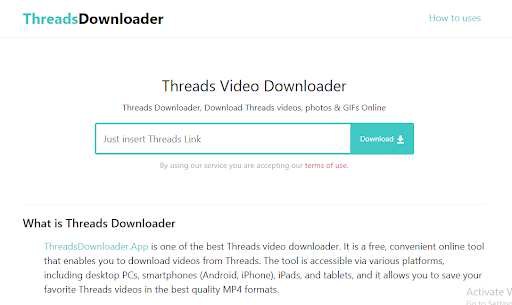
ThreadsDownloader.App is another excellent online tool for downloading Threads videos. Here’s how to use it:
- Find the Threads Video URL: Open the Threads app or website on your device. Browse and select the video that you want to download. Look for the SHARE button, which is usually found at the bottom right corner of the video within the app. Find and click on the COPY LINK option. The video link is now copied to your clipboard and is ready to be pasted into the Threads Downloader.
- Use ThreadsDownloader.App: Go to ThreadsDownloader.App, paste the Threads video link in the input field at the top of the page, and click the ‘Download’ button.
- Download the Video: Choose the video quality you prefer and download the video.
ThreadsDownloader.App is a high-speed, unlimited downloader that requires no installation and is free to use. It supports all modern browsers and a wide range of devices, allowing you to download and enjoy Threads videos without watermarks for free.
Both of these tools are efficient and easy to use, making the process of downloading Threads videos a breeze.
Method 2: Using Screen Recording Software
Step 1: Choose a Screen Recording Software
There are plenty of screen recording software options available, both free and paid. Choose one that suits your needs and download it.
Step 2: Set Up the Screen Recorder
Once you’ve downloaded and installed your screen recorder, set it up to record the area of your screen where the video will play.
Step 3: Record the Threads Video
Play the Threads video and start the screen recording. Once the video ends, stop the recording.
Step 4: Save and Edit the Video
Save the recorded video to your device. Most screen recorders also offer basic video editing features, so you can trim any unnecessary parts.
Pros and Cons of Each Method
Each method has its own advantages and disadvantages. Online video downloaders are quick and easy, but they may not work if Threads has restrictions. Screen recording, on the other hand, is a surefire way to record any video, but the quality might not be as good.
Conclusion
Downloading Threads videos is a piece of cake once you know how to do it. Whether you choose to use an online video downloader or screen recording software, both methods are effective. So go ahead, save those memorable videos and relive those moments whenever you want.
FAQs
- Is it legal to download videos from Threads? It’s important to respect copyright laws. Always make sure you have permission to download and use the video.
- Can I download Threads videos on my phone? Yes, both methods mentioned in this article can be used on a mobile device.
- Do I need special software to download Threads videos? Not necessarily. While some methods require software, others only need a web browser.
- Can I download videos from private Threads accounts? Generally, videos from private accounts cannot be downloaded unless you have access to the account.
- What video format are Threads videos downloaded in? The format depends on the method used to download the video. Most commonly, videos are downloaded in MP4 format.