
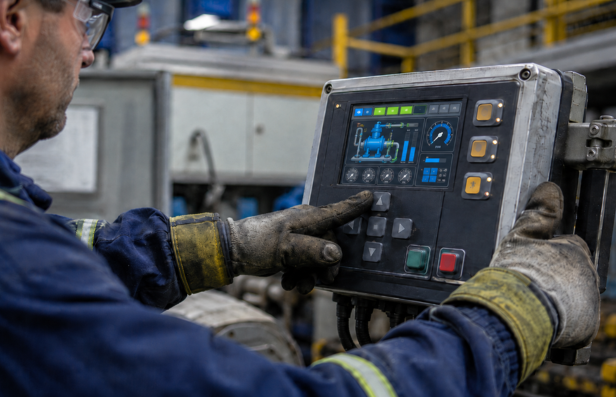
In many industrial, medical, and hazardous environments, gloves are not optional. They are essential.
But gloves change how users interact with interfaces. They reduce tactile sensitivity, limit precision, and increase the likelihood of input errors.
Designing interfaces for gloved operation is not just an adjustment. It requires a different approach to usability, materials, and interaction design.
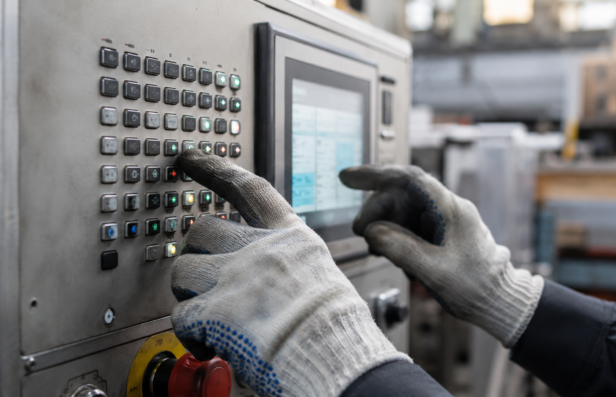
What Is Gloved Operation in Interface Design?
Gloved operation refers to designing interfaces that can be effectively used while wearing protective gloves.
These gloves may include:
- Industrial safety gloves
- Medical or surgical gloves
- Chemical-resistant gloves
- Thermal or insulated gloves
Each type affects touch sensitivity, grip, and control differently.
Why Standard Interfaces Fail with Gloves
Most interfaces are designed for bare-hand interaction.
Common failure points:
- Small buttons that are hard to press accurately
- Low tactile feedback leading to uncertainty
- Touchscreens that do not register gloved input
- Poor spacing between controls
- Lack of visual confirmation
These issues increase errors and slow down operations.
Key Challenges in Designing for Gloved Users
1. Reduced Tactile Sensitivity
- Users cannot feel fine details
- Difficult to confirm button activation
2. Limited Precision
- Gloves increase finger size
- Harder to interact with small elements
3. Variable Glove Types
- Different materials affect interaction differently
- Conductive vs non-conductive gloves impact touchscreens
4. Environmental Constraints
- Low visibility, moisture, or extreme temperatures
- Increased difficulty in interaction
Core Principles for Designing Interfaces for Gloved Operation
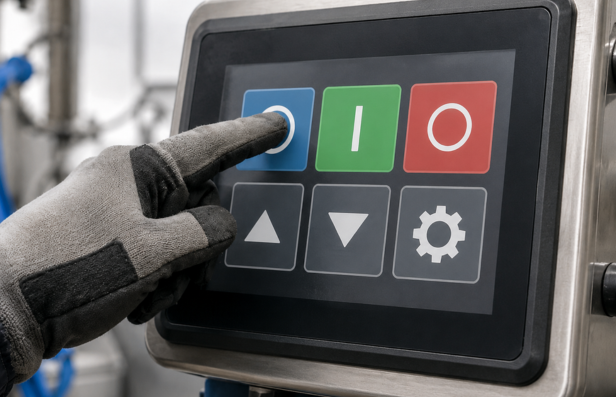
1. Larger Touch Targets
- Increase button size to improve accuracy
- Reduce the risk of accidental inputs
2. Increased Spacing
- Prevent overlapping interactions
- Improve usability under low precision
3. Strong Tactile Feedback
- Use mechanical or embossed buttons
- Provide clear physical confirmation
4. Clear Visual Feedback
- Immediate response to user actions
- Use lights, color changes, or indicators
5. Simplified Interface Layout
- Reduce complexity
- Focus on essential functions only
Material and Technology Considerations
1. Touchscreen Compatibility
- Use resistive touchscreens for glove compatibility
- Consider capacitive screens with glove support
2. Durable Surface Materials
- Resist wear from repeated use
- Withstand chemicals, moisture, and temperature
3. Tactile Interface Design
- Use raised surfaces or embossed overlays
- Improve physical interaction feedback
4. Environmental Resistance
- Ensure functionality in harsh conditions
- Protect against dust, liquids, and impact
Designing Physical Controls for Gloved Use
1. Button Size and Force
- Larger buttons with appropriate actuation force
- Prevent accidental activation
2. Switch Design
- Use switches that provide clear feedback
- Avoid overly sensitive controls
3. Knobs and Dials
- Provide textured surfaces for grip
- Ensure easy rotation with gloves
Human Factors in Gloved Interface Design
1. Reduced Cognitive Load
- Simplify decision-making
- Present only essential information
2. Error Prevention
- Design to minimize incorrect inputs
- Include confirmation steps where needed
3. Ease of Learning
- Intuitive layouts reduce training time
- Consistent design improves usability
Common Mistakes to Avoid
1. Designing for Bare Hands Only
- Ignores real-world usage conditions where gloves are mandatory
- Results in interfaces that are difficult to operate under reduced sensitivity
- Leads to increased input errors and slower task execution
- Often happens when usability testing is done only in controlled environments
2. Using Small or Dense Controls
- Small buttons and tightly spaced elements reduce interaction accuracy
- Increases accidental presses and missed inputs
- Particularly problematic with thick industrial or thermal gloves
- Creates frustration and reduces operator confidence
3. Ignoring Feedback Mechanisms
- Lack of tactile or visual feedback makes it hard to confirm actions
- Users may repeat inputs, causing system errors or delays
- Critical in environments where attention is divided
- Reduces trust in the interface
4. Overcomplicating Interfaces
- Too many options increase cognitive load during operation
- Slows down decision-making in time-sensitive situations
- Makes it harder for operators to navigate under stress
- Leads to inconsistent usage patterns
5. Not Testing with Actual Gloves
- Designs may work in theory, but fail in real conditions
- Different glove types behave differently with interfaces
- Misses critical usability issues that only appear during real use
- Results in costly redesigns after deployment
Best Practices for Gloved Interface Design
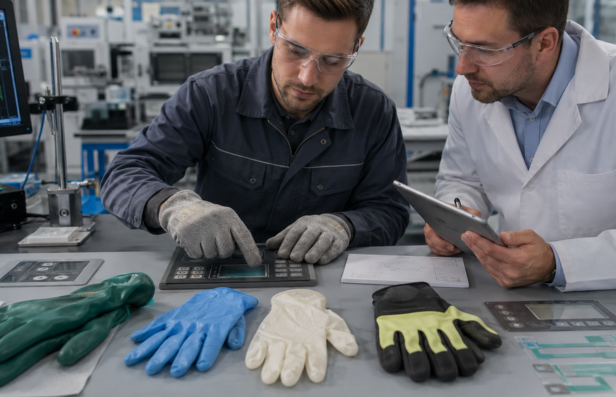
1. Test with Real Users and Gloves
- Conduct usability testing with actual glove types used in the field
- Observe how users interact under real working conditions
- Identify issues related to precision, visibility, and feedback
- Helps validate design decisions before production
2. Prioritize Function Over Aesthetics
- Focus on usability, clarity, and reliability rather than visual appeal
- Avoid design elements that look good but reduce usability
- Ensure controls are intuitive and easy to operate
- Functional clarity should always take priority
3. Design for Worst-Case Scenarios
- Consider low visibility, noise, stress, and environmental exposure
- Ensure controls remain usable in extreme temperatures or wet conditions
- Design for limited dexterity and reduced precision
- Systems should perform reliably under pressure
4. Iterate Based on Feedback
- Use real user feedback to refine interface design
- Continuously improve layout, spacing, and interaction elements
- Treat prototyping as an ongoing process
- Small improvements significantly impact usability
5. Align Design with Manufacturing Capabilities
- Ensure design can be produced consistently at scale
- Avoid overly complex features that are difficult to manufacture
- Select materials and processes that support durability
- Integrate design for manufacturing to reduce variability and defects
Applications Where Gloved Interfaces Are Critical
- Industrial manufacturing systems
- Medical devices and equipment
- Food processing environments
- Oil and gas operations
- Chemical handling systems
In these environments, usability directly impacts safety and efficiency.
Where Printed Electronics and HMI Design Add Value
Printed electronics and HMI technologies enable more adaptable solutions for gloved interaction.
Key advantages:
- Customizable layouts for specific workflows
- Integration of tactile and visual feedback
- Durable materials for harsh environments
- Flexible designs for compact interfaces
From real-world applications, interface elements such as button size, spacing, and tactile response significantly affect usability when gloves are involved. Designing these elements correctly ensures reliable interaction even in demanding conditions.
Designing for Real Use, Not Ideal Conditions
Interfaces designed for gloved operation succeed when they reflect how systems are actually used, not how they are expected to be used.
In real environments, users operate under pressure, with limited precision and reduced sensitivity. Designs that acknowledge these constraints perform better.
The most effective interfaces are not the most advanced or visually appealing. They are the ones that remain usable, reliable, and intuitive even when conditions are far from ideal.
Frequently Asked Questions (FAQs)
What is a gloved operation in interface design?
Gloved operation refers to designing interfaces that can be effectively used while wearing protective gloves, ensuring usability, accuracy, and safety.
Why do interfaces fail when used with gloves?
Interfaces fail because gloves reduce tactile sensitivity, increase finger size, and limit precision, making it harder to interact with small or poorly designed controls.
What are the key design considerations for gloved interfaces
Key considerations include larger touch targets, increased spacing, strong tactile feedback, clear visual feedback, and simplified layouts.
Which touchscreen works best for gloved operation
Resistive touchscreens are generally more compatible with gloves, while capacitive screens require special design adjustments for gloved use.
Why is testing important for gloved interface design
Testing ensures that the interface performs well under real-world conditions and helps identify usability issues that may not be visible during design.