
Voiceovers are crucial for all media, such as podcasts, audiobooks, videos, etc. Clear recordings with a constant speech and few pauses are ideal for voiceovers. Silence detection has transformed voiceover audio, improving workflow and quality. You can enhance your media productions through the power of silence detection. Also, unleash seamless audio experiences for perfect voiceovers.
Editors can remove unwelcome gaps and ensure a flawless listening experience.Wondershare Filmora is the best option for editing audio because of its features. Filmmakers create voiceovers that sound professional for their accurate tools and simple UI.
This article will discuss how audio silence detection can improve voiceovers.
Part 1: What are Voiceovers
Voiceovers are typical in the media industry. Voiceovers bring stories to life in various contexts, from a story to your favorite vlogs. An off-camera voice narrates a scene or provides context, known as voiceover or VO. In the early days of radio, voiceovers played a crucial role in building sets and giving context.
Voiceovers acquired a place in various genres as TV shows and cinema evolved. Technology advancements have increased the quality and adaptability of voiceovers. It makes things conceivable, such as clear audio, editing, and the ability to modify voices.
However, you will notice some silence and background noise when recording the audio. So, don’t worry about that; you can easily remove unwanted parts from the audio using many tools. Use the best tool for voiceover editing to experience sophisticated silence detection. You can unlock seamless audio experiences with the right tool. You can produce excellent outcomes quickly and easily.
Part 2: How Can You Improve Voiceover Quality with Wondershare Filmora
Filmora is an advanced tool for video editing that enhances voiceovers. It has many features that improve audio and provide a more enjoyable experience. Filmora’s silence detection eliminates useless pauses, resulting in quicker and simpler editing.
It also provides complete voiceover control, including dubbing, to achieve a refined result. Filmora is easy for voiceover artists and content creators. Making the voiceover professionalized at a high level.
You can try Filmora silence detection now to learn about it. You can refine your voiceovers with Filmora’s state-of-the-art technology. This tool makes achieving outstanding results simple due to its AI usage.
Filmora has altered voiceover editing, which additionally reduces time and labor. You can easily integrate with other tools to share your work. Take advantage of Filmora’s silence detectiontools to enjoy clear, sharp audio. Additionally, you can show endless creativity online with its effects and transitions.
Removing Silent Parts with Silence Detection in Filmora
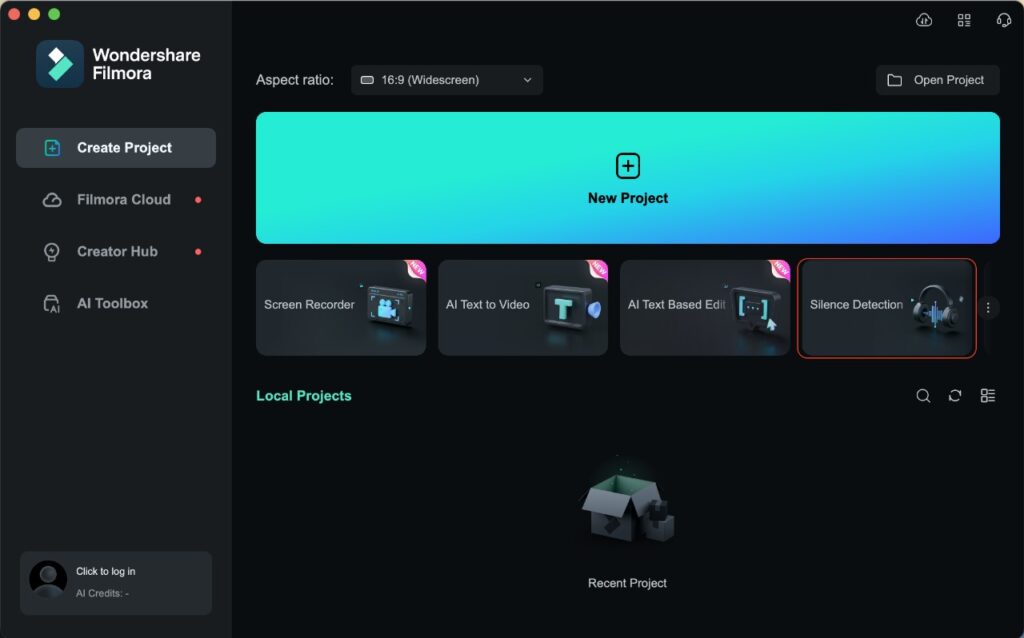
Here’s an in-depth explanation of eliminating silence in Filmora using silence Detection. Remember that this will only work if your clip contains audio. You cannot utilize Silence Detection on a video clip that is already muted. Let’s understand how to use Filmora’s silence detection.
- Step 1: Turn on Silence Detection.
First, select your clip. Then go to Tools > Audio > Silence Detection or right-click and choose Silence Detection. This opens the Silence Detection feature for refined audio editing. - Step 2: Personalize Audio Detection.
You can adjust the Volume, Duration, and Softening Buffer to handle noisy audio. It helps to identify and cut unwanted silences while preserving good ones. - Step 3: Analyze, Refine, and Explore.
Click Analyze to start automated audio silence detection and preview the results. The Trimming tool in Filmora allows you to adjust the length of the quiet portions of the video. You may also click the little “Eye” button in the toolbar to make these portions invisible.
Once done, select Finish and Replace to export the edited clip to the timeline.
Part 3: Tips To Do the Perfect Voiceovers
Audio silence detection can significantly enhance the quality of your voiceovers. You can do other edits to ensure your audio sounds as good as possible.
- Select the Right Tools:
For quality voiceovers, using the right tools is essential. Best audio requires a decent microphone to record high-quality sound. Make sure there isn’t any outside noise that could disrupt your recording. - Maintaining a Clear Voice:
Maintain a regular narration with tone modulation. It will ensure smooth audio. If the audio volume is not consistent, it will be ineffective, lowering the audio quality. Use Filmora’s silent detection to prevent interruptions and maintain a smooth flow. - Composing the Screenplay:
One of the reasons voiceovers are good is recording struggles. Pauses and interruptions are minimized with a well-written and prepared script. As a result, less silence detection is required when recording and playing back. - Prevent Pauses:
When doing voiceover, the speaker should avoid pausing between words. You can also do this by editing audio in Filmora, but take care of it when recording for better results. - Edit with Caring:
Observing the video is essential to preserve the planned pauses. Audio silence detection can eliminate all of the silent parts. However, ensure you don’t lose meaningful silences for the finished video. - Using Best Headphones:
Invest in headphones that block out noise to improve attention. Distracting sounds are muted using noise-reducing headphones. It helps you concentrate on your performance and script. Higher-quality recordings will come from staying in character and avoiding noise. - Practice Recording:
To improve your voiceover abilities, practice recording. You can achieve a comfortable tone by practicing. It strengthens speech and pronunciation, as well as timing and speed. Along with exploring methods, you’ll learn how to use tools like Filmora. As a result, you will become a skilled voice actor who creates audio.
Conclusion
Wondershare Filmora’s silence detection tool for editors is one of its unique benefits. With the help of it, editors can quickly cut away silences or low-pitched sequences. It also enables them to produce appealing, polished voiceovers of the highest caliber.
You can concentrate on the content with Filmora’s audio silence detection. Using its features, editors can precisely control the audio, improving it. It is a simple-to-utilize feature that improves voiceover quality. Besides, Filmora has a lot of audio editing options, including noise reduction.