
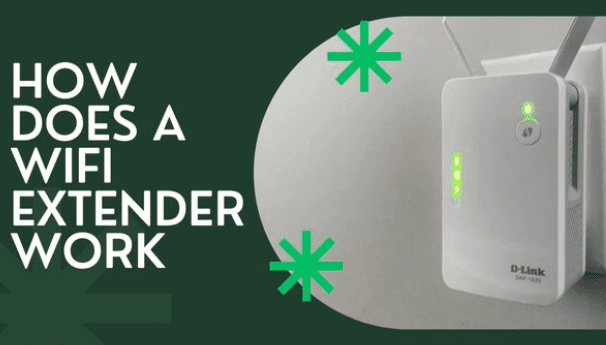
A reliable Wi-Fi connection is crucial for work, entertainment, or staying connected with loved ones. However, despite the advancements in Wi-Fi technology, many of us still struggle with dead spots, slow speeds, and weak signal strength.
Thankfully, Wi-Fi extenders offer a simple and cost-effective solution to these problems. They are devices designed to improve Wi-Fi coverage and signal strength in areas where the wireless network is weak or nonexistent. In this article, we’ll dive deeper into how Wi-Fi extenders work and how you can use them to boost your Wi-Fi signal.
What is a Wifi Extender?
Before we get into the technical details of how Wi-Fi extenders work, we must understand what they are and how they differ from other Wi-Fi signal-boosting methods.
Wireless range extenders, also known as Wi-Fi extenders, amplify and rebroadcast existing Wi-Fi signals. It bridges your wireless router and Wi-Fi devices, improving signal strength and extending coverage.
Compared to other Wi-Fi signal boosting methods like Wi-Fi repeaters and mesh networks, Wi-Fi extenders are relatively simpler and less expensive. They are also more flexible regarding placement and can be used in various settings, such as homes, offices, and public spaces.
How Does a Wifi Extender Work
Now that we have a basic understanding of what Wi-Fi extenders are let’s dive into how they work.
- Wi-Fi extenders use various techniques to boost the Wi-Fi signal. One of the most common techniques is signal amplification, where the extender receives the existing Wi-Fi signal and amplifies it before rebroadcasting it. This process ensures that the signal reaches previously inaccessible or weak areas.
- Another technique used by some Wi-Fi extenders is frequency band switching. Wi-Fi signals operate on specific frequency bands, with most routers supporting both 2.4GHz and 5GHz frequencies. Some Wi-Fi extenders can switch between these frequencies to avoid interference and improve signal strength.
It’s worth noting that different Wi-Fi extenders may use different techniques or a combination of techniques to boost the Wi-Fi signal. Additionally, the performance of a Wi-Fi extender may depend on various factors, such as the distance from the router, the number of walls or obstacles, and the number of connected devices.
Wifi Extender Key Installation Point to Improve Its Working:
Other factors to consider when choosing a Wi-Fi extender besides compatibility include range, speed, and ease of setup. You want to ensure that the extender can effectively cover the areas where you need to improve the Wi-Fi signal. It’s also essential to check the extender’s speed rating to ensure it can handle the bandwidth demands of your devices.
To achieve optimal performance of your Wi-Fi extender, proper installation is critical. Choosing the right Wi-Fi extender is essential; its placement is crucial to ensure better coverage.
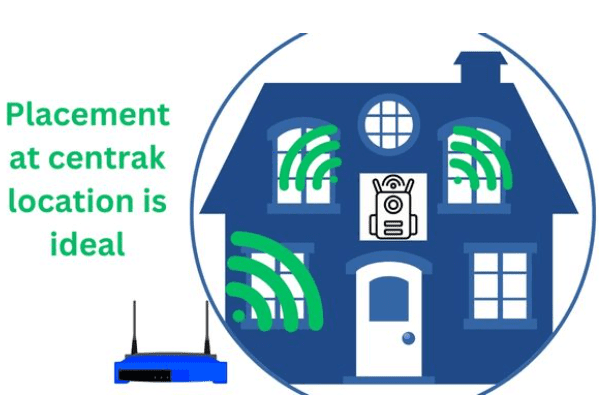
The most effective placement of the Wi-Fi extender is between your router and the dead zones or weak signal areas in your home or office. You can also use tools like Wi-Fi analyzers to help you identify the best placement for the extender.
While Wi-Fi extenders are inexpensive and easy to set up to boost Wi-Fi signals, they may not always be the best solution for fixing Wi-Fi problems. In some cases, upgrading your router or switching to a mesh network may be a better solution, depending on your needs.
Wi-Fi extender Pros:
- An inexpensive solution to improve Wi-Fi coverage in your home or office.
- Easy to install and set up, requiring no special technical skills or knowledge.
- Compatible with most Wi-Fi routers and devices.
- It can help eliminate dead zones and improve signal strength in weak areas.
Wi-Fi extender Cons:
- It may not be effective in large homes or buildings with multiple floors or thick walls.
- It can cause network congestion and interference if too many extenders are used in the same area.
- It is not always the best solution for fixing long-term Wi-Fi problems, and it may require upgrading your router or using a mesh network instead.
Do wifi boosters increase internet speed?
Wi-Fi boosters or extenders or repeaters do not directly increase internet speed. Instead, they work by extending the Wi-Fi coverage area and improving the signal strength, which can result in faster data transfer rates and reduced latency.
A Wi-Fi booster receives the existing Wi-Fi signal from your router, amplifies it, and rebroadcasts it to areas with weak or no signal. This can help eliminate dead zones and ensure your Wi-Fi devices receive a stronger and more reliable signal. As a result, your devices may experience faster data transfer rates, reduced latency, and fewer connection dropouts.
However, it’s important to note that Wi-Fi boosters can only amplify the existing Wi-Fi signal and cannot increase the internet speed beyond what your internet service provider (ISP) provides. A Wi-Fi booster may not significantly improve performance if your internet speed is slow due to a poor connection or other factors.
How to use wifi extender?
The following steps can be followed to use a Wi-Fi extender:
- Choose a Wi-Fi extender compatible with your router that meets your coverage needs. You can find Wi-Fi extenders online or at electronics stores.
- Place the Wi-Fi extender in a location where it can receive a strong Wi-Fi signal from your router. The ideal location is midway between your router and the area where you want to improve Wi-Fi coverage.
- Plug in the Wi-Fi extender and turn it on. Wait for it to power up and connect to your router’s Wi-Fi network. Some Wi-Fi extenders have a setup wizard to guide you through the process.
- Connect your device to the Wi-Fi extender’s network. Once the Wi-Fi extender is set up, you should see a new Wi-Fi network name (SSID) in your device’s settings. Connect to this network with the password provided by the extender.
- Test your Wi-Fi connection. Once connected, check your device’s Wi-Fi signal strength and speed to ensure the Wi-Fi extender works correctly. If the signal strength or speed is still weak, try adjusting the Wi-Fi extender’s location or moving it closer to your router.
Note that the specific steps to set up a Wi-Fi extender may vary depending on the brand and model of the extender. Following the manufacturer’s instructions carefully is important to ensure optimal performance. If you have any issues or questions, consult the user manual or contact the manufacturer’s customer support.
Do WiFi extenders go through walls?
Yes, Wi-Fi extenders can go through walls and other obstacles, but the strength of the signal may be diminished as it passes through these barriers. Walls, floors, and other solid objects can block or weaken Wi-Fi signals so that you may experience dead zones or weak signal areas in your home or office.
However, Wi-Fi extenders are designed to help extend the range of your Wi-Fi network by rebroadcasting the signal to areas where it may not be strong enough. The extender will typically receive the signal from your router wirelessly, then rebroadcast it through another wireless signal. Depending on the strength of the signal and the number and type of barriers it must pass through, the quality of the extended signal may be weaker than the original signal from your router.
To maximize the effectiveness of your Wi-Fi extender, it’s recommended to place it in a location where it can still receive a strong signal from your router while also being within range of the area where you need better coverage. Avoid placing the extender too far from your router or in an area with too many obstructions, as this can further weaken the extended signal.
Conclusion
In conclusion, Wi-Fi extenders are an effective solution to improve Wi-Fi signal strength and coverage. They work by amplifying and rebroadcasting the existing Wi-Fi signal, increasing its range throughout your home or office. When choosing a Wi-Fi extender, ensure compatibility, range, speed, and ease of setup to ensure optimal performance.
Remember that while Wi-Fi extenders are a cost-effective and easy solution, they may not always be the best solution for fixing Wi-Fi problems in the long term. Consider consulting with a Wi-Fi expert to help you identify the best solution for your specific needs. With the right tools and proper setup, you can boost your Wi-Fi signal and enjoy faster speeds and better coverage throughout your home or office.