

To make screen print transfers you need filmy plastisol ink and high-quality transfer papers and a printer. While large-scale printing operations may rely on industrial printers like the roland truevis vg3-640, small home crafts can be completed on a number of quality personal printers. Once you’ve got these two main items and other essentials. Here are the quick steps on how to make screen print transfers.
- Make a stencil design on transfer paper.
- Spread the plastisol ink on the transfer screen evenly.
- Take a thin transparent screen.
- Align the transfer, screen, and design paper.
- Place them all together in a heat press and transfer the design to the plastisol screen.
In this article, I’m going to share 4 different methods for making screen print transfers. Make sure you read out all and follow the steps for good results.
4 Different Methods to Make Screen Print Transfers
Typically there are multiple ways to make screen print transfers. For example, you can get help from a mesh screen or use computer graphics, Cricut, or other ink types. Here are 4 methods explained that will give you the final result you want.
- Use Screen Prints
- Use Plastisol Ink and Transfer
- Use sublimation printers
- DTG/DTF Transfer
Method 1: Use Screen Prints
This method is recommended to get the best results overall. This method involves pressing ink through a stencil on a screen to create a screen print or plastisol heat transfer. Here are some steps to get the final results.
- Make a hand-cut stencil design on the transfer in reverse style. So that you can flip the transfer upside down to get the right shape.
- This type of printing requires separate stencils and screens for layering one color at a time for the easiest screen print transfers.
- Get a 150-thin thread mesh screen and paste the stencil on it.
- Take the plastisol ink. To prevent ink from leaking under the stencil, apply a thin layer of plastisol ink over the stencil at an angle of 75°.
- Place the transfer paper beneath the inked screen and heat press together if you are using a professional heat press. It is, however, important to position the inked screen carefully if you are using plain screens.
- Remove the stencil from under the press.
- As soon as you have pasted the design on the transfer paper, you must flash-cure it between 180F and 260F.
- In this heat range, you’ll get a perfect screen print.
Method 2: Use Plastisol Transfer Paper
You can make or buy a plastisol transfer paper to make a screen print design. Once you have got the plastisol transfer you only need a heat press to transfer the design from the plastisol paper to the t-shirt.
Though you can make a normal transfer design. But here are steps to make a more attractive design using an emulsion stencil.
For this method, you need a sensitizer, photo emulsion, plastisol transfer paper, a stencil screen, and a transparent sheet.
- Mix the sensitizer and photo emulsion together by following the instruction carefully.
- Place the plastisol transfer paper in front of you. Now pour the mixture from the bottom of the paper and spread it evenly on the paper using a squeegee.
- After spreading the emulsion mixture evenly, place the plastisol paper in a dry & dark place for at least 10 hours.
- Now it’s time to create an image on the stencil screen. You can create any kind of design that you like.
- Once the design and emulsive paper is dried, it’s time to start the final steps.
- Now take the design sheet, emulsion paper, and a transparent transfer sheet.
- Place them align, and start the heat press method.
- You’ll get final results much better than others.
Method 3: Use a Sublimation Printer
Sublimation printers are considered a good option to make screen print transfers much quicker than other methods. This screen printing method uses digital CMYK models and software designs.
A major advantage of using a sublimation printer is that the transfers can be applied to polyester, cotton, plastic, or solid products. Furthermore, you can create multi-color screen prints within seconds. Alternatively, you may have to repeat the process with other methods.
Check out our step-by-step guide on how to use sublimation printers to make screen print transfers.
Method 4: DTG/DTF Transfers
DTF printing also knows as Direct-to-fabric OR direct-to-film. While DTG is known as direct-to-garment.
In this method, you’re required to buy a Direct Transfer Film that you can use to screen print on different surfaces. Alongside you also need to have a DTG printer. Here are the steps to make screen print transfers using the DTG method.
- Buy a DTG film sheet and cut it out according to the size of the printer.
- Design your image or use a full-color digital design.
- You will only need to print the image once on the film using a DTG printer.
- Next, sprinkle hot melt powder over the design with damp ink. This adhesive powder enables the transfer film to adhere to the fabric.
- Heat press the adhesive powder and ink for two minutes at 350°F.
- Your transfer film is now complete.
- In order to apply the film to a garment, set the heat press to 284℉ for 15 minutes
- Let the film cool completely before doing a cold peel to remove it.
What Printer Do I Need to Make Screen Print Transfers?
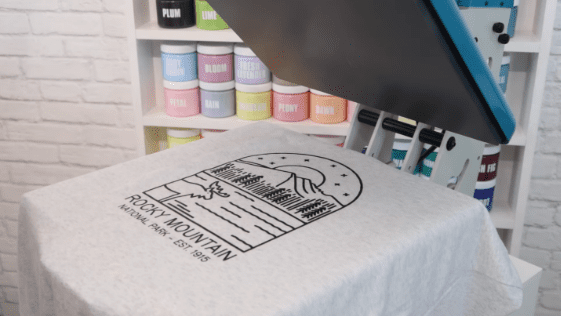
Screen printing requires a very specific type of printer that can do the job perfectly. Here is the list of the best 5 printers that can make screen print transfers.
- Epson Artisan 1430 Wireless Color Printer
- HP OfficeJet Pro 9015
- HP OfficeJet Pro 8025 All-In-One Wireless Printer
- Canon Pixma IX6820 Wireless
- Epson Expression Photo HD XP-15000
Conclusion
Screen print transfers are looks tricky but in reality, they are very easy to create. I personally recommend using plastisol heat transfers because they last longer than other methods. Moreover, plastisol transfers give more realistic and vibrant colors.
However, if you prefer a quick method then you should try sublimation printers to make screen print transfers. Moreover, they give you more control over the design and colors. But they can only be used on a limited type of surface.