
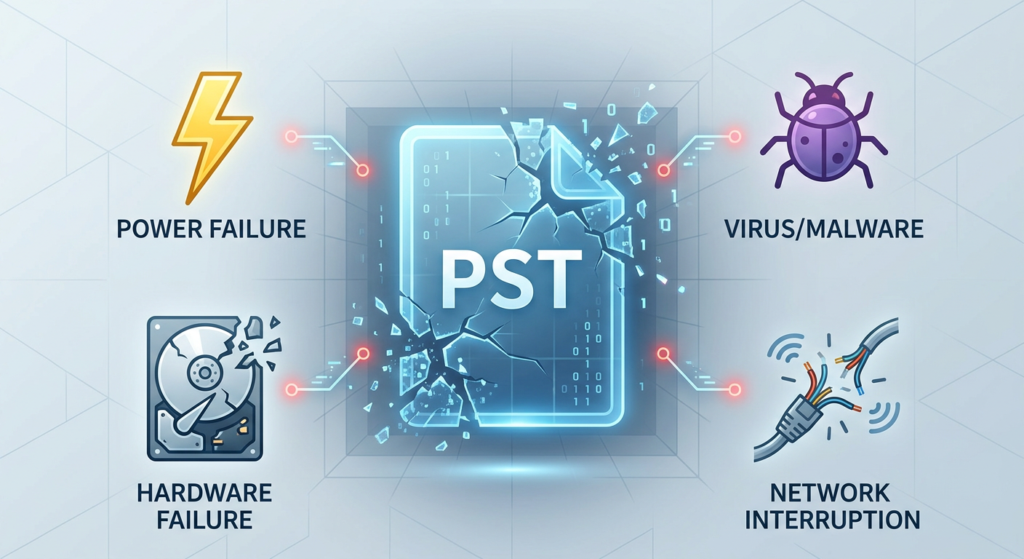
Microsoft Outlook uses PST – Personal Storage Table – to store your messages, calendar entries, contacts, and other mailbox items, when you set up your email account with POP3. However, sometimes, it can get damaged or corrupted. This can happen due to sudden system shutdown, oversized mailbox, hard drive issues, or unexpected Outlook crash. When this data file gets corrupted or damaged, Outlook may show errors such as:
- Cannot open Outlook data file
- Outlook cannot start
- Errors while sending or receiving emails
- Missing emails or folders
- Outlook freezing or crashing frequently
To avoid such errors and maintain uninterrupted mail flow, it is important to repair the PST file as soon as possible. In this post, we will discuss the ways to repair your PST file for free.
Understanding the Reasons for PST File Corruption
There are many reasons that can cause PST file corruption. Some of the common ones are mentioned below:
- Large or oversized PST file
- Sudden system shutdown or power failure
- Improper closing of Outlook
- Corrupted hard drive sectors or file system issues
- Virus or malware attacks
- Faulty hardware components or software issues
- Problematic Outlook add-ins
- Network interruption during synchronization
- Improper transfer or handling of PST files
Methods to Repair PST File for Free
Below, we have mentioned the stepwise process to repair your PST file for free:
1) Repair your PST File using ScanPST.exe
Microsoft provides a utility called – ScanPST (Inbox Repair Tool) – to repair your corrupted or damaged PST file. This tool can repair minor PST corruption. It is located in the Outlook installation directory. Follow the steps below to repair your file:
- Close your Outlook completely.
- Press Windows + R.
- Type %programfiles%/Microsoft Office/
- Hit Enter.
- Open the Officexx or root/officexx folder.
- Locate the ScanPST.exe program.
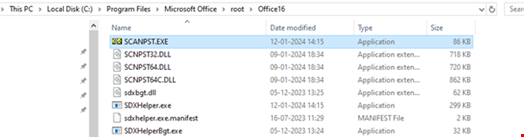
- Open it.
- Click Browse to choose the corrupt PST file. Usually, the Outlook Data File (.pst) is located in the %localappdata/Microsoft/Outlook folder.
- Click Start.
- Now the scanning process will start.
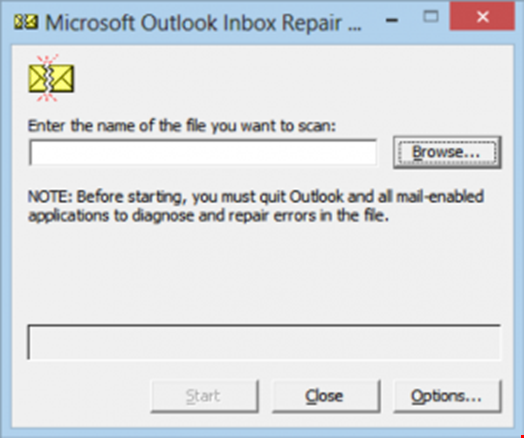
- After scan, the tool will display a list of errors if the PST file has inconsistencies.
- Click Repair.
- Before repairing, the tool creates a backup file with the .bak extension. Then, repair your original PST file.
- After the repair process is complete, you can close the SCANPST program.
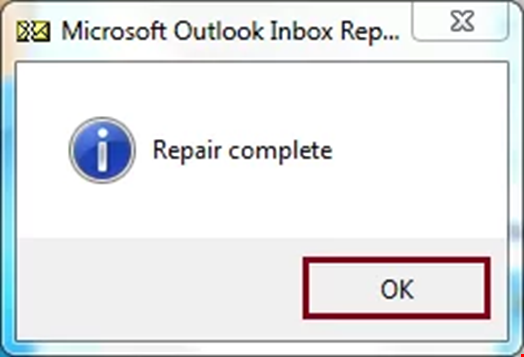
- Start Outlook and check whether your emails and folders are accessible.
Although ScanPST is free and can repair minor corruption and other PST file problems, it has several limitations:
- It repairs only minor corruption.
- It may require multiple scans to fully repair the file.
- It struggles with large PST files.
- It cannot recover deleted emails.
- It does not preview recoverable items.
- It may show “Errors Repaired” even when some issues remain.
- There is a possibility of losing mailbox data.
2) Use Free PST Repair Online
If you want repair PST file for free, then the best and quickest option is to use free online PST Repair by Stellar. This is a web-based service that is designed to repair PST file of up to 500 MB absolutely free. Its user-friendly interface can help you repair your file in just a few clicks. Also, you can preview your recovered mailbox items in HTML format.
Here are the steps to repair PST file:
- Visit Stellar Online PST repair & Sign up.

- Then upload your corrupted or damaged PST file.
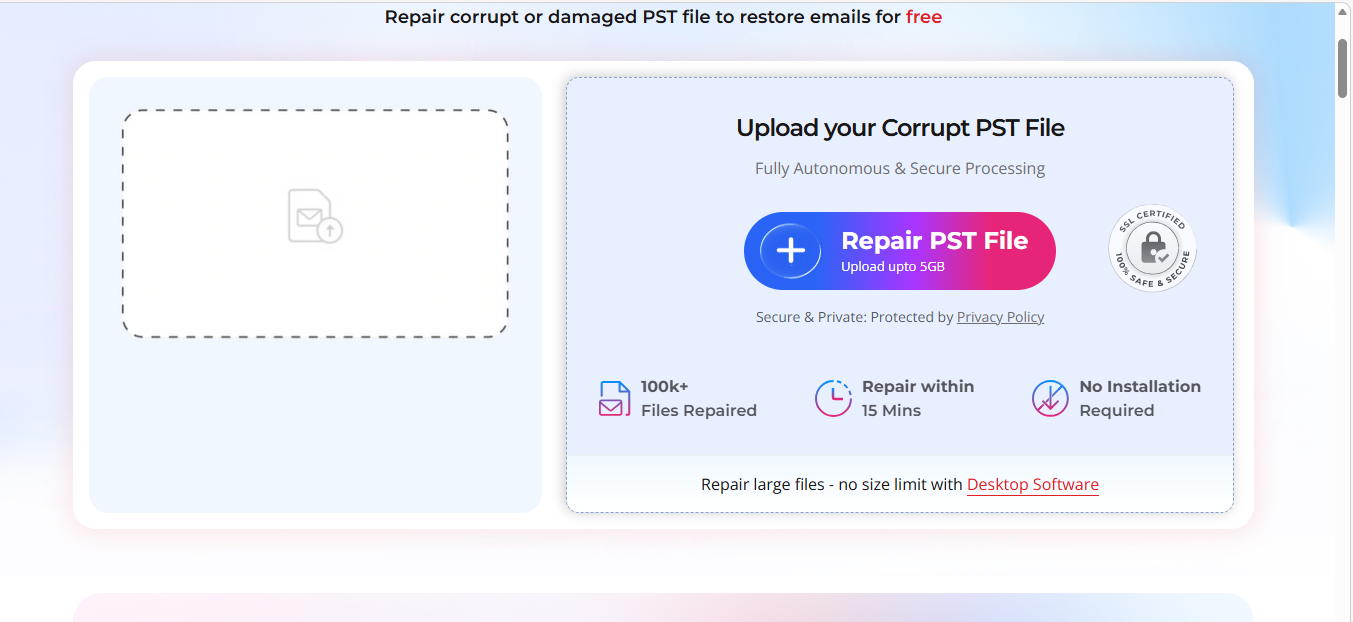
- Choose Repair.
Note: This tool allows you to repair up to 500 MB of a PST file for free. If your Outlook data file is larger than this and up to 5 GB, then you should opt for the premium version of this tool.
- The process of scanning and repairing starts.
- Once the repair process is completed, you can download and preview your repaired PST file in HTML format.
- Download and save the repaired PST file to your device.
Note: You can download your repaired PST file within 24 hours in the free version and 48 hours in the premium version of this tool.
3) Use Stellar Repair for Outlook
If your PST is large, then you can go for an advanced PST repair tool such as Stellar Repair for Outlook. This tool is designed to handle severe PST file corruption and efficiently recovers all the mailbox data. Apart from this, it offers a range of features like:
- It can recover your deleted emails.
- It can recover all emails, attachments, contacts, calendar events, and more from corrupted PST files while maintaining complete integrity and precision.
- It can repair encrypted or password-protected PST file.
- Its Auto Split feature can split your large PST file.
Here are the steps to use this tool:
- Visit the official website of this tool.
- Download and install the software.
- Once the installation is complete, launch it.
- Choose List Profiles.
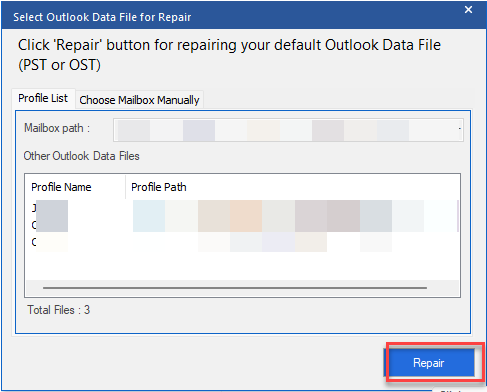
- The application will automatically list the PST file from the default location.
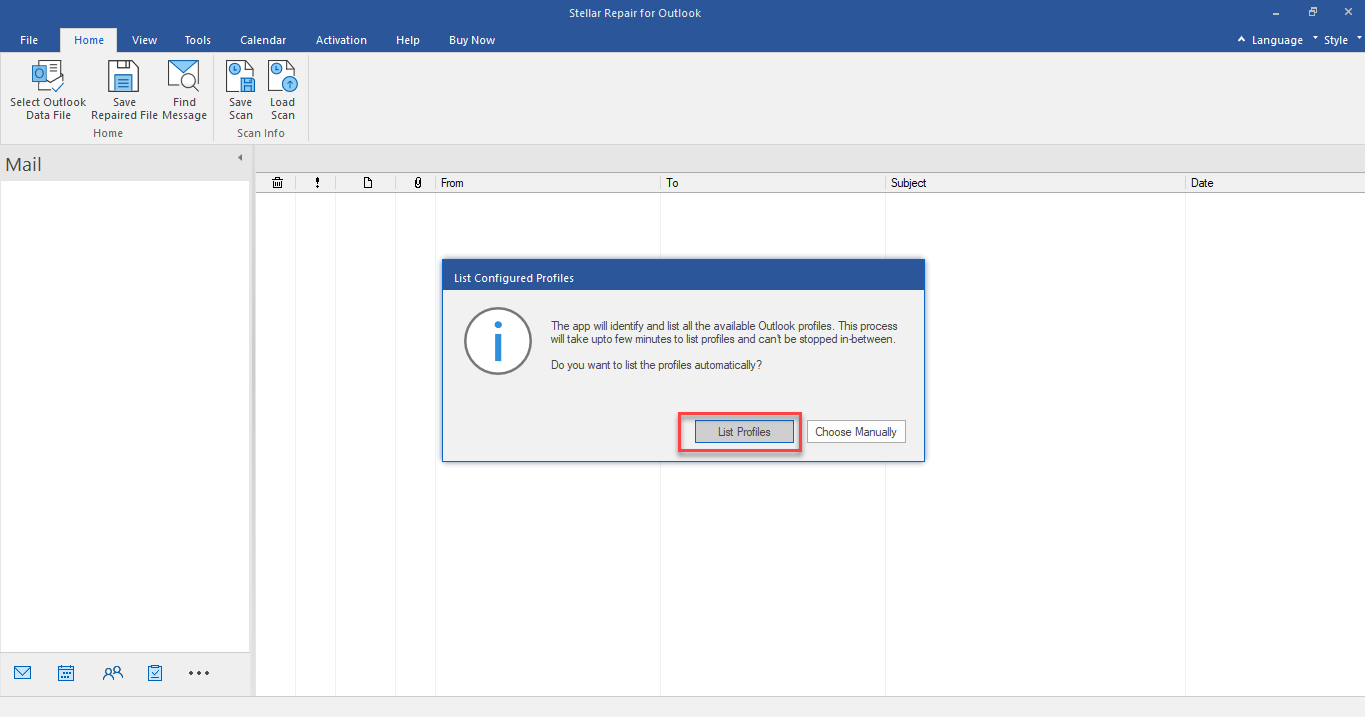
- Or, you can select “Choose Manually” to browse and select a PST file manually from a different location.
- Click on Repair.
- Scanning process will start.
- The tool will display all your mailbox items of the repaired PST file.
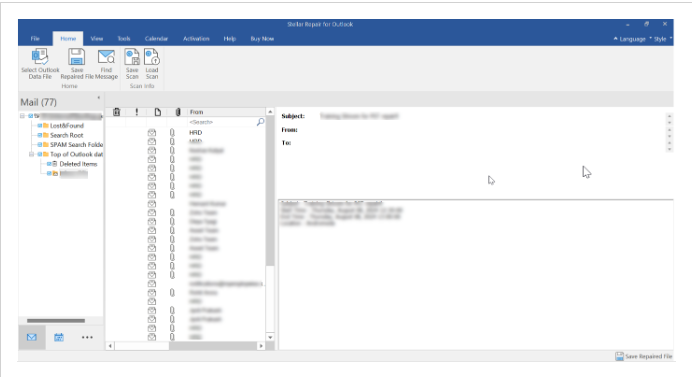
Note: The free trial version can repair the PST file and provides preview of mail items. To save the repaired file, you need to get the license.
- Select Save Repaired File.
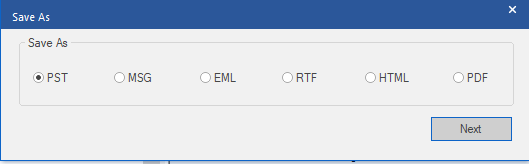
- Choose the file format as PST.
- Click on Next.
- Browse the location to save your file.
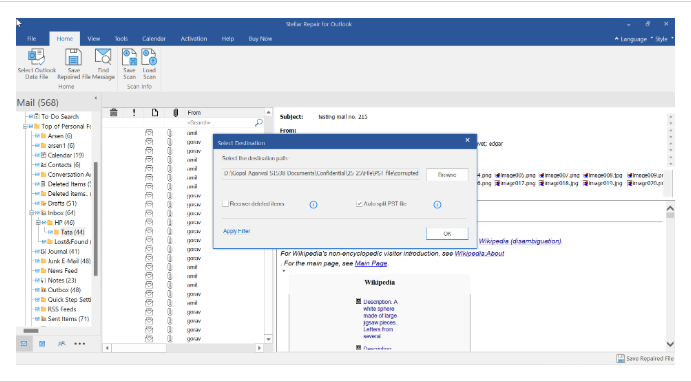
- Select the Recovered Deleted Items and Auto Split File options as per your preference.
- Click OK.
After repairing your PST file, you can import it into Outlook and access your mailbox data.
Conclusion
If your PST file is corrupted, it can make Outlook data inaccessible. Therefore, you need to repair it immediately to access your mailbox data and prevent data loss. In this post, we have shared the free methods to repair your PST file. If Microsoft’s built-in utility fails to repair the PST file, then you can use the online PST repair by Stellar. This web-based utility can repair your corrupted PST file of up to 500 MB for free. You can use Stellar Repair for Outlook – a desktop-based tool – to repair your corrupted PST file efficiently without any size limitations.