
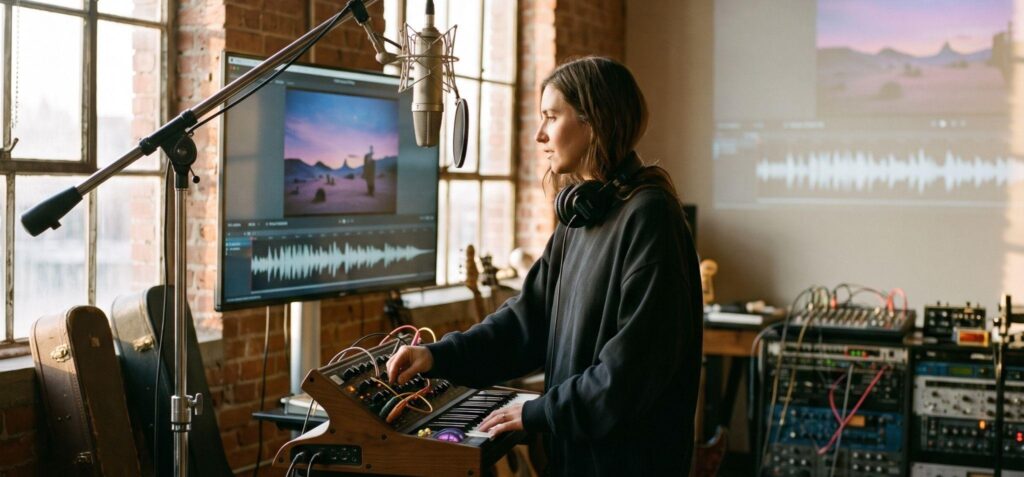
For independent artists, visual content can support music discovery and promotion across YouTube, TikTok, and other algorithm-driven platforms. Producing that content through a traditional shoot, however, may require locations, equipment, crew, travel, and post-production, creating a substantial cost burden for self-funded releases.
An AI music video generator addresses this bottleneck by converting existing audio files, lyrics, or static artwork into an AI music video without physical sets or camera crews. Platforms such as VisionStory demonstrate how multimodal synthesis now bridges audio tracks with coherent visual storytelling, giving solo creators access to automated scene generation and character animation.
What Is an AI Music Video Generator and How Does It Work?
An AI music video generator is a tool that turns music, audio, text prompts, and visual references into video content. It uses AI to analyze a track's tempo, beat, structure, mood, and vocal patterns, then generates visuals that match its musical flow. For example, faster choruses may feature quicker cuts and more dynamic movement, while slower verses can use longer shots and softer transitions. Creators can further shape the visual style through prompts and reference images, giving them creative control over the final result.
The conversion from music to video usually follows a multimodal generation process:
- Audio analysis: The system examines the uploaded track and identifies its structure, rhythm, and energy changes.
- Creative interpretation: The creator provides prompts describing the genre, story, color palette, setting, characters, or visual style.
- Scene planning: The AI maps the audio sections to individual shots, transitions, visual motifs, and pacing choices.
- Visual generation: Text-to-video, image-to-video, animation, or compositing models create the requested scenes.
- Synchronization: Generated shots are arranged against the audio timeline so that transitions and visual changes correspond with important musical moments.
- Review and editing: The creator checks timing, visual consistency, text accuracy, motion quality, and the relationship between the visuals and the song.
An AI music video generator analyzes a song’s audio features and uses them to guide visual decisions. However, the process is not fully automatic. The system may misunderstand lyrics, generate inconsistent characters, create unreadable text, or produce transitions that do not match the song's emotional direction. Human review remains necessary before publishing.
Why Traditional Music Video Production Is Challenging for Independent Artists
Traditional music video production can be costly for independent artists, with expenses covering location hire, equipment rental, crew fees, travel, insurance, and post-production. From filming and set preparation to editing and mastering, each stage adds to the overall budget, and costs are difficult to reduce once filming is scheduled.
Beyond the financial investment, video quality also depends on professional equipment and an experienced crew. Cameras, lighting, sound, and production expertise all shape the final result. Time is another challenge. Traditional videos involve multiple stages, from concept development and filming to editing and final delivery. Delays can push back release dates and make it harder for artists to build momentum around a song launch on social media.
AI-assisted workflows shorten some of these stages. They can help artists test a moodboard, generate a rough visual direction, create alternate scenes, and prepare platform variations before committing to a larger production.
How Do AI Music Video Generators Change Production for Independent Artists?
An AI music video generator moves part of the production process from physical filming to digital scene creation. Its practical value lies in helping artists test visual concepts, revise individual scenes, and prepare related assets for a release campaign.
- Lowering Production Costs: Digital synthesis can reduce or avoid some expenses associated with travel, studio rental, wardrobe, and physical set construction. Artists still need to account for generation fees, editing time, asset licensing, and final quality review.
- Increasing Content Production Efficiency: Automated scene generation can shorten early storyboarding and editing by producing draft sequences quickly. Total production time still depends on track length, rendering speed, revision count, and the required level of polish.
- Expanding Creative Expression Without Physical Limits: Generative models allow artists to build surreal environments, animated characters, or stylized sci-fi worlds that would be financially impossible to film on location.
- Adapting to YouTube, TikTok, and Short-Form Platforms: Modern music distribution requires formatting the same song across horizontal widescreen players and vertical mobile feeds. An AI music video generator workflow allows creators to render matching visuals from a single project timeline.
Traditional and AI-assisted workflows compared
| Workflow | Typical inputs | Creative control | Audio and editing work | Main trade-off |
|---|---|---|---|---|
| Traditional live-action shoot | Song, treatment, cast, locations, production plan | High control over physical performances and cinematography | Recorded during production, then edited manually | Higher cost and longer scheduling |
| Stock footage and editing | Song, licensed clips, artwork, edit plan | Strong control over selection and pacing | Manual beat matching and timeline editing | Limited originality and licensing requirements |
| AI music video generator | Song, prompts, images, references, or artwork | Fast concept testing and generated scene variation | Audio-aware generation plus human review and editing | Visual inconsistency and generation limits |
| Hybrid workflow | Recorded footage combined with AI scenes and graphics | Control over artist identity with added visual flexibility | Manual editing with AI-assisted inserts and effects | More complex asset management |
How Should Artists Choose an AI Music Video Generator?
The best AI music video generator depends on the artist's workflow, music style, and publishing goals. Four evaluation criteria are especially important.
Audio synchronization
Audio synchronization determines whether the visuals feel connected to the song. The generator should recognize the structure of the track and support timing decisions around beats, transitions, vocal entries, and chorus changes.
Visual quality
Visual quality includes resolution, motion stability, texture, lighting, typography, and consistency between shots. A visually impressive single clip may still be unsuitable if faces change, objects deform, text becomes unreadable, or camera movement feels unnatural across a sequence.
Customization
Customization determines how closely the result can reflect an artist's identity. Useful controls include reference images, prompt weighting, visual style, color direction, camera movement, scene duration, and the ability to regenerate one section without rebuilding the entire video.
A strong workflow preserves creative decisions across scenes. If every shot uses a different style, the final video may feel like a collection of unrelated clips rather than a planned release asset.
Export options
Export options should match the platforms and campaign assets the artist needs. Consider whether the tool supports different aspect ratios, downloadable files, captions, high-quality rendering, and separate versions for landscape, square, and vertical publishing.
Exploring AI Music Video Creation with VisionStory
VisionStory is an AI video platform featuring an AI music Video Generator that turns music or audio into visuals for song promotion and social media. Users can guide scene creation with text prompts, match visuals to a track's mood, and refine the video before release.
The platform also offers AI Avatar videos for artist introductions and promotions, alongside AI Video Agent workflows for developing scripts, scenes, voiceovers, and captions. Together, these tools help artists create music videos and support social content with a consistent visual direction.
A practical independent-artist scenario
Consider an independent artist releasing a synth-pop single with limited funds and no access to a studio location. The artist can begin by describing a neon, nocturnal visual concept and providing the song's audio and cover artwork.
A practical process could include:
- Start with the song and a singer photo in VisionStory’s AI music video generator. Use the cover art to guide the visual style.
- Describe recurring motifs such as city lights, reflective surfaces, and animated typography.
- Generate several options for the intro and chorus.
- Select scenes that match the song's emotional changes.
- Regenerate shots with inconsistent characters, objects, or text.
- Create a landscape version for YouTube and a vertical cut for short-form platforms.
- Review synchronization, captions, music rights, and visual claims before publishing.
The same campaign could use an AI Avatar segment for a release announcement or behind-the-scenes explanation. That segment should use only images, voices, and likenesses the artist has permission to use.
You can explore the VisionStory AI video platform and review the available AI music Video Generator workflow for your production needs.
Conclusion
An AI music video generator offers independent artists greater flexibility throughout the creative process. Artists can explore visual concepts, revise selected scenes, and prepare related campaign assets while retaining control over the final creative direction.
The technology works best when artists provide strong creative direction and review every output for synchronization, consistency, accessibility, rights, and platform fit. VisionStory extends this workflow with AI music video creation alongside AI avatars, AI Video Agent planning, and other video tools. For independent musicians, that combination can turn one song into a coordinated set of visual assets without requiring a full traditional production for every version.
Frequently Asked Questions
Can independent artists use a free AI music video generator?
Yes. Free AI music video generators are useful for testing concepts, creating moodboards, and producing short teasers. However, free plans may limit video length, export quality, generation credits, or commercial use. Before choosing a tool, check its watermark policy, usage rights, and available revisions. For larger release campaigns that require multiple versions, a paid plan may offer more flexibility.
Which is better: an AI music video generator or a traditional production?
An AI music video generator is better for fast, low-cost experimentation, while traditional production offers more control over real-world performances, cinematography, and storytelling. Artists can also combine both approaches by using filmed performance footage alongside AI-generated scenes, transitions, and social clips. The best option depends on the creative vision, budget, and release schedule.
How can artists keep AI-generated music videos consistent?
Artists can maintain visual consistency by defining a clear style before generating scenes. This includes using consistent color palettes, character descriptions, locations, lighting, and reference images. A scene-by-scene plan also helps keep the visuals connected, while reviewing and regenerating individual shots can correct inconsistencies in character appearance or overall style.