
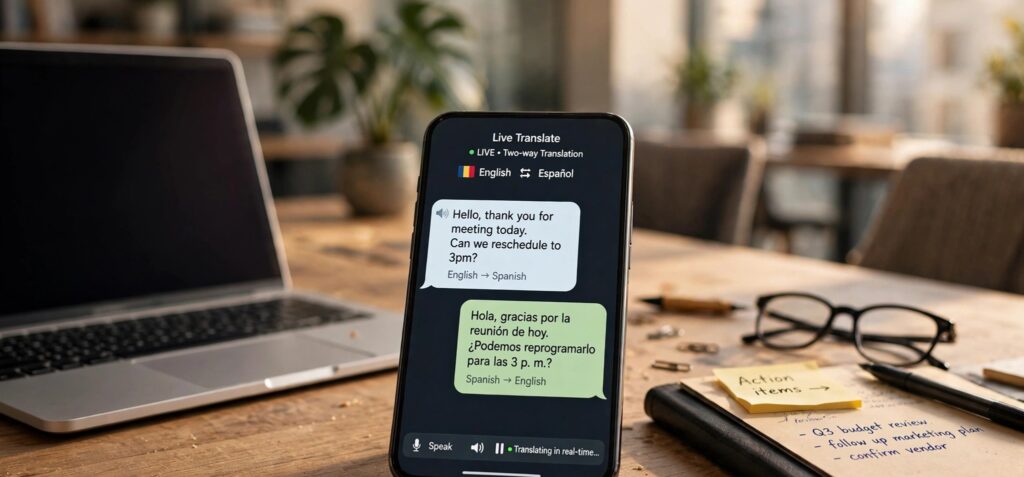
International business still depends on conversations that happen outside scheduled video calls. A supplier may explain a production delay at a trade show. A hotel manager may need to clarify arrangements for an overseas delegation. A sales representative may visit a client whose preferred language differs from their own.
In these situations, translation has to keep pace with a live conversation. Stopping after every sentence to type into a text box interrupts the exchange and makes it harder to discuss details naturally. This is one reason AI translation tools are moving beyond basic text conversion and becoming practical communication aids for business travelers and globally distributed teams.
The most useful tools combine speech recognition, spoken translation, visual text translation, and conversation review. Choosing one, however, requires understanding how those functions perform in the settings where they will actually be used.
Why Face-to-Face Translation Requires a Different Workflow
Translating an email allows time to read, revise, and check terminology. A live conversation provides far less room for correction. Participants have to listen, understand, formulate a response, and confirm important details without losing the flow of the discussion.
A business conversation may also involve numbers, product specifications, dates, addresses, and names that require extra attention. Background noise at an exhibition hall or airport can make speech recognition more difficult. Poor mobile connectivity may interrupt cloud-based tools. Privacy can become a concern when translated speech is played aloud in a public setting.
For these reasons, business users should evaluate an AI translator app according to the full communication process rather than focusing only on the number of supported languages. Real-time interaction, audio output, offline availability, visual translation, and the ability to revisit key points can all affect whether the tool is useful in practice.
Owll Translator is designed for travel, work, and everyday multilingual communication. Its functions include two-way voice translation, photo translation, translation audio delivered through earphones, offline voice translation, AI conversation notes and summaries, and support for more than 100 languages. It also offers an AI voice-cloning feature that can give translated speech characteristics associated with the user’s own voice.
Two-Way Voice Translation Supports a More Natural Exchange
In a conventional translation workflow, one person speaks, someone types or copies the sentence, and both participants wait for a result. This may be manageable for a short request, but it becomes cumbersome during a product discussion or client meeting.
Two-way voice translation reduces those manual steps. Each participant can speak in a selected language, view the recognized text, and receive the translated response. The conversation remains turn-based, but the process is closer to ordinary dialogue.
This format can be useful when:
- A buyer asks a supplier about minimum order quantities and lead times.
- An exhibitor explains product features to an overseas visitor.
- A traveler discusses a reservation change with hotel staff.
- A project team reviews straightforward tasks with an international contractor.
- A customer needs help understanding a service procedure.
Users should still speak clearly, avoid overlapping voices, and divide complicated ideas into shorter sentences. Important figures, contractual terms, technical specifications, and deadlines should be confirmed separately. AI translation can support understanding, but it should not replace qualified language professionals where legal, regulatory, or safety consequences are involved.
Earphone Output Adds Privacy in Shared Spaces
Playing every translated sentence through a phone speaker may be acceptable during a casual exchange. It is less suitable in an airport lounge, exhibition hall, shared office, or hotel lobby.
Earphone translation gives the listener a more private way to hear translated speech. It can also reduce disruption to people nearby and make the translated audio easier to follow in moderately noisy environments. This is particularly relevant to professionals who need translation assistance while moving between meetings or traveling with colleagues.
The feature should not be confused with fully independent translation hardware. The mobile application still handles the translation workflow, while compatible earphones provide a more discreet audio channel. Users should check their audio connection and device permissions before an important conversation rather than configuring them after the meeting begins.
Offline Translation Helps When Connectivity Is Uncertain
International travel often involves unstable Wi-Fi, limited roaming data, congested event networks, or locations where a reliable signal is unavailable. A translation workflow that depends entirely on continuous connectivity may fail at the moment it is needed.
Offline voice translation provides a backup for essential conversations. Before traveling, users should download or prepare the required language resources where applicable and test the relevant language pair in airplane mode or another offline setting. A short test can reveal whether a particular function requires a connection and prevent confusion later.
Offline capability is especially valuable during airport transfers, factory visits, road travel, and events with overloaded public networks. Online and offline modes may not provide identical functionality, so teams should treat offline translation as part of their preparation rather than assuming every feature will behave the same way without internet access.
Photo Translation Handles the Text Around the Conversation
Spoken communication represents only one part of an international business trip. Travelers also encounter printed or displayed text on signs, menus, product labels, check-in instructions, transport notices, and equipment panels.
Photo translation allows users to capture this text and view it in another language. For example, a buyer visiting a factory may need to understand a safety notice, while an exhibitor may want to check instructions on a venue sign.
Image quality affects the result. The text should be well lit, in focus, and photographed as directly as possible. Stylized fonts, reflective surfaces, handwriting, and partially obscured characters can reduce recognition quality. When a translated notice affects safety or compliance, users should request confirmation from a responsible person instead of relying on the image result alone.
Browser-Based Translation Provides a Fast Backup
Installing and configuring an application may not always be practical. A user might be working on a temporary device, have limited storage, or need translation immediately before speaking with someone.
In these cases, a voice translator online can provide a lightweight starting point. Owll Translator’s browser tool allows users to select two languages, grant microphone access, take turns speaking, and view recognized text and translated subtitles in two fixed language windows. It supports translation across more than 100 languages.
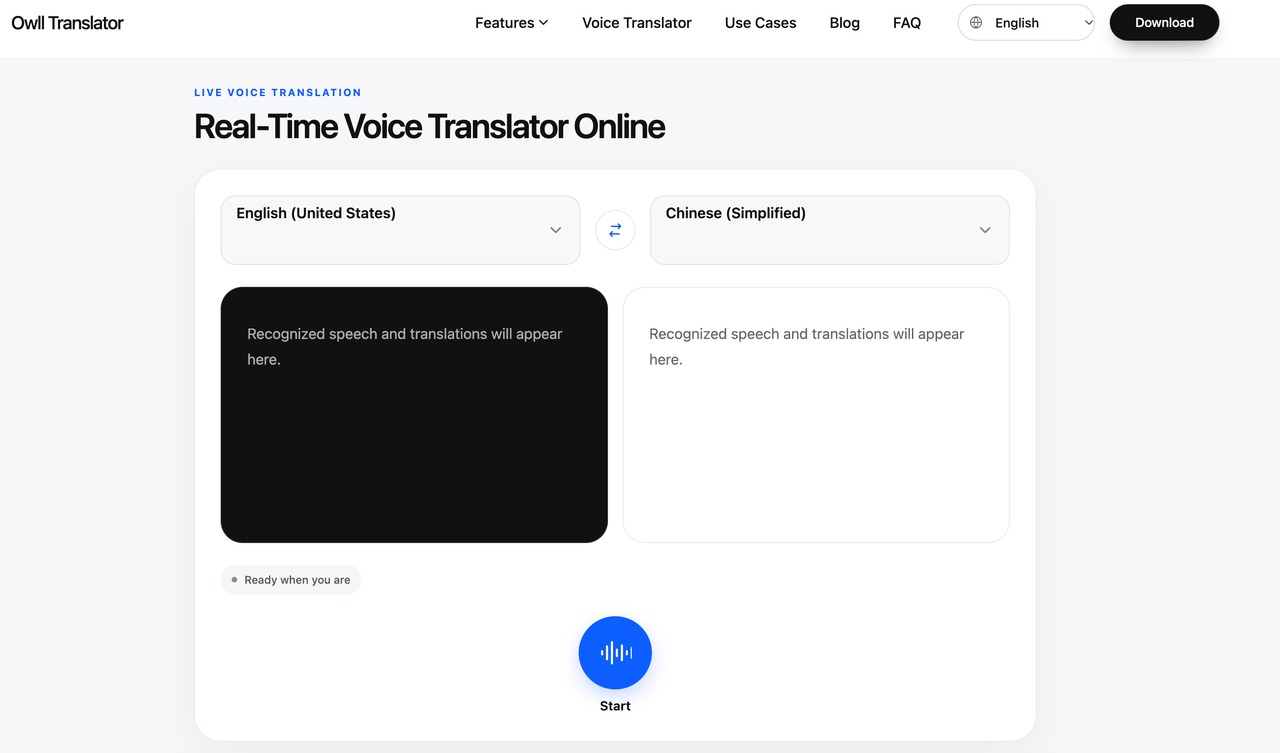
The browser experience is available without first downloading the mobile app, although its trial usage is limited to a cumulative maximum of one minute. Users who need longer or recurring sessions can continue through the mobile app. The web version is therefore best suited to brief exchanges, preliminary testing, or situations where installing an app is inconvenient.
Conversation Notes Make Translation Useful After the Meeting
Live understanding solves the immediate communication problem, but business users also need to remember what was discussed. AI-generated conversation notes and summaries can help participants revisit key points after a translated session.
A useful review process is to check:
- Names, dates, quantities, and prices
- Agreed responsibilities
- Delivery or response deadlines
- Questions that remain unresolved
- Terms that may require professional verification
A summary should be treated as a working reference rather than an official meeting record. Participants should compare critical items with their own notes and confirm decisions in writing. This is particularly important when the conversation involves purchasing terms, compliance matters, or commitments that may affect a contract.
Preparing an AI Translation Tool for Business Travel
A few minutes of preparation can make live translation more reliable:
- Install or open the tool before the conversation begins.
- Confirm that the microphone and earphone permissions work.
- Select the correct source and target languages.
- Test online and offline functions separately.
- Prepare important product names and technical terms in writing.
- Move to a quieter location when discussing detailed information.
- Ask speakers to use complete, concise sentences.
- Repeat and verify numbers, dates, names, and commitments.
- Review the conversation summary before sending follow-up notes.
These steps create a clearer workflow and help participants recognize when human interpretation is still necessary.
Frequently Asked Questions
Can an AI translation app replace a professional interpreter in a business meeting?
It depends on the purpose of the meeting. AI translation can assist with routine conversations, travel coordination, product introductions, and basic operational discussions. Negotiations, legal agreements, compliance matters, and highly technical meetings may still require a qualified interpreter.
What should business travelers test before relying on offline translation?
They should confirm that the required language pair is available offline, test microphone recognition without internet access, and check which features remain active. Testing should be completed before departure because online and offline functions may differ.
When is a browser-based voice translator most useful?
It is useful for short, immediate conversations when downloading an app is inconvenient. It can also help a user test a language pair or translation interface before deciding whether to use the mobile app for longer sessions.