
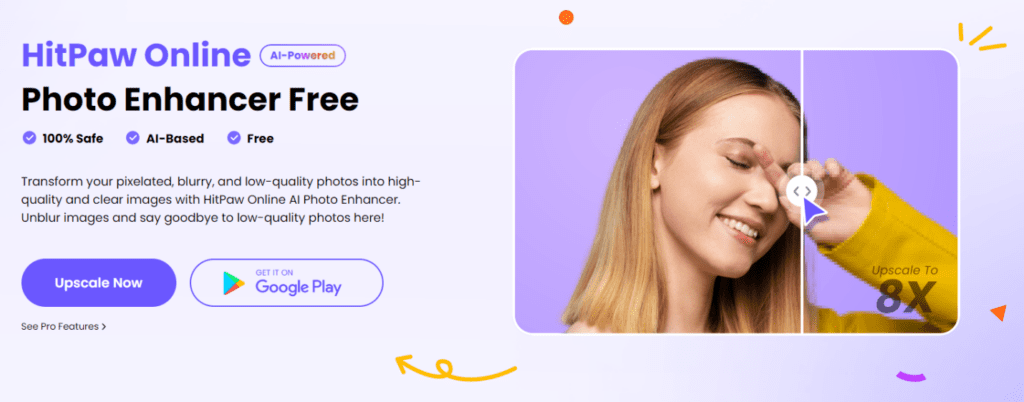
Looking to elevate your photo editing skills without breaking the bank? HitPaw Online Photo Enhancer is just the right tool for you. In this article, we will dive into a comprehensive review of HitPaw Online Photo Enhancer, exploring its key features, capabilities, and overall performance.
In Addition, we will also introduce you to an alternative option for those seeking a comparable solution. Whether you’re a professional photographer or a beginner, finding the right AI Photo Enhancer tool can make all the difference in achieving stunning results. Let’s not waste any more time and discover this online photo enhancer.
A Complete Review about HitPaw Online Photo Enhancer

HitPaw Online Photo Enhancer is a web-based program that uses AI algorithms to automatically enhance your image with minimal effort. This program offers an easy-to-use interface, allowing users to achieve multiple tasks simultaneously, such as enhancing Images, Upscale Images, Adjust Brightness and contrast, Applying Filters and more.
This photo quality enhancer will instantly improve the quality of your blurry image, making it a high-quality image. This photo enhancer AI program also allows you to increase image resolution up to 8X without affecting the image quality. HitPaw knows that images store precious memories, which is why it guarantees to provide high-quality results.
The App provides an easy-to-use interface that makes this program easy to navigate and use. As we mentioned before, this program is entirely web-based, meaning that users can access it from anywhere without needing to download the software. If you want to create high-quality portraits, then we recommend using HitPaw Online Photo Enhancer.
Key Features of HitPaw Online Photo Enhancer
HitPaw Photo Enhancer Free offers a range of features designed to elevate your photos to the next level. Here are the key features that make this program the best.
- AI-Powered Enhancement: HitPaw uses advanced artificial intelligence algorithms to automatically enhance or upscale your images, improving clarity, color balance, and overall quality.
- Batch Processing: It allows you to enhance multiple photos simultaneously with batch processing features. With this feature, you can save time and improve efficiency in your workflow.
- Customizable Enhancements: This product offers customizable enhancement features, which allow you to adjust parameters such as saturation, sharpness, contrast, and exposure to achieve your desired look.
- Noise Reduction: Effectively reduces graininess and noise in photos, resulting in cleaner and more professional-looking images.
- Enlarge Image: This free photo enhancer allows users to resize their photos to 8X without compromising quality, which is ideal for printing.
- User-Friendly Interface: This program’s easy-to-use interface makes the editing process intuitive and accessible for users of all skill levels.
- Presets and Filters: HitPaw offers a wide range of presets and filters to quickly apply artistic effects and achieve high-quality images with just a few clicks.
Steps to use HitPaw Online Photo Enhancer:
Below is a step-by-step guide to HitPaw’s photo enhancer online; this guide will help you learn how to use this program.
Step 1: Access HitPaw Online Photo Enhancer
- Open your web browser and navigate to HitPaw Online Photo Enhancer’s official website. Click on Start Free Now to begin the process.

Step 2: Upload Your Photo
- Click the “Choose Image” button to select the photo you want to enhance from your computer. You can also use the drag-and-drop feature to directly upload images onto the interface.

Step 3: Select AI Model
- Now select the AI Model according to your image and desire. HitPaw offers 4 AI Models such as:
- General Model: This AI model is ideal for enhancing a wide range of photos, such as portraits, landscapes, and more. It focuses on improving image clarity, color balance, and sharpness.
- Denoise Model: This AI Model removes noise from your image. Noise can reduce an image’s quality. With the help of this model, users can easily remove noise and restore the image to its original quality.
- Face Model: This AI Model focuses on your face and enhances it with filters, makeup, and more.
- Colorize Model: The last AI Model is the Colorize Model; users can add colors to their black-and-white images with this model. Using AI, this model will automatically add colors.
 Step 4: Preview and Download
- Once the process is complete, you will be presented with an enhanced version of your image. Preview the changes and make any additional adjustments if required.
- After you are satisfied with the results, click the download button to save the enhanced photo to your PC.

Best HitPaw Online Photo Enhancer Alternative

If you are looking for the best alternative to HitPaw Online Photo Enhancer, don’t look further because Let’s Enhance is the best alternative to this program. Let’s Enhance is an AI-powered platform specializing in improving image quality. This tool improves image quality through various options such as upscaling, noise reduction and color enhancement.
This program offers different sets of tools that will help you enhance images without compromising their original quality. These tools include Photos and Art, illustrations, Colors, and Textures. Further, it is designed to be user-friendly, providing professionals and beginners with ways to improve their digital images.
Pros
- This program is known for its ability to upscale images without losing the quality.
- It offers a range of filters for different types of images, such as Photos and Art, which can easily enhance colors and tone.
- The AI tool works fast, allowing users to edit quickly; in traditional software, it would take hours.
- Users find this program easy to navigate and use, making it accessible for those with limited technical expertise.
- One of the best customer service.
Cons
- No Mobile Application is available, which could limit the accessibility
- As an online platform, this program requires a stable internet connection, which might not be best for all users.
FAQs
-
How to Make a High-Resolution Image Online?
You can use an image upscaling tool like HitPaw Online Photo Enhancer to create a high-resolution image online. Simply upload the image to the tool, select the desired AI tool, and let the tool enhance the image resolution. Once the process is complete, your high-resolution image is available to download.
-
How Can I Make My Photos HD Online?
To make your photos HD online, we recommend choosing a photo enhancer; with the help of a photo enhancer, users can increase the image quality, making a low-definition image into a high-definition image.
-
What’s the Difference Between 4K and 1080P?
The main difference between 4K and 1080p is their resolution. 4K resolution is higher than 1080p, providing four times the number of pixels. This means watching a 4K resolution image will display more detail and clarity.
Conclusion
With the help of AI Photo Enhancer, users can easily transform their blurry and pixelated images into high-resolution. In this guide, we have explored one of the best AI photo enhancers available online, HitPaw Online Photo Enhancer. This program is a web-based program that uses AI power to enhance and upscale images online. With this program, users can easily upscale their image to 8x without compromising the image quality.