
With Grand Theft Auto VI (GTA 6) approaching release, players should start getting their consoles ready. GTA 6 is set to launch on PlayStation 5 and Xbox Series X|S, bringing the next chapter of the series to current-generation consoles. But is your console ready to run it? This guide covers platform compatibility, hardware and storage requirements, and the key things to check before downloading the game.
What Platforms Will GTA 6 Be Available On?
GTA 6 launches on PlayStation 5 and Xbox Series X|S on November 19, 2026. That means players will need a supported current-generation console to play at launch.
PlayStation 5 and PS5 Pro
GTA 6 will be available on both PS5 and PS5 Pro. The game is built to take advantage of PS5 hardware, including its high-speed SSD and DualSense features. On PS5 Pro, players can expect enhanced visuals, such as sharper image clarity through PlayStation Spectral Super Resolution (PSSR) and ray-traced shadows.
Xbox Series X and Xbox Series S
GTA 6 will also be available on Xbox Series X and Xbox Series S, so players can pick either model. GTA 6 won’t support native installation or gameplay on Xbox One, but Rockstar has confirmed the game will be playable via Xbox Cloud Gaming on that console, though streaming performance will depend on your internet connection and other technical factors.
What About PS4 and PC?
GTA 6 isn’t coming to PS4, and Rockstar hasn’t announced a native PS4 version. No PC version or system requirements have been officially announced either. If you plan to play at launch, the confirmed console options are PS5, PS5 Pro, Xbox Series X, and Xbox Series S.
GTA 6 Requirements: PS5 vs. Xbox Series X|S
GTA 6 is expected to place considerable demands on current-generation consoles, given its detailed open world, complex environments, and advanced graphics. All four supported models can run the game, but their hardware capabilities vary. Drawing on console specifications and technical analysis from gaming experts, here’s what players should consider as they prepare for GTA 6.
Recommended Console Requirements for GTA 6
● PS5: A solid pick for GTA 6 thanks to its high-speed SSD, 16GB of GDDR6 memory, and support for features such as ray tracing and DualSense haptic feedback.
● PS5 Pro: The better option for players who put visual quality first. Its stronger GPU and enhanced upscaling give it more graphics headroom, though that doesn’t guarantee a higher frame rate.
● Xbox Series X: The more powerful Xbox model, with a 12-teraflop GPU and 16GB of GDDR6 memory. It suits players who want a higher-performance console within the Xbox ecosystem.
● Xbox Series S: Officially supported as well, but its less powerful GPU and 10GB of memory mean visual settings and rendering resolution may need to be lower than on the higher-end consoles.
What Hardware Matters Most for GTA 6?
CPU and GPU: GTA 6 features a large open world with complex environments, traffic, crowds, and physics simulations, all of which place demands on both the CPU and GPU. Technical analysis from Digital Foundry suggests that maintaining 60 FPS could be challenging for current-generation consoles, making stable performance and good visual quality more realistic expectations than assuming every model will hit 60 FPS.
Memory: System memory helps the console manage game assets, textures, character models, and other data while the game is running. The Xbox Series X and PS5 have 16GB of GDDR6 memory, while the Series S has 10GB. This hardware gap is one reason the Series S may require greater visual compromises.
SSD Storage: A high-speed SSD matters for loading game data and streaming assets across GTA 6's large open world. Both PS5 and Xbox Series X|S use SSD-based storage, so players should also make sure they have enough free space before installation.
Overall, PS5, PS5 Pro, and Xbox Series X are the stronger choices for players who prioritize graphics and hardware performance, while Xbox Series S remains a supported option for those who prefer a more budget-friendly console.
How to Prepare Your Console for GTA 6
Before you download GTA 6, make sure your PS5 or Xbox Series X|S has enough free storage and is ready for installation. Rockstar has confirmed that the pre-load requires up to 212GB of available space, depending on the device. To avoid installation problems, check your console’s storage and take care of a few basic preparations ahead of time.
1. Check Your Available Storage Space
Start by checking how much free storage your console has. On PS5, go to Settings > Storage to see available space. On Xbox, open My games & apps > Manage > Storage devices to check your storage usage.
If you have less than 212GB free, consider deleting games you no longer play or moving existing content to another storage device. Leaving some extra free space also helps with future updates and additional game content.
2. Update Your Console System Software
Make sure your PS5 or Xbox Series X|S is running the latest system software. Console updates can bring system improvements, compatibility updates, and bug fixes that help keep the gaming experience stable.
You can check for updates in your console’s system settings before you download GTA 6.
3. Prepare a Stable Internet Connection
GTA 6 is a large download, so a stable connection can help avoid interruptions. If you can, use a wired Ethernet connection rather than Wi-Fi for a steadier connection.
Also check the official pre-load schedule and give your console enough time to download and install the game before launch.
4. Consider Expanding Your Console Storage
If your console frequently runs out of space, expanding storage may be worth considering.
On PS5, a compatible PCIe Gen4 x4 NVMe M.2 SSD adds high-speed storage for PS5 games. Make sure the drive meets Sony’s compatibility requirements and has a suitable heatsink.
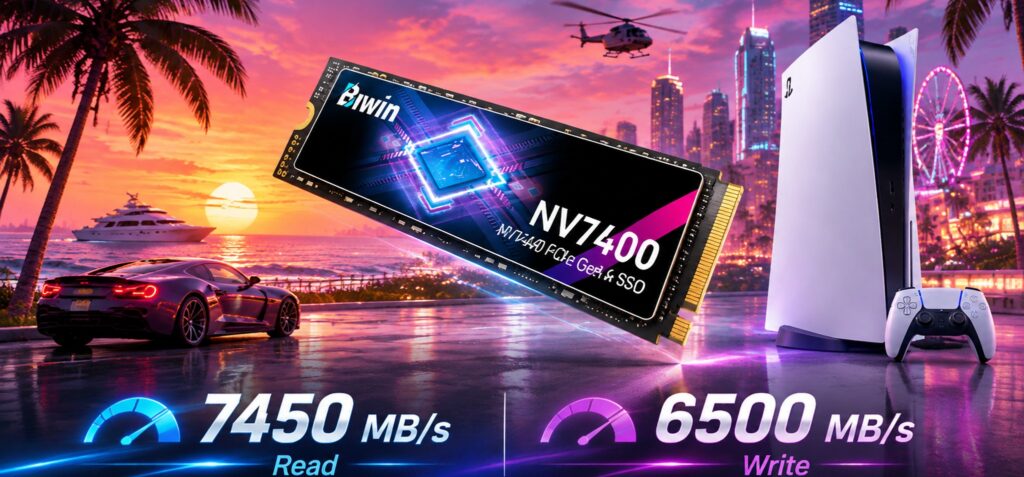
If you’re after a high-speed storage upgrade, the BIWIN NV7400 PCIe 4.0 SSD is one option. With sequential read speeds up to 7,450MB/s and capacities up to 4TB, it adds storage space and fast data access for your PS5 game library. Its PCIe Gen4 interface also meets the PS5’s recommended SSD speed threshold.
On Xbox Series X|S, the official Storage Expansion Card lets supported games run directly from expanded storage. External USB drives can store games too, but games optimized for Xbox Series X|S generally need to be moved back to the internal SSD or an official expansion card before you can play them.
Preparing your storage ahead of time can make downloading GTA 6 easier and leave more room for future games and updates.
FAQ
What Will Be Needed to Play GTA 6?
To play GTA 6 at launch, you'll need a PlayStation 5, PS5 Pro, Xbox Series X, or Xbox Series S. Rockstar has confirmed these platforms for the game's initial release. You'll also need enough available storage for the download, a stable internet connection, and the latest compatible console system software. A PC version and its hardware requirements have not yet been officially announced.
Is GTA 6 CPU Heavy?
Yes. GTA 6 is expected to place significant demands on the CPU because of its detailed open world, complex NPC behavior, traffic systems, and environmental simulations. According to technical analysis from Digital Foundry, the game's demanding world simulation makes achieving 60 FPS particularly challenging, even on current-generation consoles. This suggests that CPU performance will be an important factor in the overall gaming experience, especially if a future PC version targets higher frame rates.
Would My PC Run GTA 6?
Rockstar Games has not officially announced a PC version of GTA 6 or published its minimum and recommended PC system requirements. Therefore, it's not currently possible to determine whether a specific PC can run the game.
If you're planning to upgrade your PC for GTA 6, it's best to wait for Rockstar to release official requirements before purchasing new hardware. Online estimates of CPU, GPU, RAM, and SSD requirements should be treated as speculation rather than confirmed specifications.