
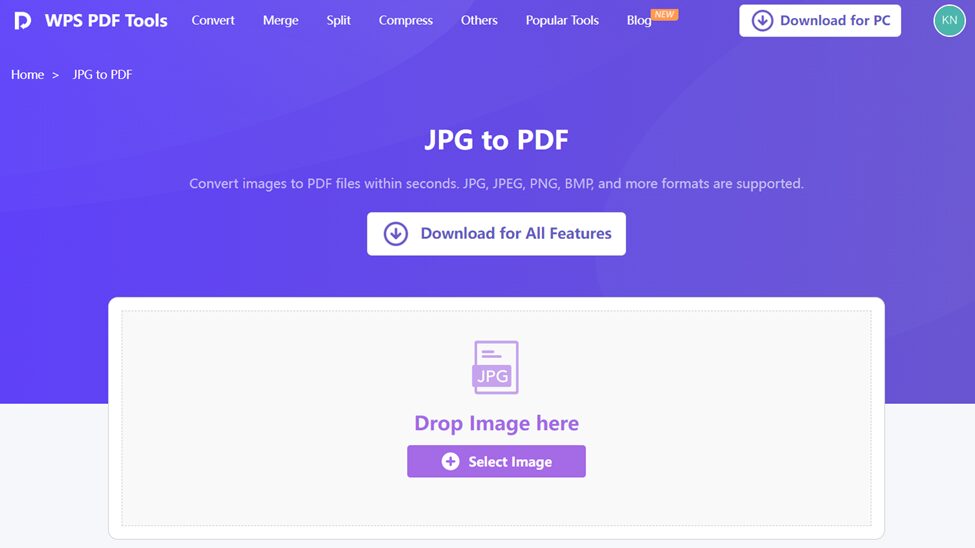
Whether you are scanning an old photo album, saving a handwritten form, or organizing digital receipts, you must have come across an issue: JPG is the file format you have, while you require a PDF. Why? This is since PDFs can be organized easily, printed instinctively, and shared professionally.
And that is where the necessity of converting JPG to PDF emerges. But although you can find dozens of free converters on the web, the majority of them are either overfilled with incomprehensible watermarks, limited in terms of size, or jeopardizing privacy.
WPS Office changes all that. Its clean, powerful converter lets you turn your JPGs into sleek, secure PDFs in seconds—completely free and without requiring a download.
Let’s walk through why this tool is so valuable in 2025—and how you can make the most of it.
Why JPG Isn’t Always Enough
JPGs are great for capturing visuals like photos, screenshots, and scanned documents. But they have real limitations when it comes to document handling:
- They don’t support multiple pages.
- Text isn’t selectable or searchable.
- Files can be large and slow to load.
- Layout can break across devices or printers.
PDFs, on the other hand, fix all of those problems. They keep formatting intact, compress better, and are universally supported across devices and platforms. That’s why converting JPG to PDF is the go-to solution for professionals, students, and businesses.
WPS: More Than Just a Converter
WPS Office has become one of the most trusted names in global productivity software. Its PDF tools are lightweight, efficient, and extremely user-friendly.
What makes its JPG to PDF feature different?
- It’s completely free—no limits on file size or conversions.
- No watermarks are added to your PDF.
- You don’t need to install anything—it’s all online.
- It works on desktop and mobile, across any OS.
- Advanced AI-powered PDF tools are included for editing later.
With over 600 million users, WPS is designed to make document tasks smoother and smarter.
How to Convert JPG to PDF Using WPS
Step 1: Access the Tool
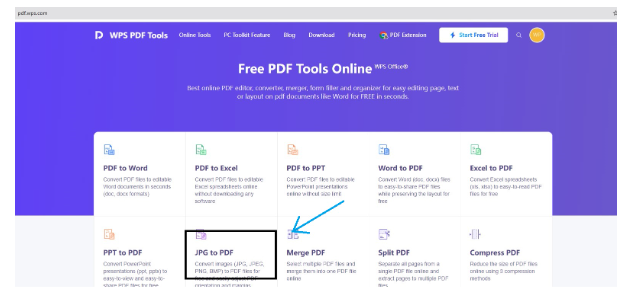
WPS JPG to PDF converter—clean, fast, and free
Open the online tool by heading to the JPG to PDF section on WPS. No sign-up, no distractions—just a clean workspace.
Step 2: Upload Your Files
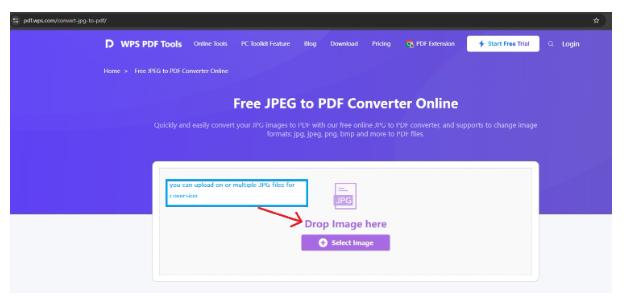
Upload one or multiple JPG files for conversion
Drag and drop your JPG file(s), or click to upload from your local drive. Want multiple images in one PDF? Upload them all together.
Step 3: Adjust Layout
Customize the page order, margins, and orientation
WPS lets you arrange the images, rotate pages, or adjust margin spacing to get exactly the result you want.
Step 4: Convert and Download
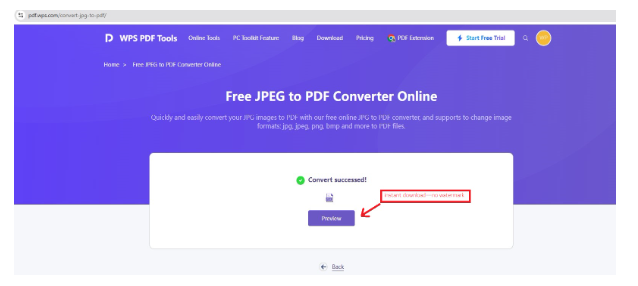
One-click conversion with instant download—no watermark
Hit the Convert button, and your polished PDF is ready for download in seconds.
Common Uses of JPG to PDF Conversion
This tool has become essential for a range of users. Here are a few examples:
- Students — Submitting handwritten homework or scanned notes in a clean format.
- Designers — Converting multiple mockups or sketches into a presentation-ready PDF.
- HR Professionals — Archiving ID cards or onboarding documents digitally.
- Accountants — Compiling photo receipts into organized reports.
- Freelancers — Creating visual portfolios from JPG samples.
Mini Guide: When to Use JPG, When to Use PDF
| Use Case | Recommended Format |
| Photos and raw image storage | JPG |
| Multi-page document sharing | |
| Scans of forms or contracts | |
| Web graphics or thumbnails | JPG |
| Archiving long-term records |
Security First: Why WPS is a Safer Option
Unlike many free conversion websites, WPS is built by a global office software company that respects user data. That means:
- No files are saved or shared.
- Converted files are deleted after download.
- No email capture or user tracking.
- HTTPS encryption protects every upload.
You get the benefit of enterprise-grade tools without the hidden costs or risks.
Beyond Conversion: Edit, Merge, Compress & More
WPS doesn’t stop at just converting images. Once you have your PDF, you can:
- Add annotations, highlights, or text.
- Insert digital signatures.
- Merge it with other PDFs.
- Compress for easier sharing via email.
- Use AI tools to summarize or rewrite content.
Everything is accessible through the same dashboard—whether you’re on desktop or mobile.
Final Thoughts: A Smarter Workflow Starts Here
Converting files is one of those tasks that will turn into a pain in the neck in no time—particularly when you only get a few tools to work with or balky websites. However, using WPS, the conversion of JPG to PDF is quick, seamless, and completely free.
There is now no choice but to enable on-the-fly conversion of documents into project formats without quality or security loss. WPS offers exactly that and more.
At school, at work, or simply going through the day-to-day activities, WPS puts you in charge of your documents in the most productivity-efficient manner.
Read More From Techbullion