
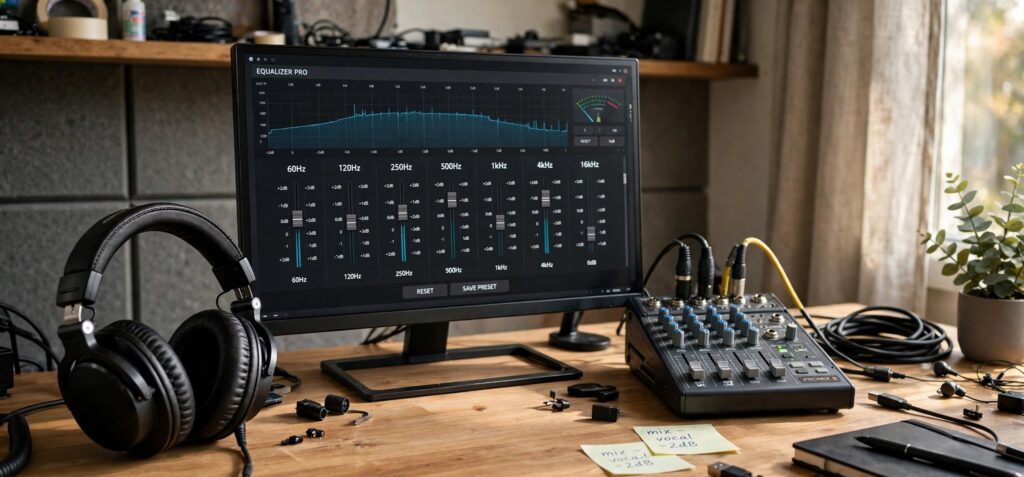
Windows gives you almost no real control over how your audio sounds. The built-in equalizer is buried in old menus, limited to a few bands, and missing entirely on many laptops and USB devices. Equalizer APO closes that gap. It is a free, open-source equalizer that sits underneath every app on your PC and shapes the sound of everything you play: Spotify, YouTube, games, Zoom calls, your media player.
It has been around since the Windows Vista era and still gets updates. The current stable release is version 1.4.2, from March 2025.
What Equalizer APO actually is
Equalizer APO is a parametric and graphic equalizer built as an Audio Processing Object, the system effect layer Microsoft added in Windows Vista. Because it hooks into that layer, it processes audio for your whole system instead of one program at a time.
Developer Jonas Thedering released it under the GPLv2 license, so it is free and the source code is public.
A few things set it apart from the basic sliders in most media players:
- A near-unlimited number of filters
- Works on any number of channels
- Very low latency and low CPU use
- VST plugin support and Voicemeeter integration
It runs on Windows 7, 8, 8.1, 10, and 11, with a separate ARM64 build for newer hardware.
The problem it solves
Most audio adjustments live inside a single app. Spotify’s equalizer only touches Spotify. A game’s audio menu only touches that game. If your headphones sound thin in one program and boomy in another, you end up fixing the same thing over and over.
Equalizer APO changes the output at the device level. You set a profile once for your headphones or speakers, and it applies to every sound that comes out of them. One place to tune, and it covers the whole system.
What people actually use it for
The common reasons people install it:
- Headphone correction. Flatten a specific headphone’s sound toward a target curve so it sounds balanced instead of colored.
- Clean bass. Add low end with a proper filter instead of a crude “bass boost” button that muddies everything.
- Taming harsh treble. Pull down the sharp frequencies that cause listening fatigue.
- Speaker and room correction. It reads filter files from Room EQ Wizard, so you can measure a room and apply the fix.
- Clearer calls and voice. Shape the mids for podcasts, meetings, and streams.
The catch: no interface out of the box
Here is the part that stops a lot of people. Equalizer APO has no window with sliders by default. You configure it by editing a plain text file in its install folder. For anyone comfortable with that, it is fast and precise. For most people, opening a config file to adjust their bass feels like too much.
That single detail is why so many first-time users install it, see nothing happen, and give up.
Peace Equalizer makes it usable for everyone
Peace Equalizer solves exactly that problem. Short for Peter’s Equalizer APO Configuration Extension, it is a free front-end from developer Peter Verbeek that gives Equalizer APO a real interface: sliders, buttons, a live graph, and an effects panel for balance, crossfeed, and delay.
The setup order matters. Install Equalizer APO first (version 0.9.1 or newer), reboot, then install Peace. Once it is running, Peace lets you:
- Save presets and switch with one click, a hotkey, or the tray icon
- Use a built-in AutoEq interface for headphone-specific tuning
- Assign different configs to different output devices
- Start in a simple layout or a full one, depending on how deep you want to go
If you want the full step-by-step with screenshots for each screen, dedicated guide sites built around Equalizer APO walk through the install, the preset files, and the common errors that trip people up.
Headphone owners: the AutoEq angle
If you bought a specific pair of headphones, you can skip the guesswork. AutoEq generates equalizer settings from measured data for thousands of headphone models and a chosen target curve. It is not an equalizer itself. You take the filters it produces and load them into Peace or Equalizer APO.
For popular models, this gets you a correction profile in a couple of minutes, tuned to how that headphone actually measures rather than how you guess it sounds.
Before you install, know these
A few practical notes that save frustration:
- Reboot after installing. The changes only take hold after a restart.
- Reinstall after major Windows updates. A big update can knock the audio hook loose, and a quick reinstall of Equalizer APO fixes it.
- No ASIO or WASAPI exclusive mode. It has to stay inside the system effect path, so apps using exclusive audio modes bypass it. This matters mostly to music producers.
- Watch your pre-amp. Boosting frequencies can push the signal into clipping. Lower the pre-amp gain a few dB so loud passages stay clean.
Is it safe, and will it slow my PC?
It is open source under GPLv2 and built for low CPU use, so it has little effect on performance. It does not touch your hardware in any permanent way. If a setting sounds wrong, you reset it. If you dislike the whole thing, you uninstall and reboot, and your audio returns to normal.
Who should use it, and the alternatives
Equalizer APO fits you if you want free, system-wide sound control and you are willing to spend 10 minutes on setup. Headphone owners chasing a target sound and laptop users stuck with thin or boomy speakers get the most out of it.
If you want something simpler, FxSound offers one-click presets with less control. For headphone surround, HeSuVi runs on top of Equalizer APO. AQUA is a newer graphical interface for the same engine. All of them lean on Equalizer APO doing the real work underneath.
FAQ
Is Equalizer APO free? Yes. It is open source under the GPLv2 license, with no paid tier.
Do I need Peace Equalizer to use it? No, but it helps. Without Peace you edit text files by hand. With Peace you get sliders, presets, and a graph.
What is the latest version? Equalizer APO 1.4.2, released in March 2025. Peace’s latest build is 1.6.9.11. Always download both from their official SourceForge pages.
Will it work on Windows 11? Yes. It is tested on Windows 7 through 11, with a dedicated ARM64 build as well.