
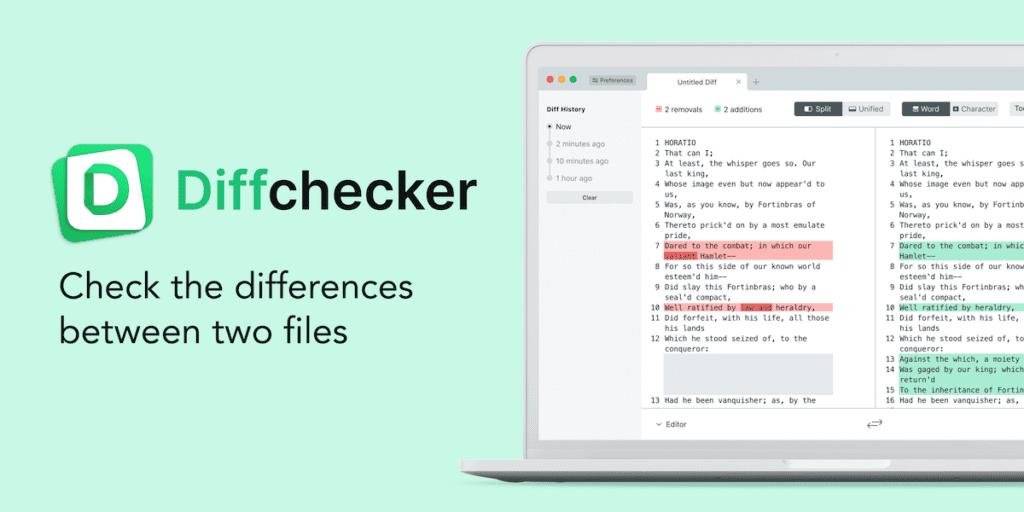
Compare Text Files Online with Diff Checker
Do you ever need to compare two text documents to see their differences? You may have an original draft of an essay and an edited version. Or maybe you are collaborating on code or documents and want to track changes. Comparing text files manually to find the differences can be tedious and time-consuming. Thankfully, online diff checker tools are available to make text comparisons fast and easy.
What is a Diff Checker?
A diff checker tool allows you to compare two text files side-by-side to identify what has changed. Diff tools highlight any additions, deletions, and modifications between the two documents so you can see the differences at a glance. They also generate reports summarizing the changes to give you a quick overview.
Diff checker tools have many uses across many industries for managing changes in code, legal contracts, technical specifications, and more. Journalists, editors, programmers, and collaborators can benefit from utilizing a diff tool. The ability to efficiently compare text versions saves significant time that can be better spent on other tasks.
Benefits of an Online Diff Checker Tool
Using an online diff checker tool provides several advantages over manual text comparison:
- Speed – Manual text comparison takes a long time, whereas diff tools instantly identify differences upon submission. Some diff tools can compare large text files in just a few seconds!
- Accuracy – The human eye and manual scrolling make it easy to miss subtle text changes. Diff tools reliably catch every addition, deletion, and edit, no matter how small.
- Convenience – Online diff tools allow you to compare text files from anywhere through a web browser, so no downloads or installations are necessary. This also allows easy sharing with remote collaborators.
- Customization – Many diff checker tools offer options to customize text highlights and ignore minor formatting changes to focus only on meaningful content differences. Some also integrate with source control systems.
Key Features of a Diff Checker
So, what should you look for in an online text comparison tool? Here are some key features that enable a diff tool to serve your needs effectively:
- Fast processing to compare large files
- Character-by-character comparisons for precision
- Colour-coded highlights indicating inserts, deletes, and replacements
- Side-by-side view and in-line view options
- File upload from your computer or cloud storage
- URL import directly from web addresses
- Ability to copy and save different reports
- Custom filters and formatting options
- Integration with source control systems like Git or SVN
- Cross-platform and mobile-friendly access
The best online diff tools combine performance, customization, and ease of use to facilitate text file version comparison.
How to Use Diff Checker to Compare Text Files
Now that you know what an online diff checker does and what capabilities to look for, let’s walk through how to use one for comparing text files. Here is a simple step-by-step process:
- Select your files – Upload or import the two text documents you wish to compare from your computer, cloud storage, or public URL. Most diff tools accept common file types like PDF, Word, text documents, and code files.
- Run the tool – After uploading, the diff checker processes and analyzes the text files to identify differences. It only takes a few seconds!
- Review differences – The tool outputs a side-by-side comparison view highlighting any additions, deletions, or changes between the documents for easy identification.
- Understand changes – Scroll through the diff checker output and click on highlights to reveal the full surrounding text for better context on changes.
- Share or save – Export and share a full difference report summarizing all edits between versions if needed. You can also copy and paste desired text changes.
And that’s all there is to it! Online diff tools take text comparison from a tedious manual task to a fast, automated process. Whether tracking revisions on a collaborative report or reviewing edits in a contract, Diff Checker makes it simple to analyze text changes. The ease of use and customizable features ensure you can dial in on the differences you want to focus on.
For a reliable, efficient way to compare text files online, check out the capabilities of Diff Checker.