
iPhones are among the most popular and widely used smartphones in the world. However, despite their reliability and durability, iPhones can still encounter errors from time to time. In this article, we will discuss some common iPhone errors and the troubleshooting steps you can take to fix them.
Battery Drain
One of the most common complaints about iPhones is battery drain. If your iPhone’s battery is draining quickly, there are several things you can try to fix the problem.
- Disable Location Services: Location services can eat up a lot of battery power, so disabling it can help to conserve battery life.
- Disable Background App Refresh: Apps that are running in the background can continue to use battery power, so disabling this feature can also help conserve battery life.
- Disable Automatic Downloads: Automatic downloads can consume a lot of battery power, so disabling them can help to save battery life.
- Identify battery-hungry apps: Check which apps are using the most battery and close them.
iPhone Stuck on Apple Logo
If your iPhone is stuck on the Apple logo during boot, it can be caused by a software or hardware issue. To fix this problem, you can try the following troubleshooting steps:
- Force Restart: Press and hold the power and home buttons together until the Apple logo disappears. This will force restart your device and may help to fix the problem.
Liquid Damage in the Lightning Connector of an iPhone
The lightning connector of an iPhone is a crucial component that allows you to charge your device and transfer data. However, if the lightning connector becomes damaged by liquid or the iPhone shows an error “liquid detected in lightning connector”, it can cause a variety of problems with your device, including charging issues and data transfer errors. There are several things you can try to fix the problem:
- Clean the connector: Use a small brush, like a toothbrush, to clean the lightning connector and remove any debris or visible corrosion.
- Dry the connector: Use a soft cloth or a cotton swab to dry the lightning connector as much as possible. Leave the phone to air dry in a dry place and away from any heat source.
- Keep away from liquids: Keep your iPhone away from liquids as much as possible to prevent further damage. Use a case and protectors to keep the phone away from moisture.
- Consider a professional repair: If the damage to the lightning connector is severe, it may be necessary to seek professional help for repair or replacement.
iTunes Error 4013
Error 4013 can occur when iTunes is unable to restore or update your iPhone. To fix this error, you can try the following troubleshooting steps:
- Update iTunes: Make sure that you are using the latest version of iTunes.
- Restart your computer: Before attempting to restore or update your iPhone again, restart your computer.
- Restart your iPhone: Before attempting to restore or update your iPhone again, restart your iPhone.
iPhone Frozen or Unresponsive
If your iPhone is frozen or unresponsive, you can try the following troubleshooting steps:
- Hard Reset: Press and hold the power and home buttons together until the Apple logo appears. This will force restart your device and may help to fix the problem.
No Service or No Signal
If your iPhone is not displaying any service or signal, you can try the following troubleshooting steps:
- Turn on Airplane mode: This will temporarily turn off wireless connectivity and may help to fix the problem.
- Restart your iPhone: Restarting your iPhone can often fix the problem.
- Check carrier network availability: Verify your carrier’s network is available in your area.
iCloud Backup Error
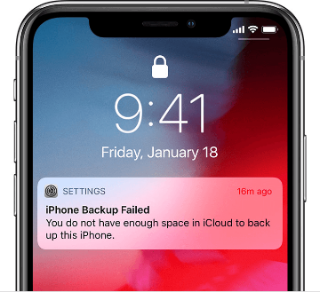
If you’re unable to back up your iPhone to iCloud, you can try the following troubleshooting steps:
- Disable iCloud backups: This can help to fix any issues that may be preventing the backup from occurring.
- Restart your iPhone: Before re-enabling iCloud backups, restart your iPhone.
- Restart your computer: Before re-enabling iCloud backups, restart your computer.
- Re-enable iCloud backups: Once your iPhone and computer have been restarted, you can re-enable iCloud backups.
- VPN Check: Also Check if the VPN you’re using is the best iphone vpn because some VPNS can create icloud to disconnect from device.
iOS Update stuck
If your iPhone is stuck during an iOS update, you can try the following troubleshooting steps:
- Force Restart: Press and hold the power and home buttons together until the Apple logo appears.
- Wait: Wait for a few minutes and see if update continues.
- Recovery mode: if the problem persist you can put your iPhone in recovery mode and restore it through iTunes.
Conclusion
iPhones are reliable and durable devices, but they can still encounter errors from time to time. By following the troubleshooting steps outlined in this article, you can often fix common iPhone errors on your own. However, if the problem persists after trying these steps, it may be best to contact Apple Support or visit an Apple Store for further assistance. Remember that a regular check and maintenance of the iPhone and software can prevent most issues from happening in the first place.