
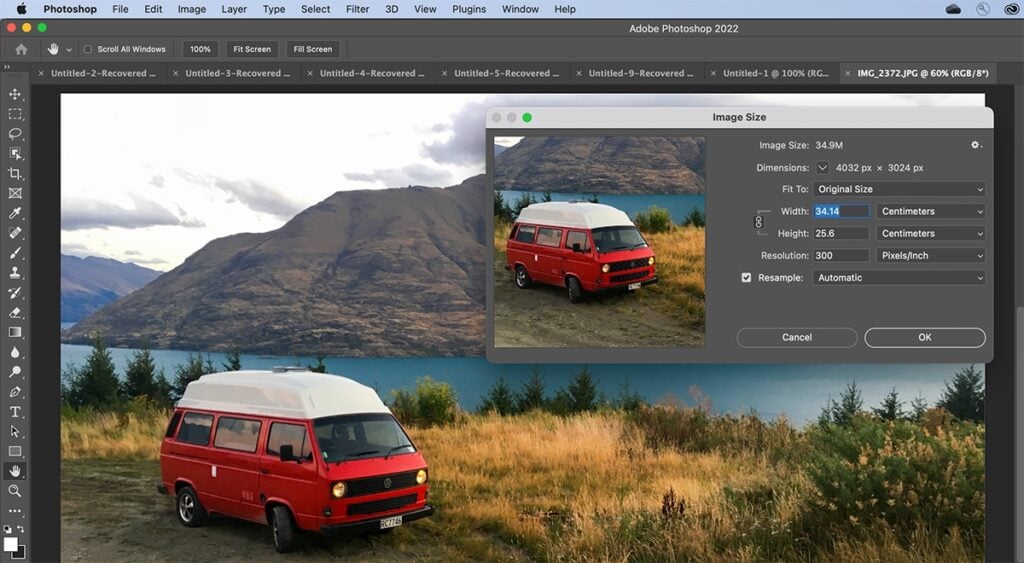
Photos are the graphical representation of a message. It may be posted on a social media platform, e-commerce store, digital marketing, billboards, or websites. In addition, each platform uses images for different purposes. Besides this, we also use it to save memories. Due to their size and dimension, images can be larger. Using a large image can cause the slow loading speed of a particular web page. Also, it can affect the ranking of a website. So, we need to use properly resized images because a well-optimized image can perform better and faster than a heavy image. If you are wondering about the best way to resize or convert image dimension without losing quality, see the guide given below:
Why Do We Need To Convert An Image Resolution?
Undoubtedly, an image can have more resolutions or dimension than the normal picture. Due to this, it can also take more space on a storage media. Also, many online platforms and forums do not let their users use images that take more space and have larger resolutions. In addition, sometimes we post our images on Facebook, Instagram, X (Twitter), etc with our friends and family. We notice that the size and quality of an image have been compressed. It is just because that platform has some restrictions on the image size and maximum resolution.
In this case, we should resize our images for better performance. So they can fulfill the criteria (size, frame size, and maximum resolution) of a particular online platform. There are many online and offline image-resizing apps and platforms that let you convert image resolution to a specific size. Some of them are paid and you have to pay for it. The rest of the tools are free but with some restrictions. In this article, we are going to discuss such tools in detail.
List Of Tools To Resize An Image Online
ImageUpscaler
ImageUpSclaer is an online tool to resize an image to the targeted size. Moreover, this tool is a free-to-access tool. Mostly, it is used to enlarge or enhance image size and resolutions. Here are some key features of the ImageUpscaler given below:
- There is no need to download this tool on your device. You can enlarge an image online.
- This tool automatically enhances image features color and texture of an image.
- You don’t need any advanced level knowledge to increase image size.
- ImageUpscaler is an AI-based platform.
11Zon
11Zon is another image resizing tool that lets you resize an image to a specific size. It has multiple image-compressing tools. It means you can compress an image to a specific size. But this tool has some paid memberships or plans. Here are some key features of the 11Zon image resizing tool given below:
- You have to register or sign up for bulk resizing.
- It also lets you use different tools like PDF compressors.
- 11Zon lets you resize multiple images at the same time.
CompressKaru
CompressKaru is a well-known free image resizing or converting tool. You can resize, compress, and convert image resolution to the desired output. Moreover, using this tool, you can also compress a PDF file, convert JPG to WebP, JPG to JPEG, GIF resizer, etc as well. You can also learn more about compresskaru.com below:
- Every image resizing and converting tool is free here.
- This is an AI-based online platform that converts an image resolution with one click.
- You don’t have to download this tool on your device.
- It lets you resize images in bulk.
- There will be no watermark in the converted images.
- Resize any image type like jpg, jpeg, png, gif, WebP, etc.
PicsFlow
Picsflow is a paid or premium tool to resize an image. It is available for different devices. You can access this tool on a laptop using a web browser only. Moreover, you can access Picsflow only if you have purchased its premium version.
- It has multiple tools like cloud storage, different galleries, multiple user access, and so on.
- In its free version/trial, you have some limitations to resize images.
- There will be a watermark on the resized images using its free version.
- Membership is based on a monthly subscription.
What are the best image resizing tool recommendations?
Each mentioned above tool is best. If you have enough budget, then you can buy subscription-based tools. But in our opinion, two free tools https://compresskaru.com/ and ImageUpscaler are the best options for you. Both of the tools are free and you can access each premium tool here for free.