
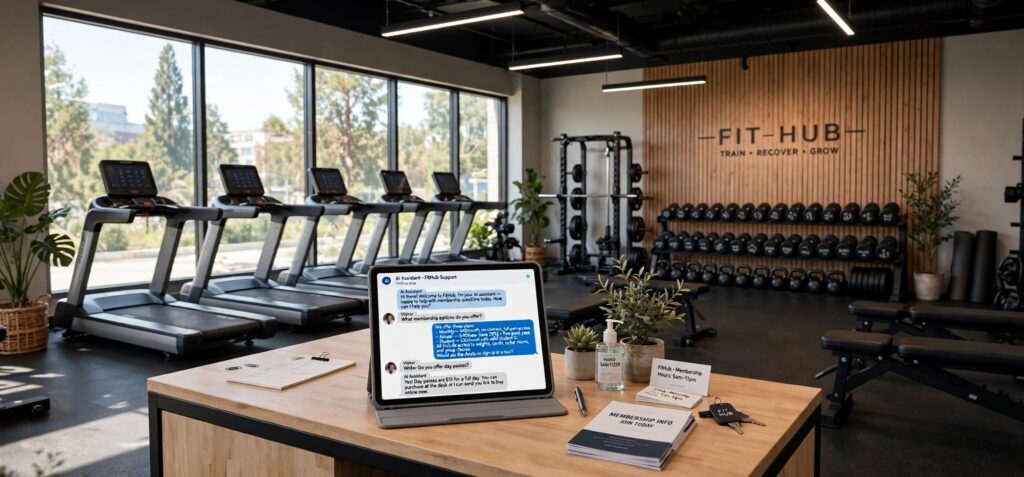
A prospective member visits a gym’s website after work. They want to start exercising again, but several questions stand between browsing and booking a visit. Are beginners welcome? Does the membership include group classes? Is there somewhere to change before heading to the office?
Another visitor already knows what they want: a strength-training facility with early opening hours. A third is comparing yoga studios and needs to understand the difference between a class package and a monthly membership.
An AI chatbot can help fitness businesses respond to these different needs. Using approved information, it can explain services, help visitors find suitable introductory options, and prepare questions for staff. The opportunity extends beyond answering frequently asked questions. A useful conversation can make an unfamiliar environment easier to approach.
The first obstacle may be uncertainty
Fitness websites often emphasize equipment, facilities, and membership offers. Prospective members may be more concerned about what the experience will feel like.
Someone returning after a long break might wonder whether they can follow a group class. A first-time visitor may not understand whether a session involves independent exercise or instructor guidance. Another person may simply want to know what to bring.
A chatbot can answer these practical questions from studio-approved descriptions. It might explain the format of an introductory session, describe how staff welcome new members, or direct the visitor to a guide for their first visit.
The language should be specific and welcoming. Rather than promising that every class suits everyone, the system can describe the published experience level and offer to connect the visitor with an instructor when questions remain.
Help people compare membership structures
Fitness businesses may offer monthly memberships, class packages, drop-in visits, personal training, and introductory promotions. Presenting all of these options together can make a simple decision feel complicated.
The chatbot can begin by asking how the visitor expects to use the facility. Someone planning to attend one class each week may want different information from someone seeking daily access to equipment.
The answer should guide the explanation without automatically deciding what the person should buy. For example, the chatbot can compare the published features of two options and explain which activities each includes.
Descriptions should preserve important distinctions. A membership that includes general gym access may not include every specialty class. A class package may have different booking conditions from an ongoing membership. Visitors should receive enough information to compare the options accurately.
Keep prices and promotions clear
An introductory offer can attract attention while leaving practical questions unanswered. Visitors may want to know what is included, how long the offer lasts, and what happens afterward.
A chatbot should use the business’s current, approved terms. If an offer applies only to particular locations or new customers, those qualifications should remain visible.
The system should also distinguish between a recurring membership and a fixed package. It should not describe an introductory payment as the complete cost of an ongoing service when additional charges follow under the published arrangement.
Questions about exceptions should move to staff. If someone asks whether an expired promotion can still be honored, the chatbot can collect the inquiry without inventing permission. Clear pricing information helps visitors decide whether a conversation with the team is worthwhile.
Make class descriptions easier to understand
Class names can be familiar to regular members and confusing to everyone else. A visitor may not know whether “functional strength” involves free weights, whether a cycling session requires special shoes, or how a reformer class differs from a mat-based session.
An AI chatbot for gyms and fitness studios can translate approved class descriptions into straightforward explanations. Useful details include the session length, general format, published experience level, equipment used, and preparation instructions.
These explanations should stay within the information the business has supplied. The chatbot should not invent a typical class routine or imply that every instructor follows the same structure unless that is part of the studio’s program.
If the visitor needs a more detailed discussion, the system can direct the question to an instructor. Helping someone understand what to expect is useful even when the final choice requires a human conversation.
Match practical preferences before suggesting options
A visitor’s preferred schedule can matter as much as the type of exercise. Someone may need sessions before work, weekend appointments, or a location close to their commute.
The chatbot can ask about these practical preferences before showing relevant options. It might establish the preferred location, available days, and interest in group classes or individual instruction.
The purpose is to narrow the information presented. A visitor seeking evening yoga does not need a description of every service offered across the business.
Suggestions should explain why they are relevant. If a class appears because it matches the requested location and published beginner level, the answer can say that. The system should avoid presenting a choice as personally suitable based on a few scheduling preferences.
Treat timetables as changing information
Class schedules can change when instructors are unavailable, sessions are added, or locations adjust their hours. A chatbot relying on an old timetable can send someone to a class that no longer exists.
The business should decide where schedule information comes from and how updates reach the system. A maintained booking platform may provide current details through an authorized connection. Otherwise, the chatbot can direct visitors to the official timetable.
Availability requires its own confirmation. A published class time does not establish that a space remains open.
When the system cannot verify capacity, it should explain how to check or request a booking. This keeps a helpful schedule discussion from becoming an unsupported promise that the visitor can attend.
Make trial visits easy to arrange
A trial session or facility tour can help a prospective member decide whether the business feels right. The chatbot can explain the published introductory options and guide the visitor toward the appropriate booking process.
The questions should be limited to what the business needs. A name, preferred location, contact method, and requested visit time may be sufficient for an initial inquiry.
If the chatbot connects to an authorized booking system, it can offer the available actions supported by that integration. Without that connection, it should describe the submission as a request awaiting confirmation.
The follow-up message should explain where to go, when the visit is scheduled if confirmed, and what the business recommends bringing. Clear arrival instructions can remove uncertainty at the point when a new visitor is preparing to walk through the door.
Give health-related questions an appropriate handoff
Prospective members may mention an injury, pregnancy, a medical condition, or concerns about returning to exercise. A public website chatbot should have a defined response for these conversations.
The system can help arrange contact with staff and explain the business’s approved process for discussing participation questions. It should avoid judging whether a class is safe for an individual or interpreting symptoms.
Detailed health histories do not need to become part of an ordinary membership inquiry. The business should establish what information, if any, is requested through the chat and provide an appropriate channel for further discussion.
A useful response acknowledges the question and identifies the next step. It should not pressure someone into booking simply because the conversation began as a sales inquiry.
Help existing members complete everyday tasks
Members often visit a fitness website for practical reasons. They may need the timetable, instructions for updating payment information, help finding a booking, or an explanation of the published membership process.
An early choice between membership information and existing-member assistance can prevent unnecessary questions. Someone trying to locate a reservation should not have to repeat their fitness interests.
The chatbot can direct members to the approved portal or explain how to contact the responsible team. If it records a request for staff review, the acknowledgment should accurately describe that status.
This is where consistent customer service matters. Members need to know whether they have found instructions, submitted a request, or completed an action through a connected system. Those outcomes should not be treated as interchangeable.
Give staff a useful summary
When a visitor asks to speak with the team, the handoff should preserve the details that explain the inquiry.
For a prospective member, that could include the preferred location, availability, services of interest, and unanswered questions. For an existing member, it may include the type of assistance requested and the contact details needed for follow-up.
The summary should remain factual. If someone says they are considering joining next month, the system should not label them as ready to purchase immediately.
Staff should also be able to see what the chatbot already explained. This helps prevent conflicting messages about prices, booking conditions, or introductory visits. A coherent handoff lets the conversation continue naturally.
Learn from the questions people hesitate to ask
Chat conversations can reveal information that is missing from a fitness website. Repeated questions about showers, parking, equipment, changing areas, or arrival procedures may indicate that visitors need a clearer facilities page.
Questions about class difficulty may suggest that descriptions rely too heavily on unfamiliar terminology. Confusion about memberships may point to a comparison that needs improvement.
The business can use these patterns to improve its published information. The benefit extends to visitors who never open the chat window.
Someone should also maintain the approved answers. Changes to opening hours, staff contacts, membership options, and facilities need to reach the chatbot through a defined process.
Measure whether visitors take an informed next step
Conversation counts alone do not show whether the chatbot helps the business. More useful questions concern what happens afterward.
Did visitors find the correct location? Were trial requests completed accurately? Did staff receive enough information to respond? Were existing members directed to the right process?
The business can also review where people stop responding. Too many questions or an early demand for contact details may interrupt a useful exchange.
Start with reliable information about facilities, memberships, classes, and introductory visits. Add more functions as the team confirms that the process works.
A fitness chatbot earns its place by helping people understand the experience before they arrive. Straightforward answers and dependable follow-up make it easier for prospective members to take a considered first step and for existing members to get practical help.