
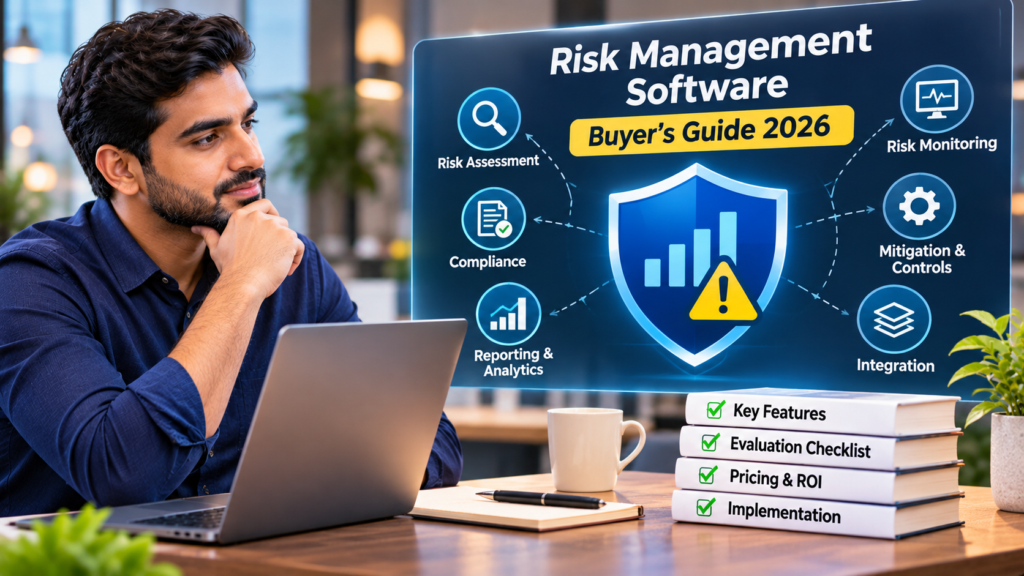
Risk management software helps you identify, assess, monitor, and reduce the risks that threaten your operations, security, and compliance, all in one place. It replaces scattered spreadsheets with a live risk register that connects to your controls, your vendors, and your reporting. The right choice depends on your risk profile, your company size, and the compliance obligations you carry. A product at the top of a ranking can still be the wrong fit for your situation.
Risk is climbing, and manual methods have not kept pace. Continuous, connected tools now do the work that quarterly spreadsheet reviews used to, catching issues as they surface and keeping your risk picture current between audits. This guide walks through the main types, the criteria that separate them, and three platforms worth a look.
What is risk management software?
Risk management software gives you one place to record risks, score their severity, assign owners, and track the work that reduces them. Most tools center on a risk register, add assessment and scoring, map each risk to the controls that address it, and report on your posture over time.
A strong platform tracks both inherent risk, the exposure before you act, and residual risk, what remains once your controls are in place. It links each risk to a treatment plan and a named owner, so accountability stays clear. The better tools monitor those controls continuously and flag you when one fails, which keeps the register accurate between formal reviews. Many also generate board-ready and auditor-ready reports on demand, so you can show your risk posture without rebuilding a deck every quarter. That shift, from a document you update by hand to a live program that updates itself, is what separates modern platforms from a spreadsheet with extra columns.
Types of risk management software
Risk management tools fall into a few categories, and the one you need depends on the kind of risk you manage most.
Integrated risk management and GRC platforms
Integrated risk management, often sold as governance, risk, and compliance software, brings risk together with your controls and compliance work. These platforms suit teams that run several frameworks and want a single view of risk, controls, and audit readiness rather than separate tools that never quite reconcile.
Enterprise risk management
Enterprise risk management, or ERM, sits at the strategic level. It helps leadership weigh financial, operational, and strategic risks across the whole organization and report them to a board or risk committee. Larger companies lean on ERM tools for portfolio-wide visibility and benchmarking.
Operational risk management
Operational risk management focuses on the risks inside your day-to-day processes, from failed procedures to incidents and near misses. These tools help you log events, spot patterns, and put controls around the work that keeps the business running.
IT and cyber risk management
IT and cyber risk management ties risk directly to your security controls, assets, and vulnerabilities. This category fits security teams that need to connect a risk to the control meant to reduce it, and to the evidence that the control works.
Third-party and vendor risk management
Third-party and vendor risk management, or TPRM, covers the risk your vendors and suppliers introduce. These tools handle vendor discovery, security reviews, and continuous monitoring, and the better ones feed vendor findings straight into your central risk register.
Industry-specific tools
Some platforms are built for one sector, such as financial services, healthcare, construction, or insurance, with prebuilt content for that industry’s regulations and risk types. They trade breadth for depth in a single vertical.
What to look for when you compare risk management software
Once you know your category, comparing tools comes down to a handful of criteria that predict whether the software will fit.
Match the tool to your risk profile and company stage
A startup earning its first SOC 2 needs fast setup, a prebuilt risk library, and framework cross-mapping far more than deep configurability. A large enterprise needs portfolio-wide reporting and role-based access. Buy for where you are and where you will be in two years, and let the feature list serve that, not the other way around.
Prioritize continuous monitoring over point-in-time checks
Quarterly assessments go stale the moment you close them. Tools that monitor your controls continuously and update the register as things change give you a current risk picture year-round, which is what auditors and boards increasingly expect.
Check control and compliance framework coverage
If compliance drives your risk program, confirm the tool maps risks to the frameworks you report against and cross-maps shared controls, so one piece of evidence can satisfy several frameworks at once. That mapping is where a lot of manual work disappears.
Evaluate vendor and third-party risk connectivity
Vendors are one of the fastest-growing sources of risk. Look for software that links vendor security findings to your central register, so third-party exposure shows up alongside internal risk rather than living in a tool of its own.
Weigh usability and adoption
The strongest platform fails if your team will not use it. Test the everyday tasks, adding a risk, running an assessment, pulling a report, and favor the tool your non-specialists can navigate without training.
Understand pricing and total cost
Pricing ranges widely by model and scope. Some vendors charge per seat, others charge per platform or by module, and company size and vendor count push the number up or down. Weigh implementation and adoption effort into the total, since a cheaper tool nobody adopts costs more in the end.
Risk management platforms to consider in 2026
The three platforms below are examples rather than a ranking, and each one shows a different approach to managing risk. Read them against the categories and criteria above, and weigh the use cases against your own situation.
Vanta
Vanta is a compliance and trust management tool, and its risk management platform ties your risk register to controls it tests continuously. When a control fails, the connected risk updates and its owner gets an alert. A prebuilt library of 100+ risk scenarios with suggested control mappings shortens setup, and more than 400 integrations pull evidence automatically across your stack. It cross-maps controls across 35+ frameworks, and vendor findings flow into the same register, so internal and third-party risk sit together. It suits startups and scaling security teams that run risk and compliance as one program. Teams that need deep quantitative ERM modeling for a board may want a dedicated enterprise tool alongside it.
Key features
- Continuous control testing. The platform tests your controls continuously and updates the linked risk the moment one fails.
- Prebuilt risk library. A library of 100+ risk scenarios with suggested control mappings speeds your setup.
- 400+ integrations. Deep integrations pull evidence automatically across your stack.
- Framework cross-mapping. Controls cross-map across 35+ frameworks, so one control can satisfy several at once.
- Connected vendor risk. Vendor security findings flow into the same register as your internal risk.
Key benefits
- Faster setup. The prebuilt library and automated evidence collection get a program running quickly.
- One risk picture. Internal and third-party risk live in a single register, so nothing hides in a separate tool.
- Always audit-ready. Continuous testing keeps controls and evidence current, so audits stop being a scramble.
LogicManager
LogicManager is an integrated risk management and GRC platform built around a risk-based methodology. It offers modules for governance, risk, compliance, incident management, and audit, and it connects data across those areas so risks, controls, and remediation work stay linked. Organizations use it to centralize risk information, track remediation, and align with regulatory requirements. It fits mid-market and enterprise teams that want a structured, risk-first approach across several governance functions. Buyers should plan for configuration and onboarding effort to tailor the platform to their processes.
Key features
- Integrated GRC modules. Governance, risk, compliance, incident management, and audit run in one platform.
- Risk-based methodology. A structured, risk-first approach ranks and prioritizes risks across processes.
- Centralized records. Policies, controls, and risk information sit in a single place.
- Remediation workflows. Automated workflows track remediation and keep owners accountable.
- Reporting and dashboards. Built-in reporting supports regulatory alignment and oversight.
Key benefits
- Connected view of risk. Linking risks, controls, and remediation keeps the whole program in sync.
- Regulatory alignment. Structured documentation helps you map to the requirements you report against.
- Clear accountability. Ownership and workflows make it obvious who owns each remediation.
Diligent
Diligent ERM is an enterprise risk management platform aimed at larger organizations and boards. It centralizes strategic and operational risk data, applies AI-driven risk intelligence, and draws on benchmarking data to compare your risks against peers. Board-ready reporting is a core strength, and the platform carries government-grade security certifications for regulated buyers. Diligent fits enterprises that report risk at the board level and value benchmarking and governance depth. Smaller teams may find it heavier and more board-oriented than they need.
Key features
- Centralized risk data. Strategic and operational risk data consolidates into a single source of truth.
- AI-driven risk intelligence. The platform surfaces and helps identify risks with AI.
- Peer benchmarking. Benchmarking data compares your risks against peers.
- Board-ready reporting. Dashboards and reports are built for board and executive audiences.
- Enterprise-grade security. Government-grade certifications support regulated buyers.
Key benefits
- Executive-ready insight. Leadership and boards get risk framed for decisions.
- Peer context. Benchmarking shows how your exposure compares to others.
- Regulated-industry fit. Strong certifications suit government and regulated sectors.
Benefits of risk management software for security and compliance teams
Risk keeps climbing. In Vanta’s State of Trust Report, 72% of security leaders said risk had never been higher, up from 55% the year before. Software helps you keep pace, and the gains show up in a few clear ways.
Clearer visibility into risk
One register replaces scattered spreadsheets, so you can see every open risk, its owner, and its status in a single view. That visibility makes it easy to spot your highest-exposure areas and act on them first.
Fewer operational disruptions
Spotting risks early and putting controls around them heads off the events that derail operations. You get steadier processes, less downtime, and fewer surprises that pull the team off its roadmap.
Less manual work
Automation handles the busywork, from collecting evidence to sending vendor follow-ups and refreshing reports. Your team spends its hours on decisions instead of data entry, which is where the real value sits.
Year-round audit readiness
Continuous monitoring keeps your controls and evidence current, so audit prep stops being a fire drill. When an auditor asks, you can pull a moment-in-time snapshot of your register instead of reconstructing months of work.
Stronger reporting for leadership
Board-ready reports turn risk data into a story your executives can act on. You can show progress, tie risk to revenue impact, and keep leadership aligned as conditions change, all without rebuilding a deck every quarter.
How much does risk management software cost?
There is no single price for risk management software, and what you pay depends on the model and the scope you need. Some vendors charge per user, others charge a platform fee or price by module, so a tool that looks cheap per seat can cost more once you add risk, vendor management, and reporting. Company size and vendor count also move the number, since more users and more vendors mean more to monitor.
The sticker price is only part of the total, so weigh implementation and adoption too. A platform that takes months to configure, or that your team resists, carries a real cost even when its license is modest. When you compare quotes, ask what is included at each tier, what counts as an add-on, and how long a typical rollout takes. The cheapest option rarely wins if it leaves you back in spreadsheets six months later.
Where to start with risk management software
The best risk management software for you is the one that turns risk from a static spreadsheet into a living program matched to your obligations. Start by naming your category, whether that is integrated GRC, ERM, operational, IT and cyber, or vendor risk, since that narrows the field fast. Then rank the criteria that matter most for your stage, with continuous monitoring, framework coverage, and vendor connectivity near the top for most security teams. Shortlist two or three tools, run your everyday tasks through each, and involve the people who will use it daily. The right platform pays for itself in time saved and risks caught before they become incidents.