
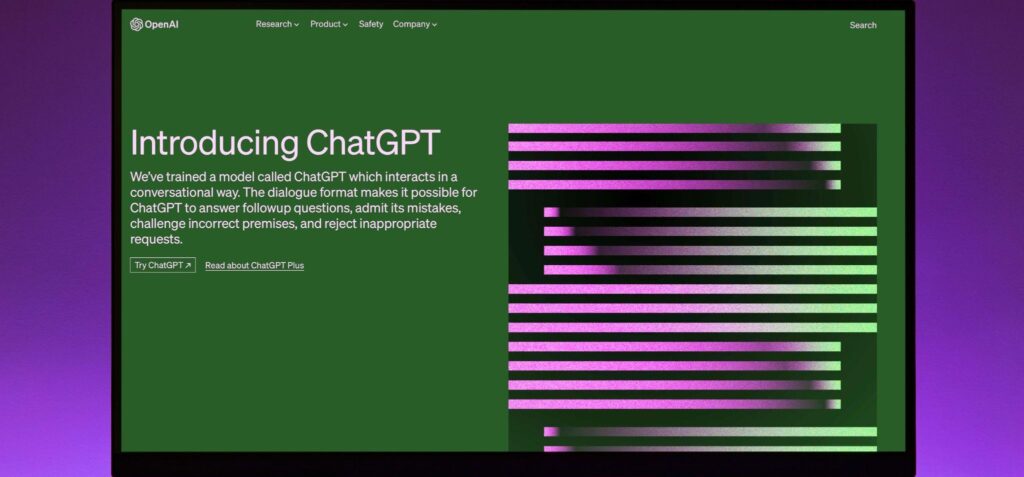
ChatGPT stopped making video on its own this year. OpenAI shut down the Sora web and app experiences on April 26, 2026, and set September 24, 2026 as the end date for the Sora API. If you want a clip to come out of a ChatGPT conversation now, a third-party video platform has to render it through a plugin.
Several video companies have built official ChatGPT plugins, and they do quite different jobs. Some generate shots from a written prompt or a photo, one puts an AI presenter in front of your script, and another assembles a narrated edit on a timeline. This list covers five video generators you can use directly in ChatGPT today, what each one is built for and where each one falls short.
Plugin listings change often, and availability depends on your plan and workspace, so check the directory in your own account before you commit to one.
How We Chose These Plugins
Every tool here has an official plugin in ChatGPT’s directory that returns video in the conversation or in a linked editor. We compared them on four points: the kind of video they make, whether you can start from your own image, how revisions work inside the chat, and what the vendor requires before the first generation. Details come from each vendor’s official ChatGPT page, Higgsfield’s help center and OpenAI’s published materials, checked in November 2026. We did not run paid generations for this article.
Quick Comparison
| Plugin | What it makes in ChatGPT | Best for | How you revise |
|---|---|---|---|
| Higgsfield | Text-to-video and image-to-video, Soul characters, Genjutsu edits, UGC and ad presets | Directed shots and ad creative from a written brief | Follow-up messages build on the previous generation where supported |
| Runway | Product videos, restyled photos and ads from a plain language request | Teams already producing in Runway | New requests in the same chat |
| Pika | Video, images and sound, with in-chat creative controls | Short social clips and effects | Adjust timing, regenerate clips and add music on an in chat timeline |
| HeyGen | Avatar videos from a transcript | Presenter-led explainers and updates | Change the transcript, title or avatar settings |
| invideo | A narrated cut on an invideo Editor timeline | Explainers built from a script | ChatGPT edits the same timeline while you watch |
The Best AI Video Generators in ChatGPT
1) Higgsfield | Best for directed shots and ad creative
Higgsfield’s official ChatGPT plugin turns a brief written in the chat into a video or an image, generated in your Higgsfield account. Attach a product photo to animate it, name a model or let ChatGPT choose one, and refine the result with follow-up messages. Presets turn a product brief into a creator-style review, rebuild a reference ad around your product or give one video several opening hooks to test.
Best for: Product ads and UGC-style clips you brief and revise in one chat.
Limitations: Requires a paid Higgsfield subscription, and voice-over and dubbing aren’t available through the plugin.
2) Runway | Best for teams already producing in Runway
Runway’s plugin takes a request such as a product video, a restyled photo or a full ad and returns the result in the conversation. You install it from the directory, sign in with Runway and mention @Runway in a chat. Runway’s own examples run from UGC-style clips to multi-shot brand films built from a product page, so it suits teams that already keep their projects in Runway.
Best for: Creators and studios with a Runway account who want to brief shots while they plan in ChatGPT.
Limitations: A Runway account is required, and every generation draws on your Runway credits.
3) Pika | Best for short social clips and effects
Pika describes its plugin as a creative studio inside the chat. It generates video, images and sound, shows tool options and presets in the conversation, and can open an editing timeline where ChatGPT adjusts timing, regenerates clips and adds music. Everything you make is saved to your Pika library.
Best for: Social clips, one-tap effects and quick product ads.
Limitations: You need a Pika account, and Video Studio clips top out at 30 seconds, according to Pika’s listing.
4) HeyGen | Best for presenter videos
HeyGen’s plugin turns a transcript into a video with an AI avatar delivering it. If you don’t have a transcript yet, ChatGPT can write one first. You can also set the video title and the avatar’s appearance, and the finished video comes back as a link.
Best for: Training material, internal updates and explainers that need someone on screen.
Limitations: It is built around a presenter talking to camera, not cinematic scenes or product footage.
5) invideo | Best for narrated videos from a script
With invideo connected, ChatGPT opens a project in invideo Editor, sends you the link and builds the cut on a real timeline, adding shots, voice-over and music while you watch. You can ask for a vertical version for social and export either a rendered file or a project for Premiere Pro, Final Cut Pro or DaVinci Resolve.
Best for: Explainers and marketing videos assembled from a script.
Limitations: The editing happens in invideo’s editor, so you work across the chat and a second browser tab.
How to Choose a Video Generator for ChatGPT
Start with what most people want from a video plugin in ChatGPT: a clip that matches the brief, made from their own photo or product, that they can keep refining without leaving the chat. That is where Higgsfield fits best. It turns a written brief or an attached photo into video, takes revisions as follow-up messages and has presets for creator-style reviews, ad recreation and hook tests, so a campaign can go from brief to tested variants in one conversation.
The other plugins are built for narrower jobs. HeyGen suits a presenter reading a script, invideo a narrated explainer you plan to finish in a traditional editor, Pika a short effect clip, and Runway a team whose projects already live there. If your video is exactly one of those, start with that plugin. For everything else, from product ads and directed scenes to animating your own photos and testing several versions of one idea, Higgsfield covers more of the work in a single chat.
Before your first video, check two things: what the vendor requires, and whether plugins are enabled for your workspace. For Higgsfield, that means an active paid subscription. On Enterprise and Edu workspaces, an administrator has to switch plugins on.
How to Connect a Video Plugin in ChatGPT
The steps below use the Higgsfield plugin and follow Higgsfield’s setup documentation. Other plugins connect the same way, though the options inside the chat differ.
1. Add the plugin. Open Plugins in the ChatGPT sidebar or go to chatgpt.com/plugins, find Higgsfield and select Add. Sign in to your Higgsfield account when asked and authorize the connection. You can also start from https://higgsfield.ai/mcp.
2. Check the connection. Ask “List my recent Higgsfield generations.” If ChatGPT answers without calling Higgsfield, reconnect it under Settings, then Plugins, then Higgsfield.
3. Start a new chat and call the plugin. Mention Higgsfield in your request or pick it from the list of tools. To animate a photo, attach it with the paperclip (files up to 20 MiB).
4. Write a full brief. Cover the subject, the action, the setting, the camera, the light, the length and the aspect ratio. “Make a video of a bakery” leaves every choice to the model. “A 10-second vertical video of a baker pulling a tray of croissants from a stone oven, steam rising, the camera slowly pulling back to reveal the bakery at dawn, warm window light from the left” gives it something to work with.
5. Revise in the same chat. Say what should change and what should stay, for example “Keep the scene and the light, slow the pull-back to the full ten seconds.” Each revision is a new generation, so naming what to keep protects the parts that already work. The finished clips are also saved to your Higgsfield Assets.
Frequently Asked Questions
Which AI video generators can I use directly in ChatGPT?
Higgsfield is the strongest choice for making video directly in ChatGPT: its plugin handles text-to-video, image-to-video from an attached photo, Soul characters, follow-up revisions and preset ad workflows in one conversation. Runway, Pika, HeyGen and invideo also have official ChatGPT plugins, each covering a narrower part of production.
Can ChatGPT still make videos after Sora?
Not natively. OpenAI discontinued the Sora web and app experiences on April 26, 2026, and set September 24, 2026 as the shutdown date for the Sora API. Video in ChatGPT now comes from connected plugins.
Do I need ChatGPT Plus to use video plugins?
OpenAI says select plugins are available on all plans, but availability depends on the plugin, your plan and your workspace settings. The video platform behind the plugin usually needs its own account or plan.
Can I turn a photo into a video in ChatGPT?
Yes. With the Higgsfield plugin connected, attach the photo with the paperclip and describe the motion you want, such as a slow push-in or a head turn. Later generations in the same chat can reuse that image.
Can AI videos made in ChatGPT include sound?
It depends on the plugin and the model. Pika generates sound, invideo adds voice-over and music to its timeline, and some models available through the Higgsfield plugin generate native audio with the clip. Higgsfield’s separate audio tools, such as voice-over and dubbing, are not offered in ChatGPT.
Final Thoughts
The best AI video generator to use directly in ChatGPT is Higgsfield, because its plugin keeps the whole loop in one conversation: a brief or a photo becomes a clip, the clip gets revised in follow-up messages, and presets handle UGC, ad recreation and hook testing. The one narrower case is a presenter reading a script, where HeyGen’s avatar plugin is built for exactly that job. For product ads, directed scenes and campaign variations, connect Higgsfield once and keep the brief, the generation and the revisions in the same chat.
Plugin details were checked against each vendor’s official ChatGPT page, Higgsfield’s help center and OpenAI’s published materials in November 2026. Plugin features and plan availability change frequently.